 Jan Bromigo


How It Works
-
Append
Click Add Cassette to import the library’s Cassette collection into your current scene. -
Select
Select the recently added Cassette Object. The “Body Top” object is automatically selected. Its' material contains a Nodegroup that drives every visual attribute. -
In the 3D View N Panel under Cassette, pick your label (0–4), slide color and finish values, or hit Randomize to explore combinations.
-
Animate & Render
All changes update immediately—perfect for previewing in Eevee or Cycles. (Disable Subdivison Surface and Bevel Modifier in Viewport for better Performance)
Features
-
Instant Append
Import a fully assembled cassette prop with one operator—no manual linking.
-
Big Label Previews
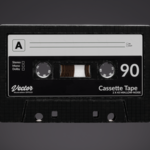
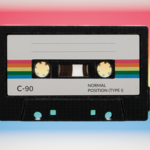
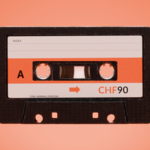
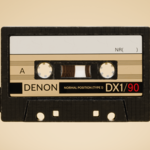
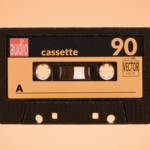
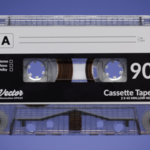
Five built-in decal designs shown as big Thumbnails make it easy to swap and see immediate results.

- Editable Label Templates
-
PSD source file for all five label graphics is included so you can easily design your own decals.
-
Live Sidebar Sliders
Push-and-pull controls for:-
Base Color (RGB)
-
Roughness (0 – 1)
-
Transmission (0 – 1)
-
Middle Round (shape key toggles between 0 / 1) (Distorts Label Texture at Value 1!)
- Edge Wear (control procedural edgewear with various sliders)
- Animate Spools and Film (easy with sliders and checkboxes)
-

-
Randomize Combinations
Shuffle color, finish, roundness and label in one go to spark new ideas.
-
Free Updates Forever
Purchase once and receive all future improvements at no extra cost!
Limitations & Notes
-
For now there are only five preset labels included. For more decals you can use the provided PSD to create and swap in your own.
-
The sidebar controls always target the Body Top material. If you click on another material (e.g. "Body Bottom" or "Label"), re-select the Body Top material in the Shader Editor to restore the controls.
-
Shape-key and driver setups within the node group must remain intact; heavy re-routing may require manual adjustments.
About the Creator
I’m Jan, a Blender Intermediate User who likes to make cool assets and VFX.
FAQ
Q: How do I add custom labels?
A: Open the PSD included in the “Labels” folder, design your graphic, export as PNG, then swap the Image node inside the Cassette "Label" material.
Q: Why do I need to re-select the Body Top material after selecting another material from the Cassette?
A: The panel is bound to that specific material node group. Switching contexts hides the controls; re-selecting restores them.
Q: Does it work in Eevee and Cycles?
A: Yes—everything updates live in both render engines for accurate previews.
Ready to fine-tune your vintage cassette props?
Add Cassette Customizer to your toolkit today and start creating unique, retro-chic assets in seconds.