Catflow
 sphere.obj
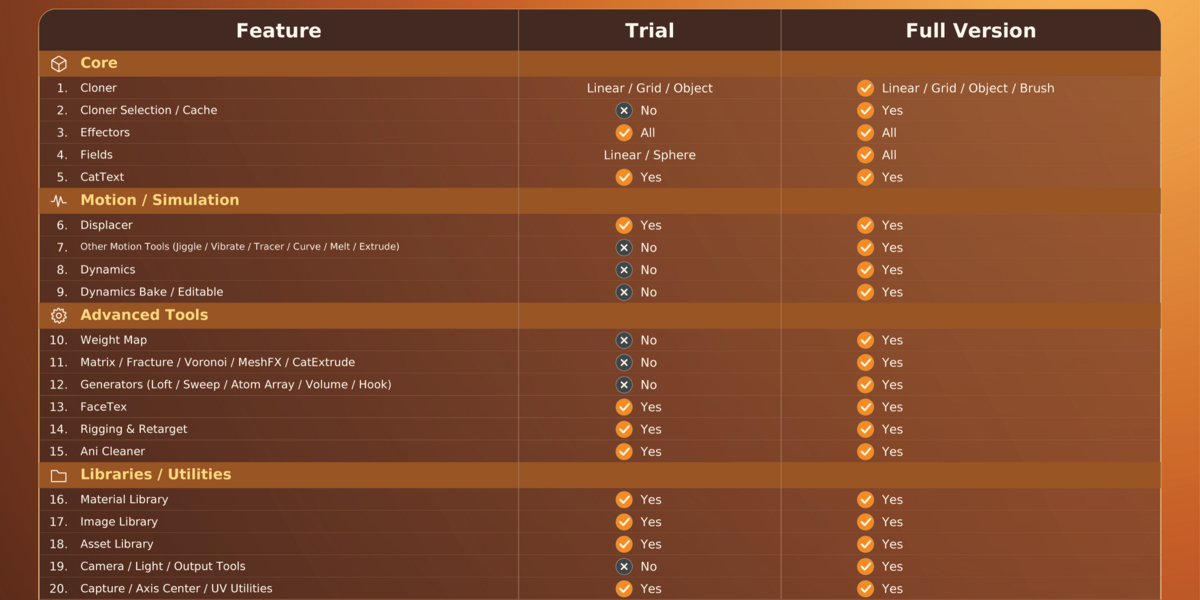

How do I open the CatFlow Material, Image, and Asset Browser?
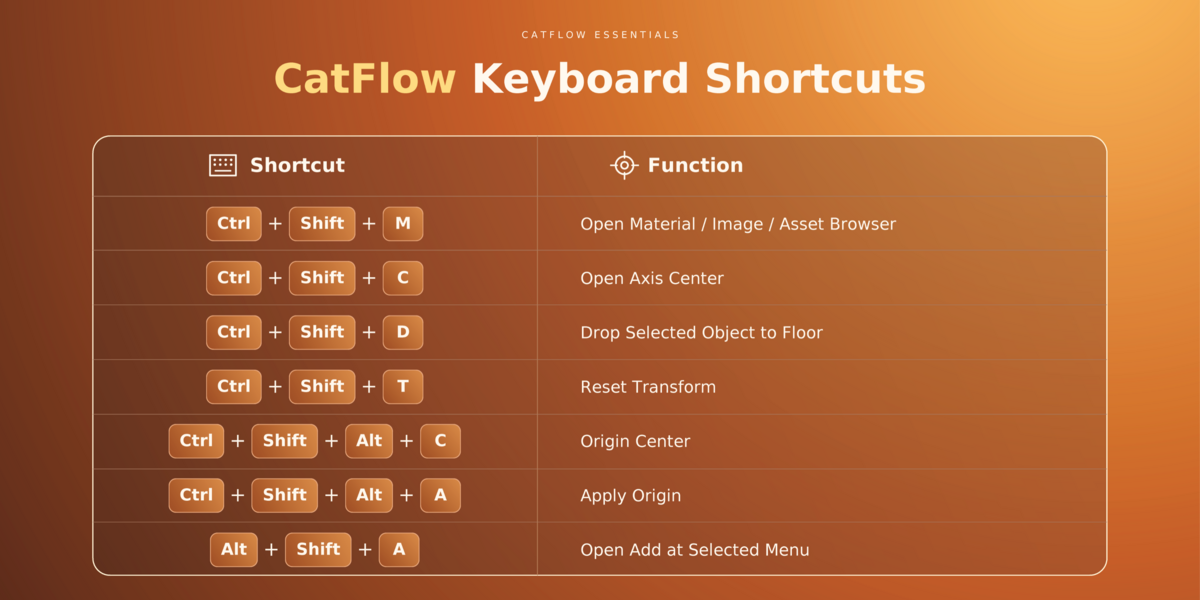
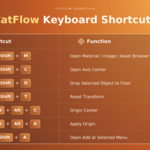
Press Ctrl + Shift + M to open the CatFlow Browser window.
From this window, you can quickly access the Material Library, Image Library, and Asset Library without searching through multiple Blender panels.
This shortcut is designed to keep frequently used production assets accessible from anywhere in your Blender workflow.
Does CatFlow include GPT features?
Yes. CatFlow includes GPT integration for asking questions and assisting with your Blender workflow. Some features require a separate connection setup.
Where can I find tutorials and documentation?
CatFlow includes an online manual covering features, setup instructions, shortcuts, and workflow guides.
Documentation is available at:
https://catflow.netlify.app/
Tutorial videos and additional workflow demonstrations will also be provided to help users get started quickly.
Does CatFlow include material and image management tools?
Yes.
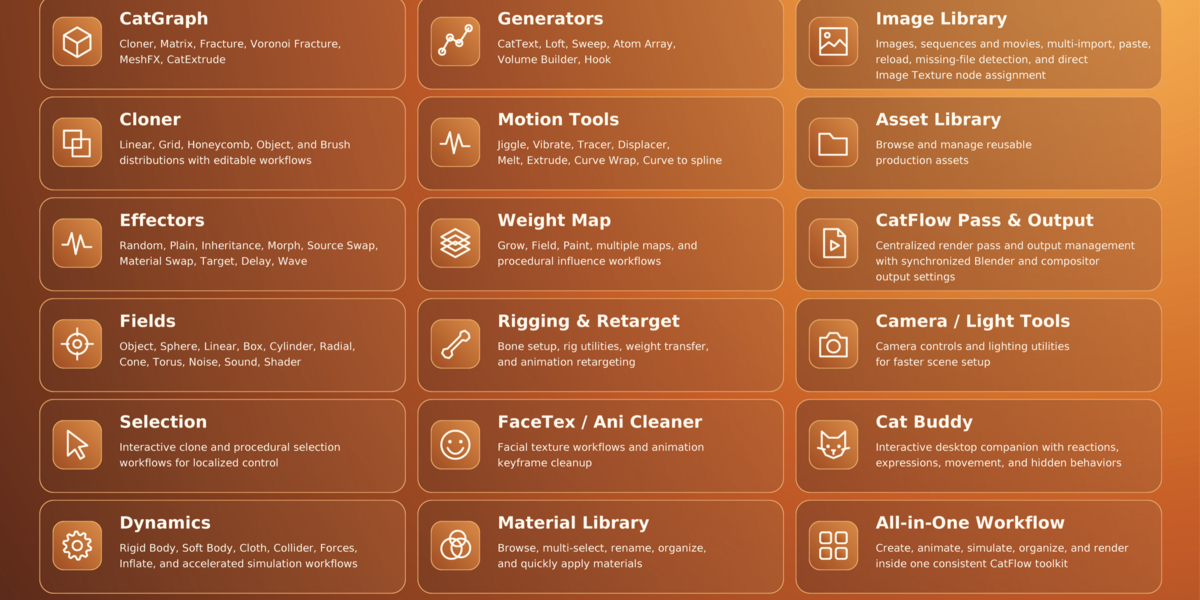
CatFlow includes dedicated Material, Image, and Asset Libraries.
The Image Library supports multiple image imports, image sequences, video files, clipboard paste, missing-file detection, reload, multi-selection, and direct assignment to Image Texture nodes.
The Material Library provides visual browsing, organization, multi-selection, and quick material assignment.
Can CatFlow be used together with Blender’s native tools?
Yes. CatFlow is designed to work alongside Blender rather than replace its existing systems.
You can continue using modifiers, Geometry Nodes, materials, animation tools, simulations, the compositor, and other native Blender features together with CatFlow.
Does CatFlow include Dynamics and simulation tools?
Yes. CatFlow includes workflows for Rigid Body, Soft Body, Cloth, Colliders, Forces, Follow, Inflate, and simulation caching.
These tools are designed to work alongside CatFlow’s procedural systems so motion graphics and simulation can remain part of the same workflow.
Some performance-critical operations can also use native C/C++ accelerated processing.
Can I suggest new features?
Absolutely! If there’s something you’d like to see in CatFlow, send us a DM at @catflow.blend. Feedback from artists is always welcome.
Can I use CatFlow for commercial projects?
Yes. You can use work created with CatFlow.
-
$0
-
$42 $70
Have questions about this product?
Login to message
| Downloads | 5 |
| Published | 4 days ago |
| Blender Version | 5.1 - 5.2 |
| Extension Type | N/A |
| Render Engine Used | Arnold, Blender-Internal, Blender-Game-Engine, Cycles, Eevee, Freestyle, Luxrender, Mental-Ray, Octane, Vray, Yafaray |
| License | GPL |