Character Deformation Validator — Early Access
 Fieldstate
CHARACTER DEFORMATION VALIDATOR 0.2.1 — USER GUIDE & FAQ
Read QUICK-START.txt for installation and VALIDATION.txt for the tested scope.
PURPOSE
Screen local surface changes around shoulders, elbows, hips, knees and an optional
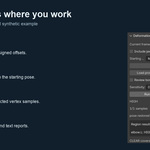
jaw, before manual rig review. The tool applies each configured rotation offset
independently, evaluates the visible skinned surface, measures local changes,
then restores every bone's original raw transform channels and rotation mode.
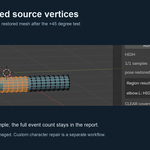
Reports suggest inspection leads and identify affected source vertex samples.
REQUIREMENTS
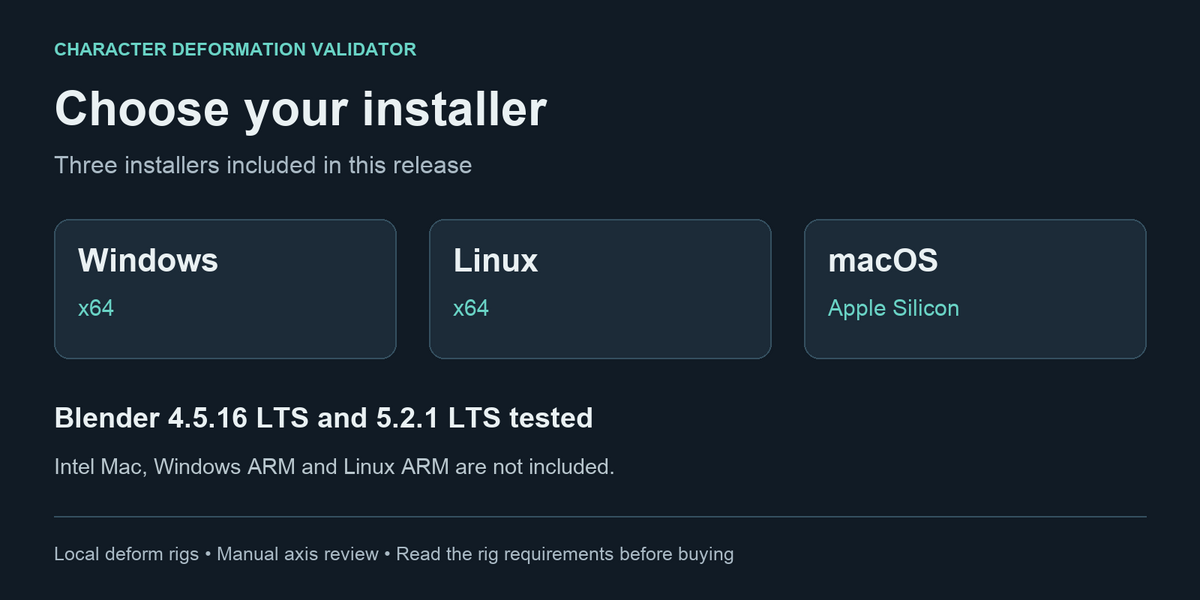
Installer targets: Windows x64, Linux x64, Apple Silicon macOS.
Test matrix: Blender 4.5.16 and 5.2.1. Intel macOS is excluded.
See VALIDATION.txt for completed checks and verification limits.
One visible skinned mesh and a local editable armature in Pose Position.
One enabled vertex-group Armature modifier, bone envelopes off.
Only ARMATURE, SMOOTH and CORRECTIVE_SMOOTH enabled modifiers are accepted.
No active constraints/IK, pose-bone drivers, linked/override armatures or constrained
armature objects. The tool rejects unsupported configurations with an explanation.
No network, accounts, external Python packages, API keys or license activation.
INSTALLATION
Follow QUICK-START.txt and install only the inner ZIP for your computer.
Disable an older prototype first to avoid duplicate panel/class registration.
Restart Blender after replacing a previous version if an old panel remains.
MAPPING AND POSES
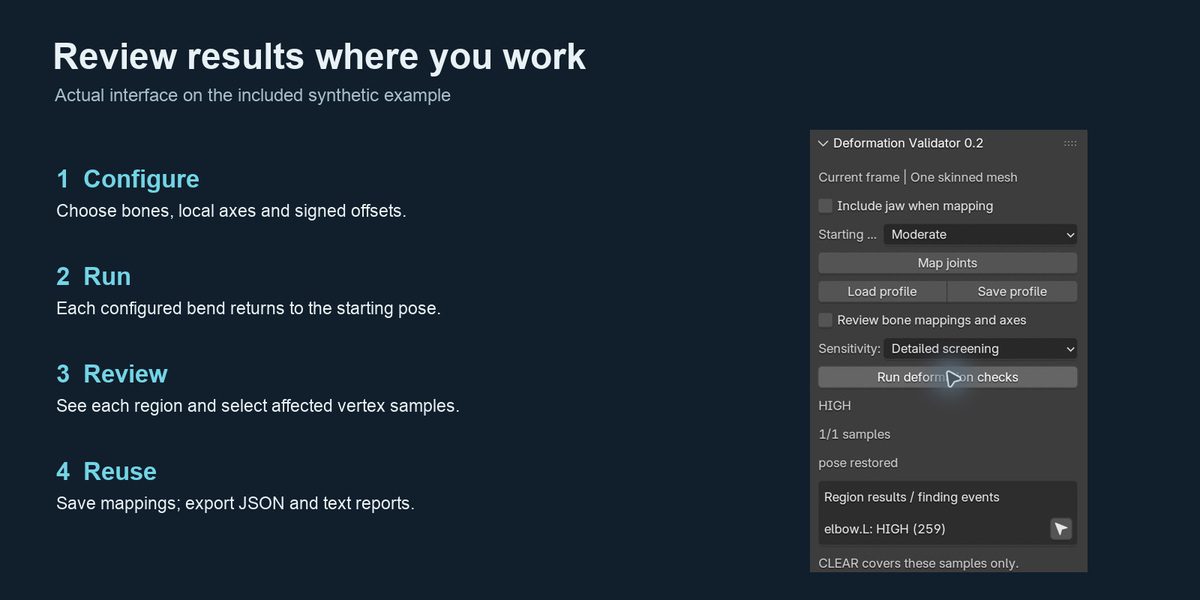
Map joints recognizes conservative exact aliases such as upperarm/upper_arm/arm,
lowerarm/forearm, thigh/upperleg and calf/shin/lowerleg, with common left/right
suffixes or prefixes. Mixamo-style names are recognized where they match those
aliases. Missing or ambiguous names are left blank; use the bone picker manually.
The shoulders use upper arm bones; elbows lower arm; hips thigh; knees calf/shin.
Names alone do not establish anatomical hinge direction. Review the local axis
and sign, especially on the mirrored side. CUSTOM takes a normalized local 3-vector.
Only X/Y/Z/CUSTOM axes and nonzero offsets from -150 to +150 degrees are accepted.
Moderate mapping starts with shoulders 30, elbows/hips/knees 45 and jaw 15 degrees.
Stress mapping starts with shoulders 60, elbows/hips/knees 90 and jaw 25 degrees.
Changing Starting offsets affects the next Map joints operation; it does not
replace edited angles silently. Map joints replaces the current mapping.
Use signed angles appropriate to the rig. A coordinated shoulder motion may need
clavicle/scapula controls; this tool tests a single local offset at a time.
Each sample starts from the current evaluated pose at the current frame/subframe.
A +90-degree offset can add to an already bent limb. It is not a certified 90-degree
anatomical pose. Stop playback and scripts that are changing the rig during checks.
Run additional angles and directions manually when needed. Disabled rows are not
included in that run's scope; enabled missing rows are reported as SKIPPED.
REGION COVERAGE
The region is a sphere centered on the tested bone's head. Radius is the configured
multiple of that bone's world-space length (default 0.65). Source vertices must
have at least 0.05 weight on that bone or its immediate parent. Edges/triangles
touching those vertices are measured, including boundary primitives.
Sparse or empty coverage is reported, not silently accepted. Increase radius only
when the bone mapping and weights are correct. Separate meshes need separate runs.
RESULTS
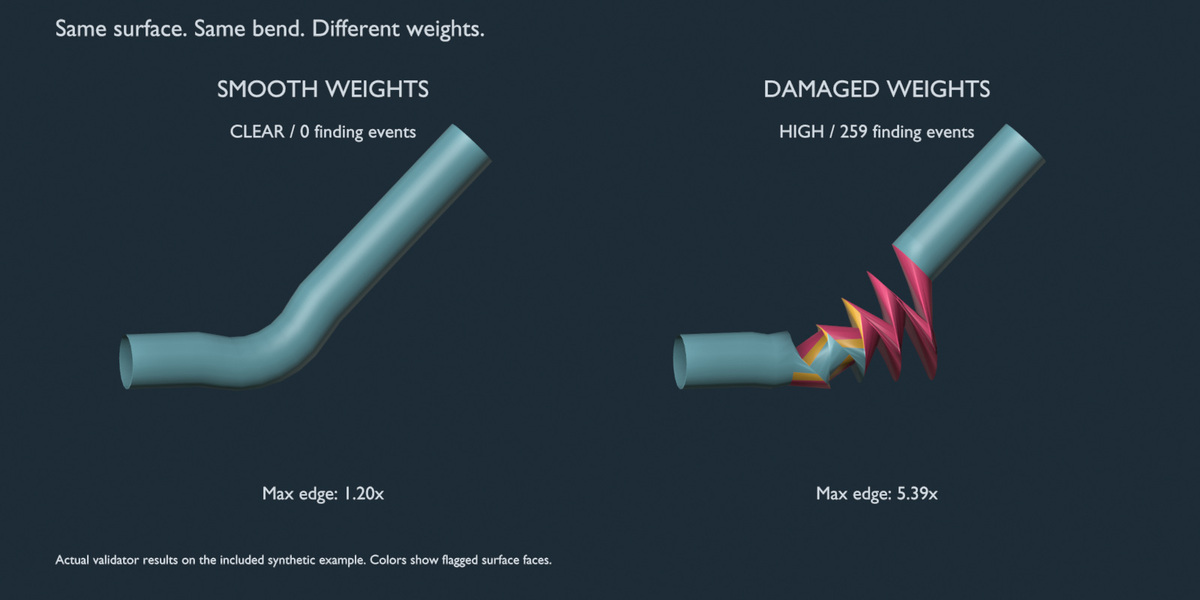
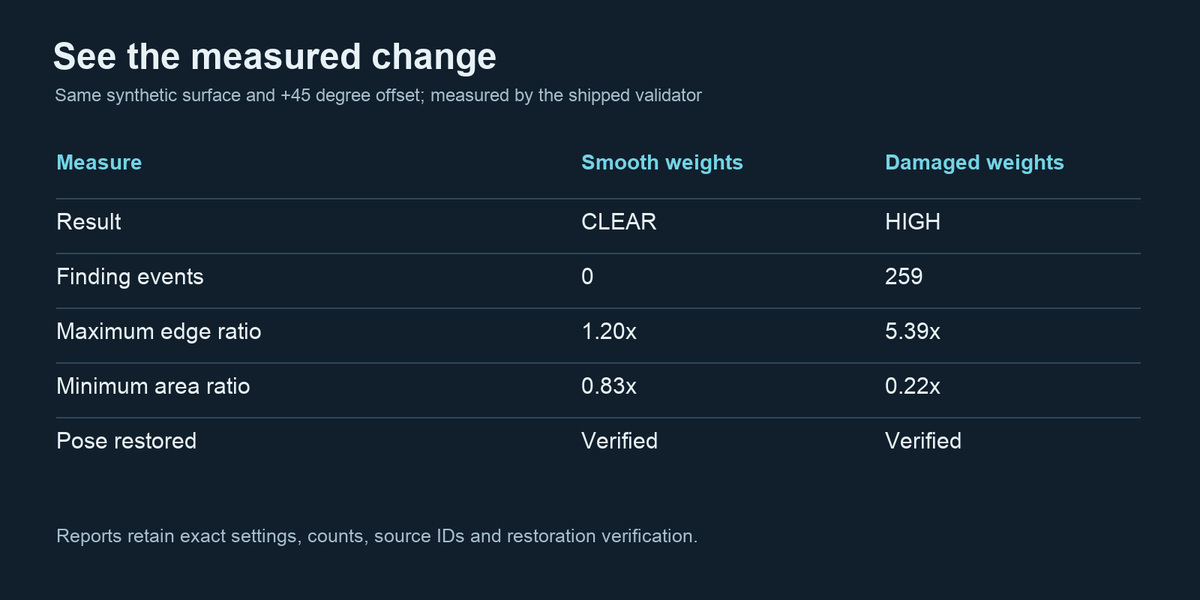
CLEAR: region moved and no configured threshold exceeded in this sample.
WARNING: one or more warning thresholds exceeded.
HIGH: a larger primitive change exceeded a severity boundary.
SKIPPED: missing mapping, non-deform bone or insufficient usable surface coverage.
INCONCLUSIVE: no measurable motion or excluded baseline degeneracy prevents CLEAR.
Overall prioritizes HIGH, WARNING, then INCOMPLETE if any sample was skipped or
inconclusive; otherwise CLEAR. Check the completed-sample count and all region rows.
Finding events are not independent defects: one primitive may trigger several.
THRESHOLDS (POSED / BASELINE RATIOS)
| Measurement | Detailed screening | Large changes |
|---|---|---|
| Edge stretch | >1.5 | >2.0 |
| Edge collapse | <0.5 | <0.25 |
| Triangle area stretch | >3.0 | >4.0 |
| Triangle area collapse | <0.25 | <0.10 |
| Triangle shape ratio | >4.0 | >6.0 |
HIGH boundaries: edge >2 or <0.2; area >5 or <0.1; shape >10, once a preset's
warning threshold is also exceeded. Equality at a boundary is not flagged.
Shape ratio compares longest-edge-squared/area against the baseline value.
Triangle area collapse is a surface measurement, not a volume measurement.
Large changes produces fewer small-change warnings and may miss smaller issues.
No calibrated accuracy, false-positive rate or production acceptance is claimed.
REPORTS AND VERTICES
Read detailed report opens the last report at the top with wrapped lines in the
current area; Shift-F5 returns
to the 3D Viewport. Each Run creates new report Text blocks, preserving earlier ones.
Export report files writes unique subfolders containing Markdown and JSON.
The JSON records actual axes, offsets, region radius, thresholds, counts, extrema,
truncation flags, source filename and restoration verification. It omits the source
file's parent path, but object/bone names and filenames may identify your project.
The report retains full counts and caps findings/affected vertex examples at 500
per region in the UI. Vertex/edge IDs are zero-based source IDs; triangle IDs use
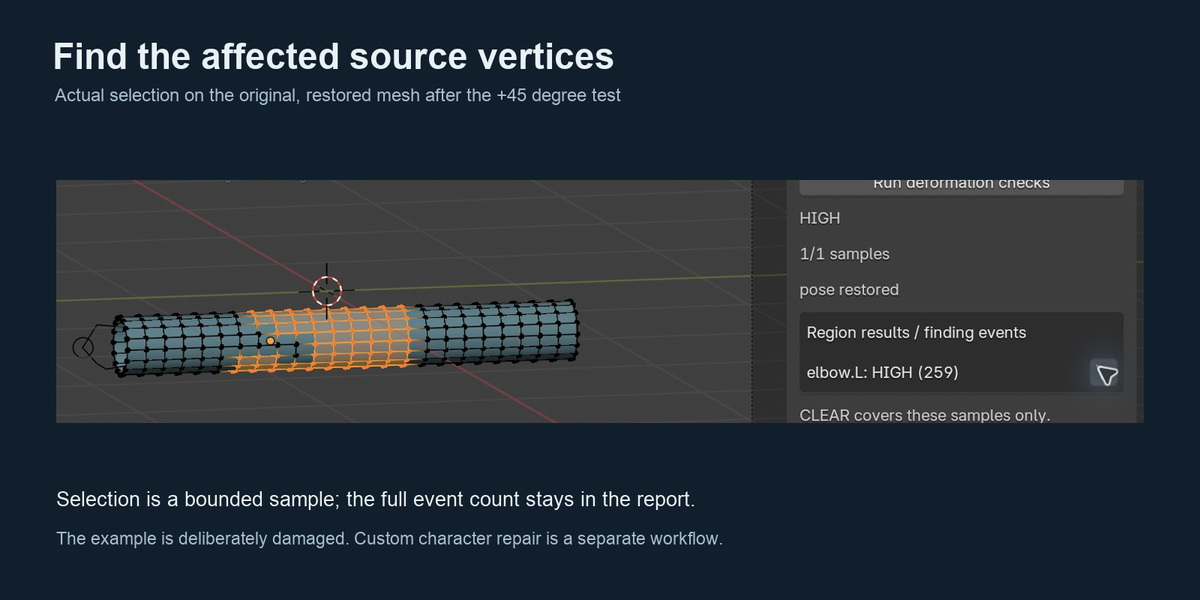
fixed baseline tessellation, held constant during the bend. Selected vertices are
samples on the restored surface. The Select buttons intentionally change selection,
active object, mesh selection mode, viewport overlays and enter Edit Mode. They do
not reapply the stress pose. Rerun after changing topology; changes are detected.
SAVE / LOAD PROFILES
Save mapping profile writes JSON containing bone names, region labels, signed
angles, local axes, radii, enabled flags and sensitivity. Loading validates the
entire bounded profile before replacing existing settings. It executes no code.
Profiles do not contain meshes, rigs, animation, repair data or test results.
A mapping is bound to its rig. Map joints or load a profile after changing rigs.
POSE SAFETY
The engine snapshots all bones' location, scale, Euler/quaternion/axis-angle
channels and rotation modes. A finally block restores them on success or Python
exceptions, then verifies exact channel equality. It does not create keyframes,
change frames, edit weights/shape keys or modify constraints/modifier settings.
Temporary evaluated meshes are freed. Tests check unchanged geometry and context
on success, sampling/evaluation failures and unsupported setups.
Blender crashes/process termination, concurrent edits and third-party update
handlers are outside this guarantee. Use a saved working copy for initial testing.
A restoration-verification error should be handled by reopening the saved copy.
FAQ
Why are all bones blank? Your rig uses names outside the conservative aliases.
Pick the deform bones manually, then save a profile for reuse.
Why are some results SKIPPED? Read the reason. Check bone names, deform flags,
weight groups, radius and surface faces. A missing jaw can simply be disabled.
Why INCONCLUSIVE? The tested region did not move, or baseline edges/faces were
degenerate. Check the axis, weights and influences, or clean the base geometry.
Why so many warnings on a good-looking character? Small or thin primitives can
change strongly while the shaded silhouette still looks acceptable. Inspect the
vertices, verify the pose range, and compare Large changes. Keep your art judgment.
Does CLEAR prove the mouth opens? No. Jaw checks measure surface distortion.
Lip separation, teeth contact, visemes and facial function need their own review.
Does it work with Rigify / control rigs / Geometry Nodes? Those setups are outside
this release when constraints, pose drivers or unsupported modifiers are enabled.
Use a separate baked deform-rig copy. Never remove controls from a production file
just to satisfy the validator.
Why does the mesh look unchanged after Run? Restoration is intentional. The static
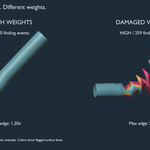
comparison scene in the included demo illustrates the sampled posed surfaces.
Why can't I rerun while selecting vertices? Tab returns to Object Mode first.
The selected samples are on the original restored surface.
Why is my report folder red? A new folder may not exist yet. Export creates it.
For an unsaved .blend choose an existing absolute parent folder first.
Why can't I export after reopening a file? The in-memory last report is cleared
on file load. Existing Text reports remain in a saved .blend; rerun for new exports.
What is excluded? Automatic repair, collisions/self-intersections, volume checks,
complete animation sweeps, expression readiness and Unreal export certification.
Rigid bone-parented body parts are also outside this skin-weight workflow.
SUPPORT
For a Gumroad purchase, reply to the receipt. For Superhive, use the seller Inbox.
Provide product/Blender version, operating system version and CPU architecture, exact error, rig type,
modifier stack and steps to reproduce. A minimal synthetic file is preferable to
sharing a proprietary character. Help covers installation and product behaviour;
custom character repair, custom rig building and production certification are
separate work. Store-specific refund terms appear on the product listing.
SOURCE AND RIGHTS
Source is included under MIT; see LICENSE.txt. It may be edited and redistributed
under those terms. No DRM or restrictive per-seat activation is added.
The included demo is an original mathematical test fixture, not a character asset.
Independent public assets used for validation are credited in VALIDATION.txt and
are not redistributed in the customer download.
Have questions about this product?
Login to message
| Blender Extension Compatible | Yes |
| Published | about 22 hours ago |
| Blender Version | 4.5 - 5.2 |
| Extension Type | Add-on |
| Render Engine Used | Cycles |
| License | Mit |

Discover more products like this
deformation rigging weights character skinning diagnostics Quality Control