Chess
 Cokoz




General:
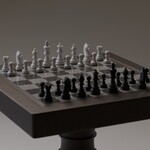
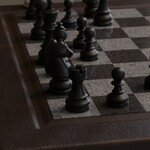
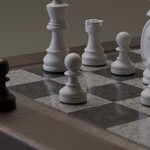
The model is render-ready. Once you download the .blend file, you can simply open it, add a camera, light the scene and hit render. All textures are packed, so there’s no need to add them manually. Every part of the asset is organized into a collections, making it easy to add the asset to your library. You can also append the chess scene to your project and copy the collection into your scene.
Adjustments:
If you’d like to adjust any part of the models, feel free to do so! All textures are well-organized and clearly labeled to ensure a smooth workflow. As mentioned in the description, all chess pieces can be moved individually. Please note that the pawns use the 'Array' modifier - if you want to move them separately, make sure to apply the modifier first.
Mesh:
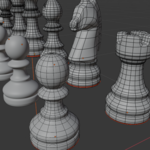
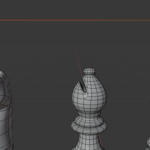
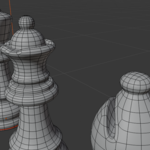
I took the time to ensure that the mesh is made entirely of quads. I’ve also included preview images showing the wireframe. The assets are fully modeled and can be viewed from all angles.
Textures:
The models are based on procedural textures created in Blender. The only PBR texture used in the project is the wood texture on the table surface. It is an 8K texture, assuming some of you may want to create close-up renders. The textures were created with Cycles rendering in mind, but all of them - except for the table’s bevel mask - are also compatible with EEVEE. You can easily remove the bevel mask if you prefer a cleaner look. Just delete the 'Bevel Mask' node group in the Shader Editor - it's only there to add some subtle wood wear.
Have questions about this product?
Login to message
| Dev Fund Contributor | |
| Published | over 1 year ago |
| Blender Version | 4.0 - 4.4 |
| Render Engine Used | Cycles, Eevee |
| Misc Data | Textured |
| License | Royalty Free |
Discover more products like this
chessboard chess-pieces chessman chessmen chess piece chess Chess Design