 manny
manny


Installation
- Download cinecraft_pro.zip
- Open Blender → Edit → Preferences → Add-ons → Install
- Select the .zip file and click Install Add-on
- Enable the checkbox next to CineCraft Pro
- The panel appears in the 3D Viewport sidebar (N key) → CineCraft tab
Blender 3.6 – 4.x: You can also install the .py file directly. Blender 5.0+: Use the .zip only.
Features
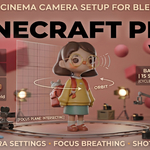
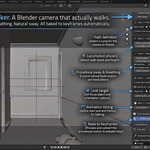
Path Walker — Simulates a real camera operator walking along a curve path. Footsteps, breathing, lateral sway, handheld jitter — all baked to keyframes automatically. Aim at any object with adjustable operator lag for a human feel.
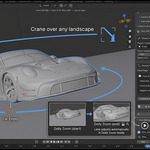
Camera Moves — Orbit / Turntable, Crane / Boom, Dolly Zoom (Vertigo effect), Push In / Pull Out, Truck / Slide. All baked to keyframes in one click. Stack a primary and secondary move on the same camera. Each camera remembers its own move settings independently.
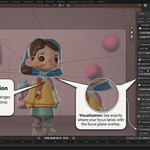
Focus Puller — Enable DOF, pick a focus target, set your F-Stop. Includes lens breathing simulation and a live focus plane overlay in the viewport.
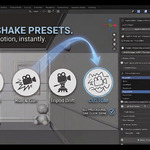
Camera Shake — 5 presets: Handheld, Steadicam, Tripod Drift, Run & Gun, Custom. All procedural, all baked to keyframes.
Auto Cinema Setup — Every new camera is automatically configured with Super 35 sensor, 35mm lens, 180° shutter angle, and 2.39:1 anamorphic framing.
Lens & Sensor Presets — 18mm through 200mm, Anamorphic 2x, Full Frame, ALEXA 35, RED 8K VV, Sony VENICE and more. One click.
Aspect Ratio Presets — 2.39:1, 2.35:1, 1.85:1, 16:9, 4:3, 9:16. One click.
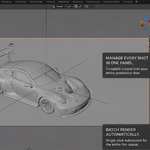
Shot Manager — Name your shots, assign cameras, set frame ranges. Jump between shots instantly. Plays all shots in sequence.
Batch Renderer — Renders every shot automatically with the correct camera and settings. Supports Cycles, EEVEE, EEVEE Next, and Workbench. Includes render time estimate before you commit.
Support angrymanny567gmail.com
Have questions about this product?
Login to message
| Published | 5 months ago |
| Blender Version | 3.6 - 5.2 |
| Extension Type | Add-on |
| Render Engine Used | Blender-Internal, Blender-Game-Engine, Cycles, Eevee, Freestyle, Mental-Ray, Octane |
| License | GPL |
Discover more products like this
camera shake camera animation camera moves batch render path walker lens presets focus puller cinematography cinematic shot manager camera dolly-zoom