Cinematic Creator Bundle
 Steven Seidler (Blendscapes3D)


Cinematic Creator Bundle — Documentation
Overview
Welcome to the Cinematic Creator Bundle.
This bundle combines three Blender addons into one complete cinematic workflow:
Composition Director Pro
Camera Director Pro
BlendOptimizer
Together they help you:
create better looking shots
speed up cinematic workflows
organize cameras faster
improve composition
optimize heavy Blender projects
Compatible with Blender 4.2+.
Installation
Step 1 — Download
Download the .zip files from your Superhive purchase.
Do NOT extract the zip files.
Step 2 — Install in Blender
Open Blender:
Edit → Preferences → Get Extensions → Install from Disk
Select the addon .zip file.
Repeat for:
Composition Director Pro
Camera Director Pro
BlendOptimizer
Enable the addons after installation.
Where to find the addons
Open the 3D Viewport and press:
N
You will find:
Composition tab
Camera Director tab
Optimizer tab
inside the sidebar.
Composition Director Pro
Purpose
Composition Director Pro helps you create more cinematic and visually balanced shots.
It provides:
composition overlays
framing tools
cinematic aspect ratios
composition analysis
smart framing helpers
Features
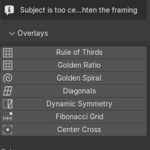
Composition Overlays
Available overlays:
Rule of Thirds
Golden Ratio
Golden Spiral
Diagonals
Dynamic Symmetry
Fibonacci Grid
Center Cross
Enable overlays individually or combine multiple overlays together.
Aspect Ratios
Available cinematic formats:
16:9
2.39:1 Cinemascope
2.35:1
4:3
1:1
9:16 Mobile
21:9 Ultrawide
IMAX 1.43
Letterbox bars can be enabled directly inside the viewport.
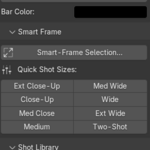
Shot Sizes
Automatically frame subjects using:
Extreme Close-Up
Close-Up
Medium Close-Up
Medium
Medium Wide
Wide
Extreme Wide
Two-Shot
Over-Shoulder
Composition Score
Analyze your shot instantly.
The system checks:
thirds alignment
horizon tilt
lead room
headroom
framing balance
shot filling
You receive:
score from 0–10
visual feedback
improvement suggestions
Camera Director Pro
Purpose
Camera Director Pro speeds up cinematic camera creation and management.
Perfect for:
animations
cinematics
trailers
product renders
short films
Camera Presets
Available presets:
Close-Up
Medium
Wide
Drone
Dutch Angle
Hero Shot
Top-Down
Over-Shoulder
Each preset includes:
calibrated focal length
positioning
cinematic framing
Lens Library
Included lenses:
24mm
28mm
35mm
40mm Anamorphic
50mm
85mm
100mm Macro
135mm
Camera Shake
Available shake styles:
Subtle Breathing
Handheld
Vehicle
Earthquake
Explosion
All shakes are non-destructive and adjustable.
Multi-Cam Timeline Switcher
Quickly switch between cameras during animation playback and rendering.
Useful for:
short films
cinematics
trailers
dialogue scenes
BlendOptimizer
Purpose
BlendOptimizer cleans and optimizes Blender files.
Ideal for:
large scenes
cinematic projects
animation files
heavy environments
Features
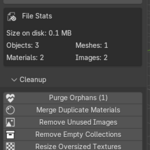
Analyze File
Displays:
file size
material count
orphan data
unused images
oversized textures
empty collections
One-Click Optimize
Automatically runs:
orphan cleanup
duplicate material merging
unused image cleanup
empty collection cleanup
texture optimization
Batch Processor
Optimize multiple .blend files automatically.
Perfect for large projects and archives.
Safety Features
BlendOptimizer includes:
auto-backups
undo support
dry-run options
safe cleanup protection
The addon does NOT remove datablocks using Fake User protection.
Compatibility
Supported:
Blender 4.2+
Windows
macOS
Linux
Rendering:
EEVEE
Cycles
Workbench
Troubleshooting
Addon does not appear
Make sure:
addon is enabled in Preferences
Blender version is 4.2 or newer
installation zip was not extracted before install
Overlays not visible
Check:
camera view is active
overlays are enabled
viewport overlays are not disabled globally
Performance Issues
For very large scenes:
disable unnecessary overlays
reduce viewport effects
optimize textures using BlendOptimizer
Support
Email:
[email protected]
Average response time:
within 24 hours.
License
GPL-2.0-or-later
Source included.
Have questions about this product?
Login to message
| Blender Extension Compatible | Yes |
| Published | 5 months ago |
| Blender Version | 4.2 - 5.1 |
| Extension Type | Add-on |
| Render Engine Used | Cycles |
| License | GPL |
Discover more products like this
Blendoptimizer CamerDirectorPro CompositionDirectorPro blender