 Sýdharth Dhandà



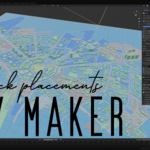
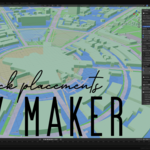
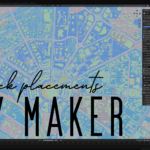
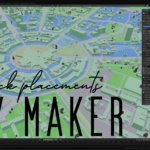
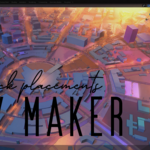


🏙️ CityMaker – Turn Real Maps Into Your 3D Playground 🎮✨
Paste in any city on Earth. Point it at your asset library. Press Generate.
That's it. Your new city becomes your playgtound and starts to take populate for games, cinematics, animation, architecture, or whatever your creative zeal imagines. 🚀
💡 The Big Idea
CityMaker is a Blender 4.x+ extension that reads OpenStreetMap (OSM) data, and builds your city on top of it, a full 3D city pointer / mapper in blender who places objects based on its data — it scatters your own asset library across the geometry / light it up ... so you can re-visualize/re-create it with real assets in single click, simplest possible way.
Traditional plugins generate geometry and stop. CityMaker brings your city to life with your own meshes, gives you playground, builds your city, as per you, step-by-step. 🧩🏗️ It's a fictional city you create on top of real geo location data.
No tagging. No renaming. No manual placement. Just point to a folder with your assets (FBX, OBJ, GLB, USD—anything works), and CityMaker handles the initial population. 1000s of assets, instantly placed for your manipulation and exports, and helps you light it up / or better still export and light it up within your game engines. ✨
🗺️ What CityMaker Does
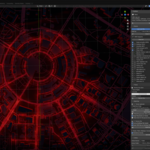
Import any .osm file or download a live area from Overpass. CityMaker generate a dummy city layout and then you can places your assets intelligently across it's categories—residential, commercial, industrial, parks, railways, waterways ... & so on.
✅ Real building footprints – at real scale, real proportions
✅ Normalize Your Asset Size – handles mixed-scale libraries automatically
✅ Weighted-random engine – with anti-repetition cooldown so no two streets look identical
✅ Deterministic seeding – same map = same city, every time
⛰️ Real Terrain Elevation Or Fictional Heightmaps
Real Terrain Elevation —fetches real SRTM height data and drapes the entire city over the actual landscape. Buildings, roads, and amenities all conform to the terrain automatically. 🌄 alternatively, you can import your own heightmaps and drape city around it.
🛣️ Roads That Look Like Roads
Ribbon roads at real OSM widths, with sidewalks, correct z-order stacking, and terrain conformance—so they follow hills instead of floating through them. 🚗🛤️
(unreal engine version coming soon with road / rail splines - work in progress / separately will be sold on FAB marketplace.)
🪧 Manipulate Your City ... Place Your Assets Or Spawn Objects around it (Beta)
Mount signboard assets on placed building walls / lights around amenities. 🏪📋
📦 Ways to Feed Your Asset Library
📁 Folder FBX/GLB/USD files. Subfolder names match categories (buildings/, street_lamps/, signboards/…)
🏷️ Tagged Collections Marketplace .blend packs—tag objects once, reuse forever
📂 Another .blend Assets living in collections inside another file
🎮 Export to Game Engines (work in progress)
Unreal Engine 5 – FBX variants + CityMaker.json + a one-click Python import script that places every building as an Instanced Static Mesh with Nanite enabled. Thousands of buildings in a handful of draw calls. ⚡
Unity – FBX + JSON + C# Editor importer. GPU instancing ready.
CityMaker JSON – Open cross-engine placement contract—readable by any engine, tool, or pipeline.
⚡ Key Features at a Glance
Folder / Tagged Collections / .blend library sources ✅
Weighted-random + anti-repetition + deterministic seeding ✅
SRTM real elevation terrain ✅ Free, no API key
Terrain-conformed buildings, roads etc. ✅ 🧪
Road ribbons at real widths + sidewalks ✅
Signboard mounting on building walls 🧪 Beta
Normalize Asset Size ✅
OSM classifier ✅
Dummy City preview mode ✅ (No assets needed)
Individual objects mode ✅ Every feature selectable
CityMaker JSON open contract ✅
UE5 Instanced Static Mesh FBX export 🧪
Unity FBX + C# Editor importer 🧪
📋 Requirements
Blender 4.3 or newer (5.1+ recommended)
OS Windows, macOS, or Linux
Internet Optional (only for live OSM download + SRTM elevation)
Assets Your own building library (or use Dummy City mode)
📺 Tutorial video coming soon ! .... Stay tuned. 🎥🔥