 Extra 3D




📘 Clay Mate – Documentation
🎨 Overview
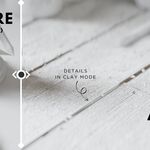
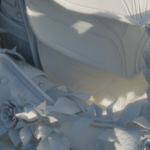
Clay Mate is a lightweight Blender add-on that instantly transforms your scene into a stylized, clay-like render—perfect for previews, modeling showcases, or clean renders without material distractions. With just a single click, your materials are converted for a soft clay look while safely preserving the original details.
⚙️ Installation
-
Download the
.zipfile of the Clay Mate add-on. -
In Blender, go to Edit > Preferences > Add-ons.
-
Click Install... and select the
.zipfile. -
Enable the add-on by checking the box next to Clay Mate.
-
You’re ready to go!
🧱 How to Use
-
Press
Nto open the Sidebar. -
Look for the Clay Mate panel.
-
Click “Enable Claymate” — all materials will be replaced with a non-destructive claymate nodegroup.
-
To revert, just click “Dissolve Clay” — and you're back where you started.
✨ Features
🧱 One-Click Clay Shader – Quickly converts all materials to a clay-style look.
🔁 Non-Destructive Workflow – Original material values are saved and can be restored any time.
⚡ Instant Results – No setup or manual tweaks required.
🎨 Stylized Clay Look – Clean and soft aesthetic for models and scenes, fully customizable color.
📂 Works on Principled BSDF– Affects only the principled BSDF nodes so no changes in the volumetrics or glass shader.
🔄 Toggle Back Easily – Restore with a single button press.
🧼 Perfect for Clay Renders, Showcases & Viewport Demos.
🖼️ Output Compatibility
✅ Works with both Eevee and Cycles
🎬 Suitable for stills and animations
🚫 Does not overwrite saved files or permanently remove materials
🧩 Works with custom shaders and complex materials (saves and restores properly)
❓ FAQ
Q: Is Clay Mate free?
A: Yes! It’s free on Gumroad. If you'd like to support the project and get updates, you can purchase it on Superhive—your name will be featured as a supporter!
Q: Will it overwrite or break my original materials?
A: No. It safely stores your original material settings and restores them with a single click.
Q: Does it work with Eevee and Cycles?
A: Absolutely. Clay Mate works perfectly with both render engines.
Q: Can I use it for animations?
A: Yes, it works just as well for animations as for still renders.
Q: Is it beginner-friendly?
A: Very! Just click the button, and you're done. No nodes, no setup, no worries.
Q: What version of Blender is required?
A: Blender 4.0 and above is recommended.
Q: Does it support complex materials or node-based shaders?
A: Yes—it temporarily replaces them but keeps their data safely stored.
Q: Do I need to credit the creator?
A: It’s not required, but crediting is always appreciated!
🧩 Tips
💡 Use Clay Mate before final renders to check modeling details without distraction.
🎛️ Works great for quick previews or clean viewport renders.
🎞️ Use with simple lighting setups for even more polished clay-style looks.
🔁 You can switch between clay mode and your original materials as many times as you like.
💬 Support
For questions, bugs, or feedback, feel free to reach out:
📧 [email protected]
📷 Instagram: @alanwayne4940
Have questions about this product?
Login to message