 peterz



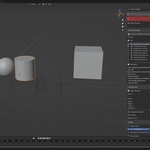
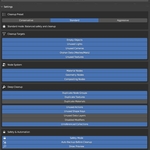
Clean Master - The Ultimate Scene Optimization & Cleanup Toolkit
Keep your projects fast, your files small, and your workflow crystal clear.As 3D projects grow, Blender scenes inevitably accumulate clutter: duplicate node groups, unused materials, hidden empty objects, massive texture caches, and orphan data blocks. This "digital dust" doesn't just eat up disk space—it slows down your viewport, increases save times, and makes collaborating a nightmare.Clean Master is an advanced scene management tool designed for professional artists. Through deep-scanning algorithms and an intelligent risk assessment system, it helps you reclaim a fluid, high-performance creative environment with a single click.
🚀 Key Features
1. Deep Scene Analysis
Go beyond basic "Purge Orphan Data." Clean Master performs a comprehensive audit of your entire file:- Node System Audit: Scans Material, Geometry, and Compositing node trees.
- Duplicate Detection: Automatically identifies redundant node groups (e.g., Group.001, Group.002) that clutter your data.
- Object Optimization: Finds useless empties, unused lights/cameras, and unreferenced collections.
- Resource Management: Locates unused textures, actions, and mesh data with precision.
2. Intelligent Risk Assessment System
Clean up with total confidence. Every item is categorized by risk level:- 🟢 Low Risk: Safe, non-destructive items ready for one-click removal.
- 🟡 Medium Risk: Items that might have subtle dependencies; suggested for review.
- 🔴 High/Critical Risk: Items linked to active objects or vital data. The system provides protection warnings to prevent accidental data loss.
3. Pro Node Management
Optimized specifically for complex node-based workflows:- Node Group Consolidation: Merges identical node groups scattered across your project back into a single "Master" source.
- Legacy Detection: Identifies deprecated nodes from older Blender versions that may cause compatibility issues.
4. Safety & Protection (Industry Grade)
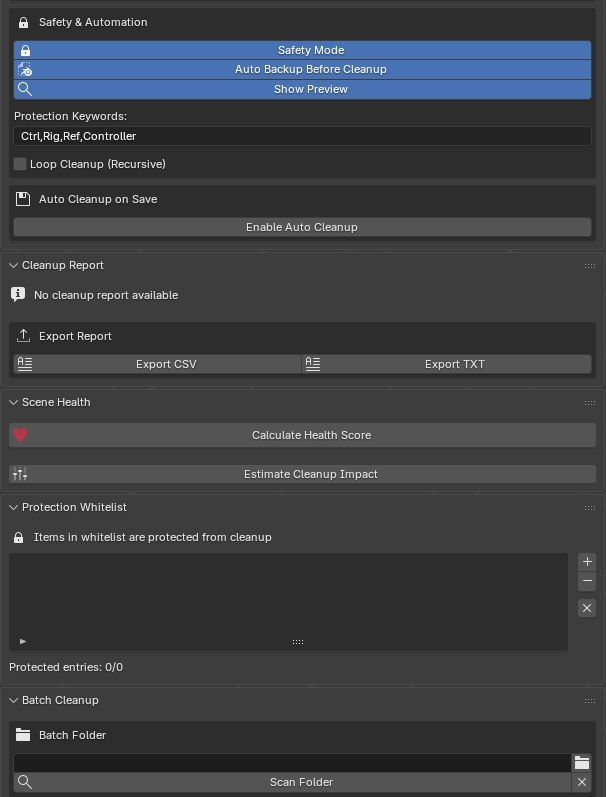
- Auto-Backup System: Automatically creates a timestamped .blend backup before performing major cleanup operations.
- System Resource Guard: Monitors RAM and Disk space during cleanup to prevent crashes on massive scenes.
- Detailed Reporting: Every action is logged with specific reasons and metadata for full transparency.
5. Streamlined User Experience
- One-Click Workflow: A clean, intuitive UI designed to get the job done in seconds.
- Space Savings Estimate: See exactly how much disk space you will reclaim before hitting "Cleanup."
- Batch Operations: Fast filtering tools to select items by type or risk level.
📈 Why Choose Clean Master?
- File Slimming: Reduce GB-sized projects down to MBs instantly.
- Faster Rendering: Minimize load times by removing redundant data overhead.
- Collaboration Ready: The perfect "final pass" tool before sending files to clients, render farms, or team members.
📦 Technical Specifications
- Compatibility: Supports Blender 3.6 and higher.
- Language Support: Fully localized in English Japanese and Chinese.
- Performance: Multi-threaded analysis engine capable of processing thousands of objects in seconds.

Get Clean Master today and give your Blender projects a fresh start!
Quick Start:
After installation, find the tool in View3D > Sidebar (N-Panel) > Clean Master.-------------------------------------------------------------------------------------------------------------------------------------------------------------------------------------------------------------------------------------------------------------
Clean Master Pro
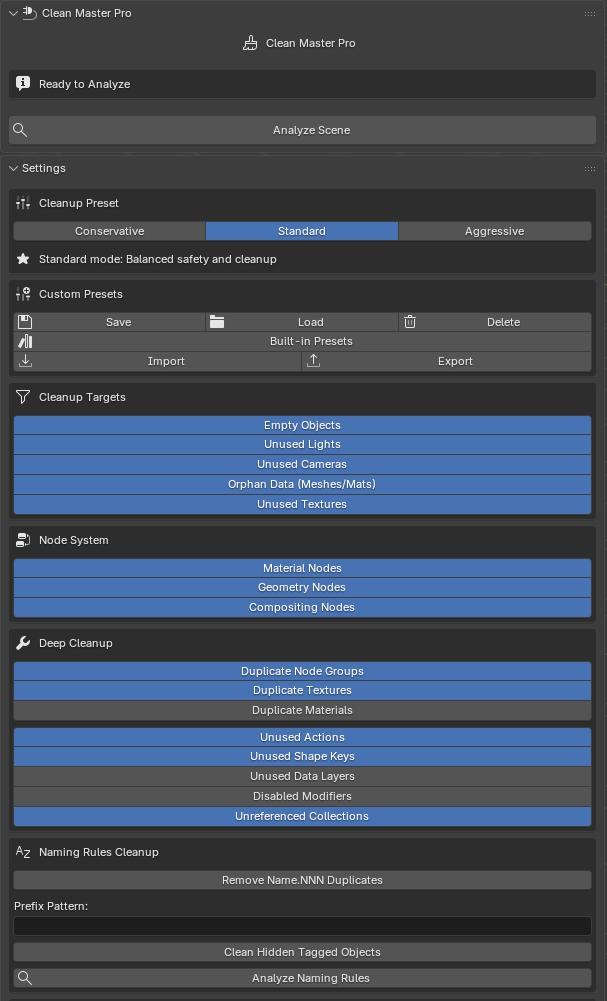
Clean Master Pro is the advanced edition of Clean Master, designed for artists and studios who often work with heavy, messy Blender scenes.
It includes everything from the free version, and adds more powerful cleanup rules, automation tools, and scene diagnostics.
Clean Master Pro offers:
-
More cleanup targets
- Pro: Extends this to deeper-level data, including more types of orphan datablocks, hidden objects, legacy collections, unused modifiers, and rarely used assets that still bloat your file.
-
Advanced rules & filters
- Pro: Adds advanced rules so you can filter by usage, visibility, collection, naming patterns, and more, making it safer and more precise on complex production scenes.
-
Presets and batch operations
- Pro: Lets you create and reuse presets, and run consistent cleanup operations across multiple scenes or files, which is ideal for pipelines and teams.
-
Scene health overview
- Pro: Gives you a higher-level overview of scene health (what’s taking space, which assets are unused or duplicated, where the main bottlenecks are) so you can decide how aggressive the cleanup should be.
-
Performance-oriented optimization
- Pro: Goes further to help reduce file size and memory usage, improving viewport performance and speeding up saving/loading for large projects.
-
Safer, production-friendly workflow
- Pro: More detailed previews and control over what will be removed, with options to exclude specific assets or areas, making it safer for shared production files.