 atelier ToK


Overview
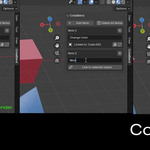
CollaBlend is a note-taking and collaboration addon for Blender 3.6+,
designed to streamline team communication and documentation directly
within your Blender files.
Key Features
- Embedded Notes: Add, edit, and remove notes directly within your Blender files
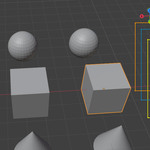
- Contextual Annotations: Attach notes to specific objects, scenes, or frames
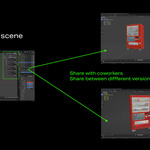
- Collaboration Ready: Share notes with teammates when you share your .blend files
- Persistent Documentation: Notes stay with your file, creating a permanent record of decisions and feedback
- Non-Destructive: Works alongside your existing workflow without affecting your models or scenes
-
Clean Interface: Accessible through the N-panel
Perfect For
- Studios & Teams: Facilitate clear communication between artists, supervisors, and clients
- Educators: Leave feedback and guidance for students directly in their work
- Personal Projects: Track your own ideas, to-dos, and future improvements
How It Works
- Install the addon through Blender's addon preferences
- Access CollaBlend from the N-panel in the 3D viewport
- Create notes by clicking the "Add Note" button
- Assign Object related to the note.
- Manage notes by viewing, editing, or deleting them from the panel
- Share your .blend file - all notes travel with it!
Installation
- Purchase and download the CollaBlend .zip file
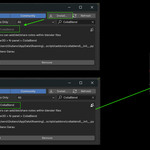
- Open Blender and go to Edit > Preferences > Add-ons
- Click "Install..." and select the downloaded .zip file
- Enable the addon by checking the box next to "Interface: CollaBlend"
System Requirements
- Blender 3.6 or higher
Support
Having trouble with CollaBlend? Contact me anytime at [email protected]
Created by Giuliano Garau | © 2025