Comic Ink Toon Shader + Retro Console & VCR 3D Models — Blender EEVEE
 Snap_Production


Comic Ink — Documentation
Overview
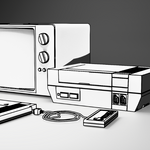
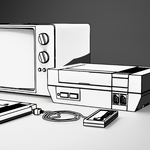
This file contains a comic shader with a line art outline built in Blender EEVEE: a retro game console model, and VCR model are included as well. The shader is packaged as reusable node groups, so you can apply the same look to other models
File Contents
-
Retro Console— modeled and shaded object -
VCR— modeled and shaded object - Node groups:
Toon Shading,Outline Shader(names may vary slightly — check the Shader Editor's node group list) - Camera set up with the outline effect enabled (outline is camera-only by design — it won't appear in the viewport unless you're looking through the render camera)
How to Apply the Shader to Your Own Models
- Open the Shader Editor and select your object's material (or create a new material if it doesn't have one).
-
Shift+A→ Group → selectToon Shading. - Connect the group's output into your Material Output's Surface input.
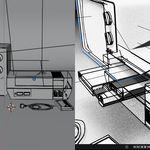
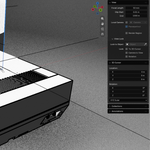
- For the outline effect: select your object, then check whether the outline is set up as a modifier (Solidify + flipped normals/backface) or a second material slot, apply the same setup found on the models
- Render through the camera to see the outline; it will not display in Solid/Material Preview viewport shading.
Tips
- If the outline looks too thick or thin after applying to a new model, adjust the thickness value relative to your object's scale in the modifier setting of the line art modifier
- No textures or UV unwrapping is required.
Compatibility
- Built and tested in Blender EEVEE
- Created in Blender version 5.2
- Everything is native shader nodes and modifiers.
$1
Have questions about this product?
Login to message
| Published | about 2 months ago |
| Blender Version | 4.5 - 5.2 |
| Render Engine Used | Eevee |
| Misc Data | Textured |
| License | Creative Commons |