 fablesalive

Last Update : 2026.8.31(Compatible with Blender 4.4, 4.5, 5.0,5.1 and 5.2)
100% income goes to blender foundation and will always we continue to support customers and Blender foundation!.
so just shared here with planet what we are using in our studio.
CommandBox for Blender: Unlike conventional plugins, it dynamically loads only the essential inner addons when required, then clears them from memory, ensuring blazing speed and ultra-light performance.
Each command is a star, 437! plugins combined into one cosmic explosion!
Professional Game Developers and CG Artists Use Professional Tools.
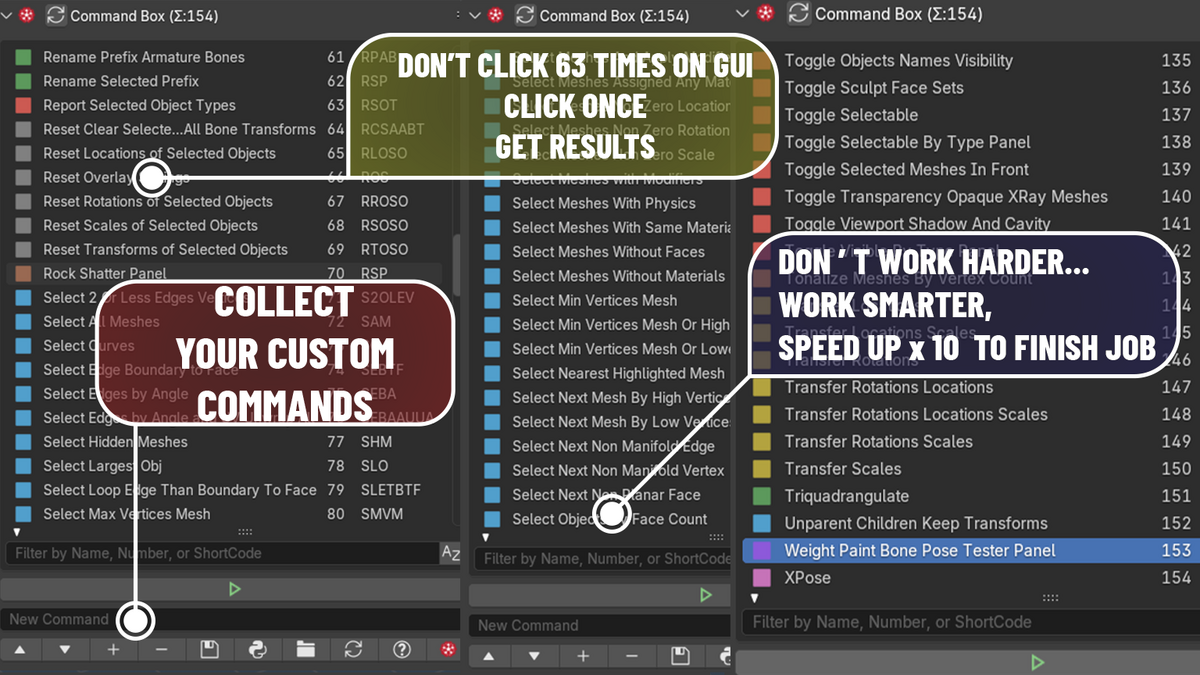
Harness the power of hundreds of evolving commands, all in one suite of one-click smart add-ons and actions. Save time. Create easily. Redefine productivity.
CommandBox is not just an add-on — it's an evolving ecosystem.
if you are not sure how its super useful, and wanna Test-Drive Command Box For Blender. Contact us.
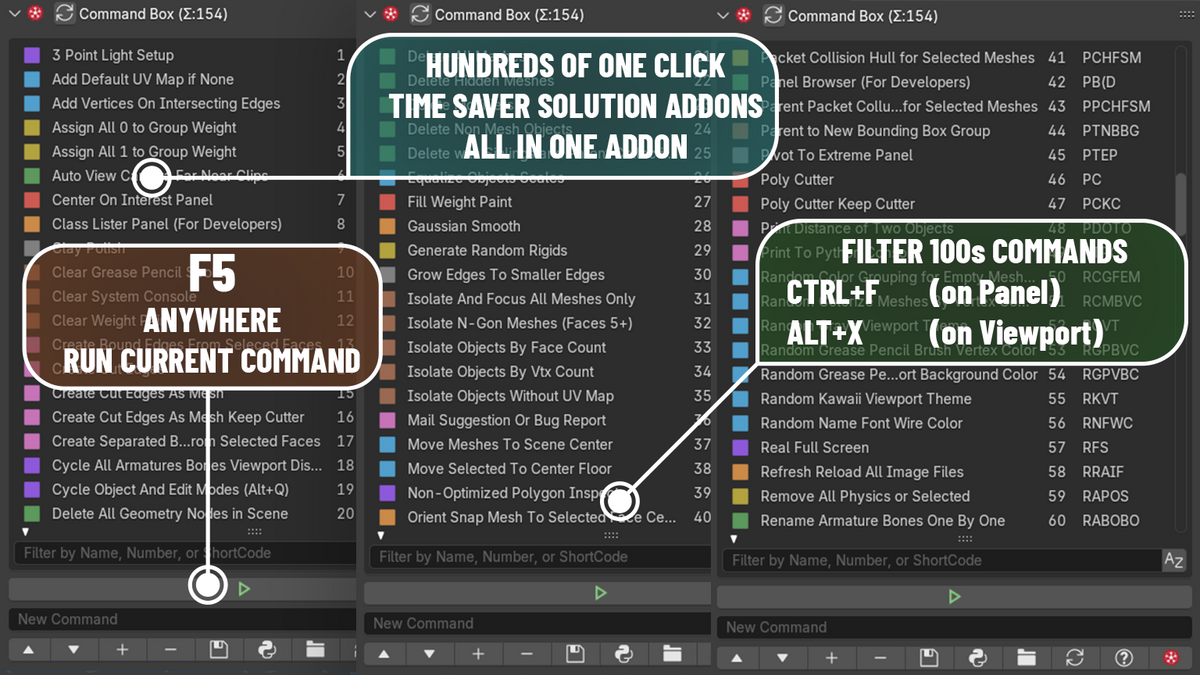
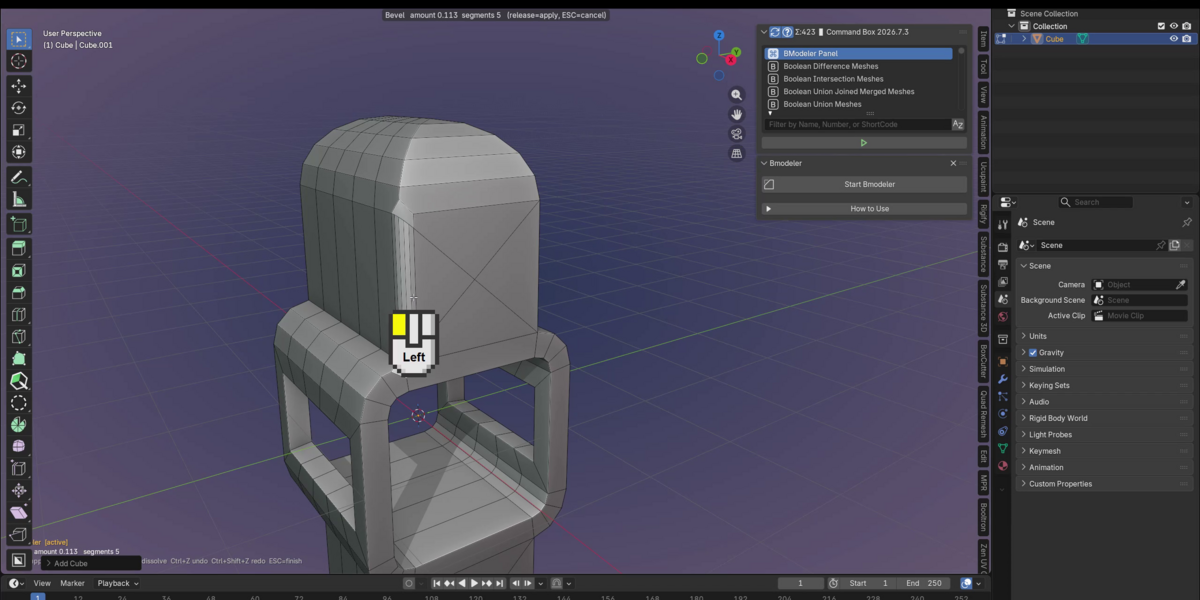
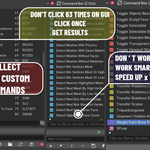
Usage: Alt+X, type slop, eve, triq, kaw, tors.., (around hundreds commands depending command name) than ENTER. it works like that no tabs no tags no categorizes. just few abc+ENTER to run it. also its flexiable plugins only loads when they called. in classic blender any addons statically loads everything at startup. Therefore, CommandBox is lightweight. Unlike traditional add-ons, it doesn't consume memory when not in use. It loads only the required extensions on demand, making its dynamic structure much lighter than classic add-ons.
If you find it useful, consider rating us ⭐⭐⭐⭐⭐
Your support helps us keep Command Box up-to-date and improving.
CommandBox initially published on October 2024.
A unified universe of hundreds of commands within the Blender dimension.
Harness the power of hundreds of evolving commands, all in one suite of one-click smart add-ons and actions. Save time. Create easily. Redefine productivity.
commandbox commands video playlist:
https://bit.ly/commandbox
Contact us for your command ideas you would like to add.
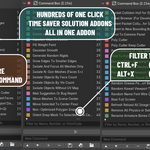
Customize Blender Commands within Files. Filter and Double Click To run command.
Collect all your favorite commands in one place.
- use ALT+X to show as popup instead of accessing from panel
- use F5 to Run Current Script Button as Default Shortcut.
- use CTRL+ALT+X to show commandbox panel
Adding#Autorun=Trueas the third line to a.pyfile ensures it executes automatically at Blender startup.
For example,Real Full Screen.pywith#Autorun=Trueon the third line activates its hotkeys by default at startup.
includes ready to use many useful functions. (and hundreds will be collected and will be published more for next updates
- 1. 3 Point Light Setup
- 2. Add Default UV Map if None
- 3. Add Vertices Mesh On Click Meshes
- 4. Add Vertices On Intersecting Edges
- 5. Align Down Advanced Panel
- 6. Align Down Panel
- 7. Align Mesh To Axis Panel
- 8. Align View To Selected
- 9. Apply Bake Modifiers on Selected Meshes
- 10. Apply Transforms and Remove Physics
- 11. Assign All 0 to Group Weight
- 12. Assign All 1 to Group Weight
- 13. Auto View Camera Far Near Clips
- 14. Boolean Union Joined Merged Meshes
- 15. Boolean Union Meshes
- 16. Boulder Rock Single Stone Generator Panel
- 17. Boulder Rocks Stones Generator Panel
- 18. Camera List Panel
- 19. Center On Interest Panel
- 20. Circle Disc Sphere Generator Panel
- 21. Class Lister Panel (For Developers)
- 22. Clay Polish Panel
- 23. Clear All Sharp Edges (Cyan Edges)
- 24. Clear Grease Pencil Strokes
- 25. Clear System Console
- 26. Clear Weight Paints
- 27. Close Holes on Mesh
- 28. Colorize Meshes By Siblings
- 29. Create Bound Edges From Selected Faces
- 30. Create Bounding Box with Faces display as Wireframe
- 31. Create Camera From Current View
- 32. Create Cut Edges As Mesh Keep Cutter
- 33. Create Cut Edges As Mesh
- 34. Create Cut Edges and Seperate By Loose Parts
- 35. Create Cut Edges
- 36. Create Double Sided Material Panel
- 37. Create Mesh Deform Bounding Box
- 38. Create Separated Bound Edges From Selected Faces
- 39. Cycle All Armatures Bones Viewport Displays
- 40. Cycle Object And Edit Modes (Alt+Q)
- 41. Cylinders On Faces Generator Geometry Nodes
- 42. Delete All Everything in Scene
- 43. Delete All Geometry Nodes in Scene
- 44. Delete All Lights
- 45. Delete All Meshes
- 46. Delete Hidden Meshes
- 47. Delete Keyframes Keep Transforms
- 48. Delete Modifiers
- 49. Delete Non Mesh Objects
- 50. Delete Purge Empty Meshes Geometry
- 51. Delete Purge Unselected Mesh Objects
- 52. Delete with Siblings and Parent Collections
- 53. Display All Length Units mm cm m km
- 54. Dissolve Edges on Flat Surfaces
- 55. Equalize Objects Scales
- 56. Fill Weight Paint
- 57. Focus To 3D Cursor
- 58. Gaussian Smooth
- 59. Generate Random Rigids
- 60. Geometry Nodes Library Panel
- 61. Grow Edges To Smaller Edges
- 62. Human Silhouette Reference Panel
- 63. Insert Mesh And Clay Sculpt Panel
- 64. Invert Selected Meshes
- 65. Isolate And Focus All Meshes Only
- 66. Isolate N-Gon Meshes (Faces 5+)
- 67. Isolate Objects By Face Count
- 68. Isolate Objects By Vtx Count
- 69. Isolate Objects Without UV Map
- 70. Join Merge Overlapping Meshes Panel
- 71. Light Manager Panel
- 72. Linked File Sync Updater Panel
- 73. Mail Suggestion Or Bug Report
- 74. Mesh Delete by Symmetry Panel
- 75. Mesh Fixer Cleaner Analysis Panel
- 76. Mesh Height Edge Length Measure HUD Head Up Display Panel
- 77. Mesh Mirror And Weld Panel
- 78. Mesh Slicer Cutter Panel
- 79. Mesh Vertex Colorizer Panel
- 80. Metaball Manager Panel
- 81. Modifiers Library Panel
- 82. Move Meshes To Scene Center
- 83. Move Selected To Center Floor
- 84. Non-Optimized Polygon Inspector
- 85. Object Type Suffix Panel
- 86. Omni Scatter By Collection Panel
- 87. Omni Scatter Panel
- 88. One Vertex
- 89. Open Asset Directories
- 90. Open Blender Addon Directories
- 91. Open CommandBox History Log
- 92. Open CommandBox Tutorial Playlist
- 93. Orient Snap Mesh To Selected Face Center
- 94. Packet Collision Hull for Selected Meshes
- 95. Panel Browser (For Developers)
- 96. Parent Packet Collusion Hull for Selected Meshes
- 97. Parent to New Bounding Box Group
- 98. Physics Simulation Align Panel
- 99. Pie Chart Geometry Nodes
- 100. Pipes From Faces Panel
- 101. Pivot To Extreme Panel
- 102. Poly Cutter Keep Cutter
- 103. Poly Cutter
- 104. Print Distance of Two Objects
- 105. Print To Python Console
- 106. Purge Delete Inactive Objects
- 107. Radial Circular Symmetry Geometry Nodes
- 108. Random Color Grouping for Empty Meshes
- 109. Random Colorize Meshes By Vertex Count
- 110. Random Grays Viewport Theme
- 111. Random Grease Pencil Brush Vertex Color
- 112. Random Grease Pencil Viewport Background Color
- 113. Random Kawaii Viewport Theme
- 114. Random Name Font Wire Color
- 115. Randomize Transforms Panel
- 116. Real Asset Browser Panel
- 117. Real Full Screen
- 118. Refresh Reload All Image Files
- 119. Reload Refresh Linked Files
- 120. Remove All Physics or Selected
- 121. Rename Armature Bones One By One
- 122. Rename Prefix Armature Bones
- 123. Rename Selected Prefix
- 124. Report Island Count for Selected Mesh
- 125. Report Selected Object Types
- 126. Reset Clear Selected Armatures All Bone Transforms
- 127. Reset Expand Fit Timeline Animation to 5000 and Play
- 128. Reset Locations of Selected Objects
- 129. Reset Overlay Settings
- 130. Reset Rotations of Selected Objects
- 131. Reset Scales of Selected Objects
- 132. Reset Transforms of Selected Objects
- 133. Reset User View To Center Default
- 134. Restart Blender Immediately with Same Scene
- 135. Restart Blender Immediately
- 136. Reveal Open File Path Location
- 137. Rock Shatter Panel
- 138. Scene Manager Panel
- 139. Select 2 Or Less Edges Vertices
- 140. Select All Meshes
- 141. Select Curves
- 142. Select Edge Boundary to Face
- 143. Select Edges By Angle Range Panel
- 144. Select Edges by Angle Panel
- 145. Select Edges by Angle and UV Unwrap All
- 146. Select Edges on Flat Surfaces
- 147. Select Faces By Edges Count Panel
- 148. Select Hidden Meshes
- 149. Select Largest Obj
- 150. Select Loop Edge Than Boundary To Face
- 151. Select Max Vertices Mesh
- 152. Select Meshes And Apply Modifiers
- 153. Select Meshes Assigned Any Materials
- 154. Select Meshes By Volume Panel
- 155. Select Meshes Non Zero Location
- 156. Select Meshes Non Zero Rotation
- 157. Select Meshes Non Zero Scale
- 158. Select Meshes With Physics
- 159. Select Meshes With Same Material
- 160. Select Meshes Without Faces
- 161. Select Meshes Without Materials
- 162. Select Meshes by Same Face Count
- 163. Select Meshes with Modifiers
- 164. Select Min Vertices Mesh Or Higher
- 165. Select Min Vertices Mesh Or Lower
- 166. Select Min Vertices Mesh
- 167. Select More By Face Count Panel
- 168. Select NGon Faces
- 169. Select Nearest Highlighted Mesh
- 170. Select Next Mesh By High Vertices
- 171. Select Next Mesh By Low Vertices
- 172. Select Next Non Manifold Edge
- 173. Select Next Non Manifold Vertex
- 174. Select Next Non Planar Face
- 175. Select Non Manifold Faces
- 176. Select Objects By Face Count
- 177. Select Objects By Vtx Count
- 178. Select Objects Without UV Map
- 179. Select Overlapping Vertices And Merge
- 180. Select Overlapping Vertices
- 181. Select Siblings in Collection
- 182. Select Similar Objects By Name
- 183. Select Smallest Face Area
- 184. Select Smallest Mesh
- 185. Select UV Island Seam Boundary Edges
- 186. Select Vertices By Edges Count Panel
- 187. Select all Meshes with Active Rigidbody
- 188. Select all Meshes with Passive Rigidbody
- 189. Select all Meshes with Rigidbody
- 190. Selected Meshes In Front OFF
- 191. Separate By Loose Parts (Collision-Aware)
- 192. Separate by Loose Parts
- 193. Set Camera From Current View
- 194. Set Pivot Origin To Bottom
- 195. Set Pivot Origin To Top
- 196. Set Pivot Origin to Selected
- 197. Show All Meshes Only
- 198. Show Unhide All Everything
- 199. Show Unhide All Everything in All Scenes
- 200. Show and Focus All Except Meshes
- 201. Smart Merge By Distance
- 202. Smart Merge Selected Vertices By Distance
- 203. Smart Merge To Center
- 204. Smart Poke Mesh Polygon
- 205. Smart Unsubdivide Dissolve
- 206. Spherize 100% Selected
- 207. Spherize Dialog
- 208. Spherize Mesh
- 209. Spherize Selected Panel
- 210. Spider Web By Vertices Panel
- 211. Stitch Edges
- 212. Straight Align Selected Vertices
- 213. Strip Faces And Edges Keep Vertices
- 214. Strip Faces And Vertices Keep Edges
- 215. Strip Faces Preserve Topology
- 216. Subdivide Mesh
- 217. Tight Tile Distribute Align Meshes
- 218. Toggle All Empty Mesh Names Visibility
- 219. Toggle Armatures Bones Infront
- 220. Toggle Armatures Bones Names
- 221. Toggle Bounding Box Viewport Display
- 222. Toggle Camera+Center+Lock to View
- 223. Toggle Cameras Visibility
- 224. Toggle Curves Visiblity
- 225. Toggle Dark Black Light White Viewport Theme
- 226. Toggle Dyntopo Sculpt Mode
- 227. Toggle Face Orientation Normals Overlay
- 228. Toggle Geometry Node Editor Transparency
- 229. Toggle Grease Pencils Visibility
- 230. Toggle Mesh ViewPort Display Color Alpha Opaque
- 231. Toggle Mesh ViewPort Display Wireframe
- 232. Toggle Mesh Wireframe
- 233. Toggle Objects Names Visibility
- 234. Toggle Random Shading
- 235. Toggle Sculpt Face Sets
- 236. Toggle Selectable By Type Panel
- 237. Toggle Selectable
- 238. Toggle Selected Meshes In Front
- 239. Toggle Statistics
- 240. Toggle Transparency Opaque XRay Meshes
- 241. Toggle Viewport Shadow And Cavity
- 242. Toggle Visible By Type Panel
- 243. Toggle Wireframe Overlay
- 244. Tonalize Meshes By Vertex Count
- 245. Toon Sky Dome Painter Panel
- 246. Transfer Locations Scales
- 247. Transfer Locations
- 248. Transfer Object Data Properties
- 249. Transfer Rotations Locations Scales
- 250. Transfer Rotations Locations
- 251. Transfer Rotations Scales
- 252. Transfer Rotations
- 253. Transfer Scales
- 254. Triquadrangulate
- 255. Tube Capsule Generator Geometry Nodes
- 256. Unify Selected Object To Scene Origin Center
- 257. Unify Selected Object
- 258. Unparent Children Keep Transforms
- 259. Unsubdivide Mesh
- 260. Vertex Spring Generator Panel
- 261. Weight Paint Bone Pose Tester Panel
- 262. Weight Paint to Vertex Paint Panel
- 263. XPose Panel
- 264. Zero Weight Paint
testing periodically for :Windows,Ubuntu Studio (Linux) and Macintosh
for more details about changes :
update log:
https://bit.ly/commandboxlog