 meekonos


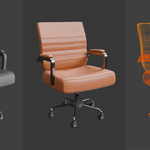
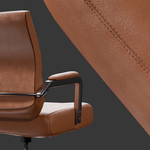
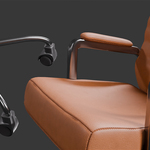
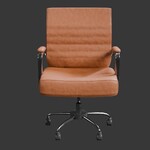
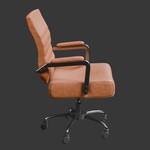
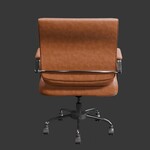
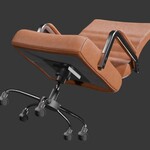
Contemporary Leather Office Chair
Featuring clean quad topology, realistic proportions, and 100% procedural materials, this modern executive office chair is easy to customize and integrates seamlessly into office, commercial, and home workspace environments.
100% Procedural Materials
- No external texture files
- Unlimited color variations
- Easily customizable
- Resolution independent
- Fast material editing
- Smaller project size
Create unlimited chair variations by adjusting the leather upholstery, metal finish, and accent colors directly within Blender's Shader Editor. Every material is generated procedurally using Blender's node system, making color adjustments fast, non-destructive, and completely independent of external texture files.
Important Note:
The native Blender (.blend) file contains the complete procedural material setup. FBX and OBJ files are included for broader compatibility; however, Blender's procedural shader networks are only available within the included .blend file.
Key Features
- High-detail contemporary executive office chair.
- Clean quad topology for easy editing and customization.
- 100% procedural materials with no external image textures.
- Easily customize leather, metal, and fabric colors.
- Realistic proportions modeled using Blender's metric unit system.
- Organized collections and clearly named objects.
- Production-ready for Cycles and Eevee.
- Suitable for close-up renders and interior visualization.
- Native Blender 4.5.9 LTS file included.
- FBX and OBJ formats included for wider software compatibility.
Model Information
Compatibility :
-
Created in Blender 4.5.9 LTS
-
Tested in Blender 4.5.0
-
Compatible with Blender 4.5.x
- FBX and OBJ files included for use in other 3D applications
Measurements :
- Width: 76.4 cm (30.1 in)
- Depth: 77.7 cm (30.6 in)
- Height: 113 cm (44.5 in)
- Topology: Clean Quad Topology
- Faces: 99,272
- Triangles: 214,632
- Vertices: 112,297
- Objects: 22
- Architectural Visualization
- Interior Design
- Office Interiors
- Commercial Spaces
- Product Rendering
- Animation
- Motion Graphics
- Blender Asset Libraries
Workflow Tip - Wheel Rotation
Each wheel has been grouped into its own object.
To rotate all five wheels simultaneously:
- Select the five wheel objects located in the WHEELS collection.
- Set Transform Pivot Point to Individual Origins.
- Rotate the wheels in Object Mode (R).
Each wheel will rotate around its own center while remaining synchronized with the others.
Happy Blending! xo