Contextwizard — Stop Guessing Bpy.Ops Context Overrides
 Anvil Interactive Solutions


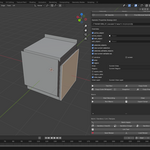
ContextWizard — stop guessing bpy.ops context overrides
Blender 4.4+ · Single-file add-on · MIT
ContextWizard removes the #1 pain in Blender tool dev: figuring out which context keys an operator needs (area, region, region_data, active_object, selected_objects, view_layer, etc.). Pick an operator, solve the minimal working override, test-run it instantly, then copy a paste-ready snippet or a safe wrapper. Record steps into a macro, run them in batch across many objects, or save/share them as recipes.
What it does (in plain terms)
Finds the smallest override that makes a
bpy.opscall passpoll()and run. No superstition, no trial-and-error.Executes safely inside
with bpy.context.temp_override(**kwargs): …and shows success/errors immediately.Generates code you can drop straight into your tools (snippet or wrapper).
Records and replays multi-step operator sequences.
Scales out: runs the same working operator across a selection.
Spins up editors (Image/Node/View3D) when the missing UI is why
poll()fails.Documents the current context as shareable JSON for debugging and team hand-offs.
Why you want it
Blender’s operators are context-sensitive. Many require specific UI routes (Window → Screen → Area → Region → Space → RegionData) or object/bone selection and mode. That’s powerful but brittle when you’re writing automation. ContextWizard gives you repeatable, testable context—fast.
Key capabilities
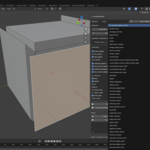
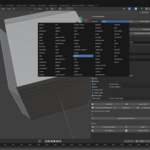
Operator browser (searchable, grouped by module)
Find anything undermesh,object,uv,node,view3d,screen, etc. Filter by Favorites, Recent, or those that pass poll now.-
Auto-Detect & Poll Solver
Auto-Detect: toggles likely keys per module/name.
Poll Solver: enumerates available UI contexts and returns the minimal override that passes
poll()—often justarea+region, sometimesregion_data, sometimes object/mode.
Overrides UI, done right
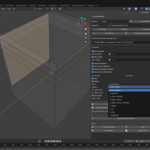
Pointers foractive_object/edit_object, list pickers for selections, and explicit UI routing (window/screen/area/region/space_data/region_data/view_layer). Bones can be read from current selection (Edit/Pose).One-click validation: Test Run
Executes the operator with your overrides and kwargs dict. Popup returns{'FINISHED'}or shows the Python error so you fix what actually matters.-
Codegen
Copy Code: a minimal, paste-ready snippet.
Copy Code (Wrapper): a reusable function suitable for pipelines and add-ons.
Macro Recorder & Runner
Each Test Run becomes a step with UI indices/names captured, so replays are robust even across windows/screens/areas—within reason.Batch Apply
Re-runs a validated operator across allselected_objects, swappingactive_object(andedit_objectif enabled).Sandbox Window
Opens a dedicated window with View3D, Image, or Node editor—often the missing piece for UV/Node ops to passpoll().Linter / Quick-Fix
Inserts an override skeleton above rawbpy.ops.*calls in the Text Editor, nudging scripts toward safe context usage.Recipes (save/share)
Export/import a JSON “context recipe” (operator + kwargs + override) to your presets folder for repeatable setups across machines.Snapshot
One-click JSON of current context (objects, area/region/space, region_3d, view layer) for bug reports or code reviews.
Typical workflows (examples)
Mesh modeling:
mesh.extrude_region_move→ Solver → Test → Copy Code → drop into your operator.View ops:
view3d.view_selectedoften needsregion_data—Solver adds it, you don’t guess.UV:
uv.unwrapneeds an Image Editor → Sandbox Image → Solver passes → Test and export.Nodes:
node.add_nodein Shader Editor → Solver → Test → Bake into Macro → Export Script.
Who it’s for
Add-on developers shipping tools to studios/marketplaces.
TDs & pipeline engineers who automate Blender tasks.
Technical artists who need reliable, repeatable operator calls.
What it doesn’t do (honest limits)
Doesn’t run UI-dependent ops in –background (Blender limitation).
Bone lists aren’t individually assignable—uses current selections (Edit/Pose).
Operator kwargs are entered as a Python literal dict (type-safe RNA UI is on the roadmap).
Macro replays rely on window/area indices; big layout changes between record and replay can require a quick re-solve.
Compatibility
Blender 4.4+
No external dependencies; offline-safe.
Tested on Windows/macOS/Linux.
What you get
ContextWizardadd-on (single-file core + tiny__init__.py).README, LICENSE (MIT), User Guide.
Clean, well-documented code that follows Blender add-on guidelines.
Why it’s an important tool
It eliminates hours of trial-and-error per feature cycle.
The Poll Solver and Sandbox unblock UI-bound operators instantly.
Macro + Batch move past “it worked once” to repeatable automation.
Codegen reduces glue code to copy-paste seconds.
Recipes enable team-wide repeatability and onboarding.
Roadmap (forward-looking)
RNA-aware property UI (auto-generated widgets for operator kwargs).
One-click “Open Required Editor” from poll hints.
Context diff view between snapshot and overrides for fast diagnosis.
Have a studio constraint you need respected (custom workspaces, strict background runs, or CI)? Tell us your target Blender versions and pipeline flow—We’ll spec the safest patterns and adapt ContextWizard to your environment.
-
$20
Solo Seat – 1 user (non-transferable, per-seat license).
-
$60
Indie Team – 3 seats (up to 3 users in the same studio/company).
-
$120
Studio – 5 seats (up to 5 users in the same studio/company).
-
$240
Studio Plus – 10 seats (up to 10 users in the same studio/company).
Have questions about this product?
Login to message
| Sales | 10 |
| Dev Fund Contributor | |
| Published | 11 months ago |
| Blender Version | 4.4 - 5.0 |
| Extension Type | N/A |
| Render Engine Used | Arnold, Blender-Internal, Blender-Game-Engine, Cycles, Eevee |
| License | Mit |
Discover more products like this
Batch processing View3D Blender Add-on operator browser bpy.ops "temp_override" "codegen" context override macro recorder bpy poll