 3dcinetv


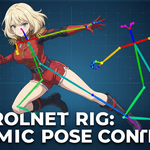
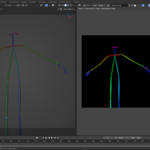
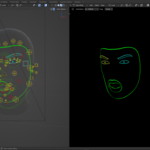
Rigify ControlNet Pose Driver for AI / Stable Diffusion (Body + Face)
Stop fighting random poses. Start directing your AI images 🎮🧠
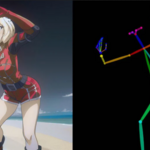
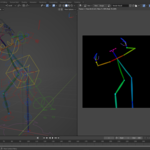
This Blender Rigify model is purpose-built to drive ControlNet (Pose). Pose the model, render. Use that image (still or sequence) to drive your Stable Diffusion WebUI / AI service with still poses or motion. It uses a clean, color-coded mesh layout designed specifically for ControlNet detection.
This download includes:
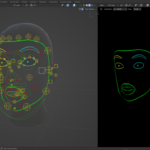
- Posable Facial rig expression controls
- Posable Body, Hands, and Fingers.
- Collection names organized for depth passes / hands / face
- Compatible face for Mediapipe Face.
- 5 Facial Asset library poses
- Discord Support >>
Why a rigged 3D ControlNet in Blender?
* To drive your custom mocap with more animation control (layers/NLA tracks)
* To create facial and hand tracking sessions inside Blender
* Custom-directed expressions for Body and Face animation without sharing your video reference/data publicly on external services.
How it works (simple & fast) 🚀
- Open Blender 3.5+
- Pose the character using: Rigify controllers or the included Pose Library Presets
- Turn on/off the pass collection you need and render the Viewport or Camera
- Use the image as a ControlNet Pose input (Face Media Pipe / Body
HuggingFace ControlNet in StableDiffusion Model>
Who this is for 👀
- Stable Diffusion artists using ControlNet / AI services
- Blender users who want directorial control over AI poses
- Creators tired of fixing anatomy after generation
Anyone who wants repeatable results, not luck
----------------------------------------------------------------------------
ControlNet posable Rig by Pierre Schiller>>
----------------------------------------------------------------------------
Learning Resources
💡 If you’re new to Rigify and want to know all controls, I recommend this Rigify course>>