Installation & Activation
1
In Blender 5.0+, open Edit > Preferences > Add-ons
2
Click Install... via the arrow menu and select the copy_legacy.zip file
3
Search for Copy (Legacy) and enable the checkbox.
⚠️ IMPORTANT: Ensure you have Blender 4.5 installed on your system. This is required for the conversion process.
Usage
1. How to Copy
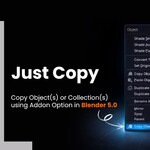
Select the objects or collections you want to copy in Blender 5.0+.
- Shortcut: Press
Ctrl + Shift + C. - 3D Viewport: Go to
Object > Copy Objects (Legacy). - Outliner: Right-click and select
Copy (Legacy).
The add-on will process the data in the background (using Blender 4.5) and save it to the clipboard.
2. How to Paste
Open your older Blender version (e.g., 4.2, 3.6).
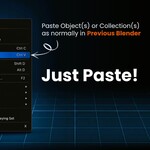
- Paste: Press
Ctrl + V as usual.
3. Preferences & Troubleshooting
The add-on tries to automatically detect your Blender 4.5 installation.
- Manual Path: If auto-detection fails, open the Add-on Preferences and manually set the path to your Blender 4.5 executable.
 Vikky3D