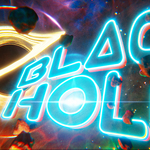
Beginners Guide: Create A Black Hole Animation
 Harry Helps


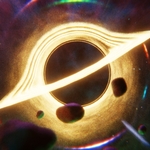
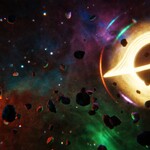
You'll receive:
- 1 large video file [.mp4] (Containing 4 hours of focused instruction - broken up into 23 lessons)
- A .txt file listing the *start time* of each lesson contained within the video file (listed below as well so you know what each lesson is about)
- 00:00 Lesson 1 - Introduction
- 02:19 Lesson 2 - Setting Up the File
- 10:08 Lesson 3 - Material: Foggy Nebula
- 26:07 Lesson 4 - Basic Lighting
- 37:51 Lesson 5 - Material: Wispy Nebula
- 45:22 Lesson 6 - Material: Cloudy Nebula
- 51:57 Lesson 7 - Adding Stars
- 1:11:47 Lesson 8 - Black Hole Model Exploration
- 1:15:50 Lesson 9 - Material: Black Hole (Part 1)
- 1:33:02 Lesson 10 - Material: Black Hole (Part 2)
- 1:48:14 Lesson 11 - Material: Milky Way
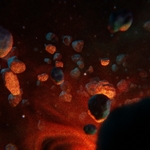
- 1:52:23 Lesson 12 - Creating the Asteroid Belt
- 2:19:08 Lesson 13 - Material: Asteroid Belt
- 2:30:04 Lesson 14 - Animate: Camera Movement
- 2:35:56 Lesson 15 - Animate: Black Hole Materials
- 2:42:44 Lesson 16 - Animate: Nebulae
- 2:46:29 Lesson 17 - Animate: Asteroid Belt
- 2:51:03 Lesson 18 - Compositing Effects
- 3:10:53 Lesson 19 - Rendering the Image Sequence
- 3:16:59 Lesson 20 - Compiling and Adding Effects
- 3:32:21 Lesson 21 - Creating an Animated GIF
- 3:37:45 Lesson 22 - Customizing Your Animation
- 3:54:32 Lesson 23 - Conclusion
- All required assets to follow along including: Blender files (start and finish), texture images, video assets and sound effects
$5
Have questions about this product?
Login to message
| Dev Fund Contributor | |
| Published | 4 months ago |
| Blender Version | 5.0 - 5.1 |
| Render Engine Used | Eevee |
| License | Royalty Free |
Discover more products like this
Texturing nebula animated material black-hole animation beginner Blender tutorial blackhole materials Star Compositing video editing asteroid milky way galaxy space beginner blender course