 Nava Lab






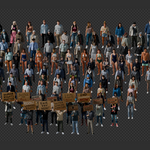
Build Crowds Faster in Blender
Start with ready-made presets, build more believable scenes with character and outfit variety, and keep heavy shots manageable with preview-friendly controls.

Want to try before you buy? Crowd Mixer Community Edition is free to test on gumroad.com.
Full Tutorial
Want to see the whole workflow in one place? Watch the full tutorial before moving on to setup, variation, and preview details.
Easy to Start
Start from crowd presets that are already prepared for use. Pick a setup, load it, and move into scene building without setting up the whole crowd system from scratch. Single Mesh workflow is available in Lite + Standard, while Modular Mesh workflow is available in Standard Only.
Presets give you a fast first result while still leaving room to adjust the crowd later when the scene needs more control.

Keep the workflow simple with 3 crowd types that cover the most common scene setups, so you can choose the right layout fast and build without extra complexity.


Create Natural Crowd Variation
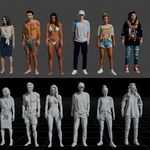
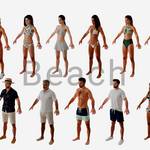
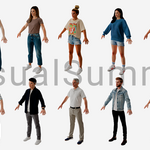
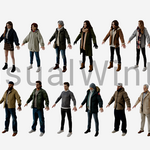
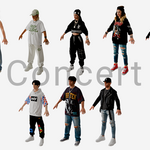
Break up repetition with more character choices, broader outfit variety, and quick randomization controls that make large crowds feel less copied.
Use a wider range of characters and saved preset sets to keep the crowd from repeating the same few faces.

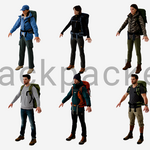
Apply quick palette-based color changes across the crowd with Color Theme. This control is available in Lite + Standard.

Use Random to add more visual variation automatically. This control is part of the Modular Mesh workflow, which means it is available in Standard Only.

Individual Control
When the base crowd is already in place, use more direct controls to shape distribution, adjust individuals, and refine the final look.
Turn on Instance Override to edit individual characters and remove repetition where the crowd feels too uniform. Select an instance point, swap the character, offset position, rotation, and scale, toggle visibility, and for flow crowds also override speed on that point.

Use Snap to Scene to place specific people exactly where you want them in the shot.

Faster Preview
Keep the scene lighter while working and preview only the parts you need before final render.
Proxy Mode shows lightweight viewport characters so large scenes stay easier to navigate.

Split crowds into separate node groups so you can turn only some sets on or off while previewing.

Choose Your Version
Best for faster setup and lighter crowd building when you want to get a result quickly with fewer moving parts. This workflow is available in Lite + Standard.

Best for deeper outfit control and a more flexible character-building workflow. If you want more detailed customization before turning characters into crowd sources, this workflow is available in Standard Only.


