Cursor To Cylinder Intersection
 Bracer Jack


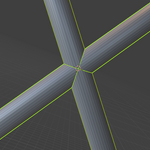
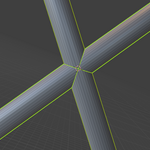
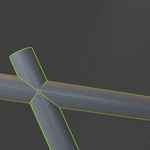
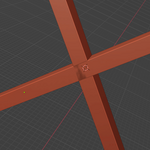
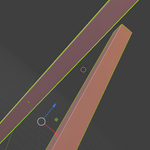
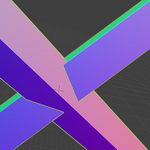
[How to Use]
The Cursor to Cylinder Intersection add-on is straightforward to use:
Select Two Objects: In the 3D Viewport, select exactly two objects. These objects' local Z-axes will be treated as the central axes of the "cylinders."
Tip: This works best with actual cylindrical objects, but can be used with any objects whose local Z-axis orientation is meaningful for your alignment needs.
Access the Panel: In the 3D Viewport, open the Sidebar (press N on your keyboard).
Find the Tool: Navigate to the Tool tab within the sidebar. You will find a panel titled "Cursor to Cylinder Intersection".
Run the Operator: Click the button labeled "Cursor to Cylinder Intersection".
[Use Cases & Benefits]
This add-on is invaluable for:
Precise Assembly: Accurately placing connection points for mechanical parts or architectural elements.
Rigging: Pinpointing bone joints within scanned 3D models or complex character rigs.
Snapping Operations: Establishing exact pivot points for snapping other objects.
Technical Modeling: Any scenario demanding high accuracy for aligning or relating cylindrical forms where "good enough" isn't an option.
Have questions about this product?
Login to message
| Published | about 1 year ago |
| Blender Version | 4.2 |
| Extension Type | N/A |
| Render Engine Used | Cycles, Eevee |
| License | GPL |
Discover more products like this
technical-modeling Geometry Modeling tools alignment snapping tools hard surface Workflow cylinder 3d-cursor precision modeling productivity