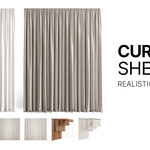
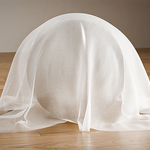
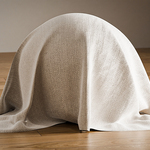
Realistic Curtains & Sheer Set — Photorealistic Fabric Materials For Archviz (Cycles)
 vanmarukami


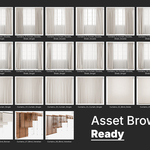
How to Add a .blend File to the Asset Browser in Blender
1. Add the Curtians.blend library to the Asset Browser
-
Go to
Edit → Preferences.... -
Open the File Paths tab.
-
Find the Asset Libraries section.
-
Click Add.
-
In the Name field, type a name for your library (e.g., "My Models").
-
In the Path field, select the folder where your
.blendfile with the assets is stored (important: select the folder, not the file itself). -
Click Save Preferences.
2. Use the assets in any project
-
Open any Blender project.
-
Switch one of the editors to Asset Browser (shift + F1).
-
In the top drop-down menu, choose your library.
-
Drag and drop the desired asset into your scene.
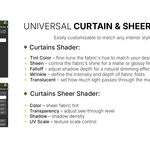
Curtains Material — Parameters Description
Main Parameters
-
Diffuse Map – Base fabric texture. You can replace it with any custom texture to change the curtain’s appearance.
-
Tint Color – Quick color adjustment for the curtain without changing the base texture.
-
Bump Map – Optional bump texture for additional surface detail.
-
Normal Map – Normal map for fine relief and fabric weave definition.
Diffuse Map Panel
-
Bright, Contrast, Gamma – Controls the brightness, contrast, and gamma correction of the texture assigned to the Diffuse Map.
-
Normal/Bump Map
-
Normal Strength – Intensity of the normal map effect.
-
Bump Strength – Intensity of the bump map effect.
-
Bump Distance – Controls the perceived height of bumps.
-
Bump Filter Width – Adjusts the softness of bump details.
-
Falloff
-
Falloff White – Brightness of the material on curved edges facing away from the camera.
-
Falloff Black – Brightness of surfaces perpendicular to the camera.
-
Side Strength, Curve Factor, Layer Weight Blend, Power – Fine-tuning of the falloff effect to control how the material reacts to different viewing angles.
Wrinkle
-
Wrinkle Strength – Intensity of the fabric wrinkles.
-
UV Wrinkle – Scale of the wrinkle texture in UV space.
Sheen (fabric light scattering effect)
-
Weight – Defines the strength of the soft light reflection typical for cloth surfaces.
-
Roughness – Controls the spread of sheen highlights: lower values make the effect sharper, higher values produce a softer glow.
-
Sheen Color – The tint of the sheen effect, allowing simulation of different fabric materials.
Translucent (light transmission through fabric)
-
Translucent Value – Intensity of light passing through the fabric.
-
Translucent Hue – Adjusts the hue of transmitted light.
-
Translucent Saturation – Controls the color saturation of transmitted light, useful for simulating colored fabrics filtering sunlight.
Ray Switch (render optimization & ray type control)
-
Ray Switch Value – Defines how the material appears to different ray types (camera, reflection, shadow rays, etc.).
-
Ray Switch Mix – Blends between the default material appearance and the alternative one for specific ray types.
-
Ray Switch Color – Alternative color displayed to specific ray types (e.g., different color in reflections or for indirect lighting).
Curtains Sheer — Parameters Description
Main Parameters
-
Base Color – The primary color of the sheer fabric. Can be adjusted to match the desired interior style.
-
Transparent – Controls the overall transparency of the material, defining how much of the background is visible through the fabric.
-
Shadow – Adjusts the darkness and intensity of shadows cast by the sheer material.
-
Translucent – Controls the amount of light passing through the fabric and softly scattering within it.
-
UV Scale – Defines the tiling scale of the fabric’s texture in UV space.
Wrinkle
-
Strength – Adjusts the intensity of wrinkles on the sheer fabric surface, adding realism to the draping.
-
UV Wrinkle – Defines the scale of the wrinkle texture relative to the UV mapping.
-
-
Have questions about this product?
Login to message
| Published | about 1 year ago |
| Blender Version | 4.5 |
| Render Engine Used | Cycles |
| Misc Data | Uvs-Unwrapped, Normal-Mapped, Textured |
| License | Royalty Free |
Discover more products like this
blinds models drapes models archviz assets interior curtains realistic curtains venetian-blinds blender curtains roller blinds 3d curtains curtain models roman shades sheer curtains