 mgh3d
mgh3d






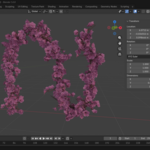
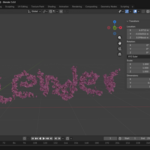
Curve to Sakura Branch is a procedural Geometry Nodes setup that instantly transforms any curve into a fully formed sakura (cherry blossom) branch.
Perfect for environment art, cinematic shots, illustrations, and stylized scenes, this node gives you full artistic control while staying lightweight and editable.
Simply draw or import a curve, apply the modifier, and fine-tune branch density, randomness, and flower placement — no modeling required.
✨ Key Features
-
Fully procedural & non-destructive
-
Works with any curve (Bezier, Path, imported splines)
-
Adjustable branch length, count, and noise
-
Automatic flower scattering per branch
-
Artist-friendly UI exposed in the modifier panel
-
Compatible with Blender 4.x / 5.x Geometry Nodes
-
Ideal for close-ups and wide shots
⚙️ UI Parameters Explained
🌿 Base Curve
Controls the main trunk / stem generated along your input curve.
-
Resolution
Controls how smooth the base curve is.
Higher values = smoother branches, slightly heavier geometry. -
Stalks Radius
Thickness of the main branch (trunk).
Use small values for delicate branches or increase for stylized looks.
🌱 Branches
Controls secondary branches growing from the base curve.
-
Length
Average length of the branches. -
Count
Number of branches generated along the curve. -
Resolution
Smoothness of each branch geometry. -
Noise Amount
Adds natural randomness to branch direction and shape.
Higher values = more organic, chaotic growth. -
Noise Multiplier
Scales the overall effect of the noise.
Useful for fine-tuning without changing the base randomness.
🌸 Flowers
Controls sakura flower distribution and scale.
-
Length
Offset distance from the branch where flowers appear. -
Count per Branch
Number of flowers generated on each branch. -
Min Scale
Minimum random scale for flowers. -
Max Scale
Maximum random scale for flowers.
Use scale variation to avoid repetition and add realism.
🧩 How to Use
-
Add or select a Curve object
-
Apply the Curve to Sakura Branch Geometry Nodes modifier
-
Adjust parameters directly in the modifier panel
-
(Optional) Apply materials or convert to mesh if needed
🎯 Use Cases
-
Japanese gardens & spring scenes
-
Stylized trees and foliage
-
Cinematic close-ups
-
Game environment blockouts
-
Motion graphics & illustrations
installation: Append Method: In Blender 5.0, go to File → Append, open the .blend, navigate to NodeTree, append Curve to Sakura Branch, then apply it as a Geometry Nodes modifier to your curve.
