Bevel Bezier Curves Addon
 Barat Ovidiu


Bezier Curve Point Bevel — Documentation
Overview
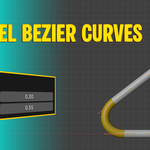
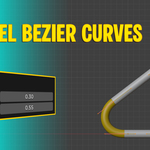
The Bezier Curve Point Bevel addon allows you to easily bevel selected Bezier curve control points with adjustable radius and profile shape. This enhances your workflow by smoothing sharp corners and creating refined curves quickly, directly within Blender’s 3D Viewport.
Installation
-
Download the addon ZIP file.
-
In Blender, go to Edit > Preferences > Add-ons > Install.
-
Select the ZIP file and install it.
-
Enable the addon by checking the box.
-
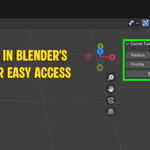
The addon will appear in the Sidebar under Curve Tools in the 3D Viewport.
How to Use
Step 1: Select a Curve Object
-
Make sure your active object is a Bezier Curve.
Step 2: Select Control Points
-
In Edit Mode, select one or more control points on the curve that you want to bevel.
Step 3: Open the Addon Panel
-
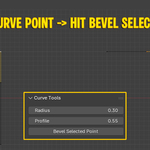
Open the Sidebar (
Nkey) and go to the Curve Tools tab.
Step 4: Adjust Parameters
-
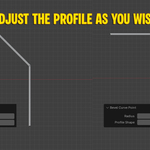
Radius: Controls how far the bevel extends from the original point.
-
Profile: Controls the curvature shape of the bevel (higher values make a more rounded profile).
Step 5: Apply Bevel
-
Click Bevel Selected Point to apply the bevel to all selected points.
Have questions about this product?
Login to message
| Sales | 10+ |
| Published | over 1 year ago |
| Blender Version | 4.5 |
| Extension Type | N/A |
| Render Engine Used | Cycles, Eevee |
| License | GPL |