 CGR Addons



CurveKit: The All-in-One Curve Toolkit
Do you get frustrated by the unexpected behavior of the Curve Modifier? Do you work a lot with curves, whether in modeling or animation?
Stop digging through endless properties panels and modifiers! CurveKit is a comprehensive toolkit that brings all the essential curve-related tools into one convenient panel in the 3D Viewport. Whether you're modeling complex pipes, creating procedural motion graphics, or animating objects along a path, CurveKit streamlines your entire workflow.
Designed for speed and efficiency, CurveKit eliminates repetitive setup tasks with powerful one-click operators, letting you focus on your creative vision instead of the technical steps.
Update Notes – v2.0 (August 2025)
New Features:
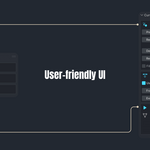
- Revamped, User-Friendly UI
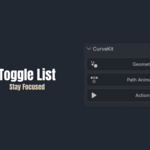
- Streamlined toggle lists for a cleaner, more focused workflow.
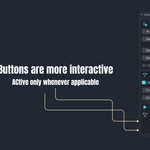
- Interactive Buttons: Only active when applicable; no more confusion or guesswork.
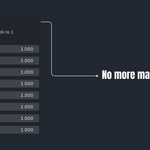
- One-Click Radii Reset: Forget manual adjustments; reset all points to 1 instantly.
- Multiselection Made Easy: Work faster and smarter with multiple selections.
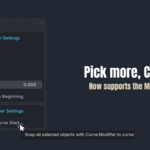
- Curve Support: Seamlessly add a curve modifier to another curve right from the addon—unlock the full potential of dynamic motion.
- Text Support: Curve modifiers now work effortlessly on text objects through the addon
Improvements:
- "You can add “follow path constraint” to camera, light, text or
empty through the addon
🔹Key Features
✔️Unified & Context-Aware UI
All the tools you need are in one logical panel in the 3D Viewport sidebar (N-Key). The panel is smart, showing you only the relevant controls for what you have selected, whether it's a curve, a mesh, or points in Edit Mode.
✔️Effortless Path Animation Setup
Animate objects along a path in seconds, not minutes.
One-Click Constraint: Select your object(s), then your curve, and click "Add Follow Path Constraint" to set everything up automatically.
✔️Powerful Curve Deform Workflow
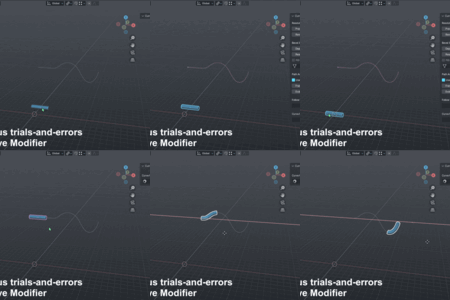
Deforming meshes along a curve has never been easier and more predictable.
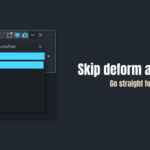
One-Click Modifier: Instantly add a Curve Modifier to your selected objects, targeting the active curve.
Auto-Align with "Snap to Start": The "Snap to Curve Start" operator is a massive time-saver. It automatically aligns the curve's origin and the object's position for a perfect, hassle-free deform setup.
✔️ Compatible with Blender 3.0+ & the newest 4.5
🔹How does it work?
🔹Updates
This is version 2.0 Updates will be provided for free for all customers.
🔹For bug reports or feature requests, feel free to contact:
✔️ Gmail: [email protected]
✔️ Instagram: @cg.refaat