 zuzuGi Works




Cutz Tools – Non-Destructive Hard-Surface Modeling Addon
Overview
Cutz Tools is a Blender addon built specifically for hard-surface modeling, streamlining seam cutting and beveling into a one-click workflow. All operations run in Edit Mode, preserving your original mesh’s editability and non-destructive flexibility, so you can iterate on complex details without ever compromising your base model.
CutzTools v1.4.0 Update | New Features + Workflow Improvements
True Multi-Bevel Support: Each Bevel modifier has its own independent edge-weight layer, no interference
Alt+Q Upgrade: Added a Parameter HUD, plus save & recall settings to instantly reuse the same bevel setup
Shift+Q / Alt+Q All-in-One Workflow: Switch / add / delete Bevel modifiers and tweak settings without leaving the tool
Cleaner Undo: On the first Shift+Q cut, you can cancel and auto-clean the modifiers created in that operation
Clearer Feedback: Bottom-left shows the edge’s Bevel modifier + weight layer
Cross Junction Enhanced: New HUD and improved stability on complex topology
Quality of Life: Numpad +/- to adjust segments, plus HUD viewport bug fixes
Core Features
One-Click Seam Cutting & ClearingInstantly create or remove edge seams with a single action—no modifier stacking required, delivering clean cuts in seconds.
Versatile Bevel StylesChoose from multiple bevel options (Sharp, Patch, Arc, etc.) and control them visually, whether you need crisp mechanical edges or smooth transitional curves.
Interactive Parameter TweakingDrag sliders or mouse-drag directly in the viewport to adjust seam depth, bevel thickness, and profile offset on the fly—no undo/redo loops.
True Non-Destructive WorkflowBuilt on Blender’s modifier system, you can reshuffle your base mesh’s primary shapes at any time without losing downstream detail—edit freely as you go.
Interactive Parameter HUDA live, always-visible parameter HUD keeps you focused on modeling—no more digging through modifier panels. Instantly see and adjust cut width,bevel thickness, and more, right where you work.
Per-Segment Gap Width ControlIndependently control the gap width for each segment—whether you need perfectly even splits or custom-width details, just select, drag, and go.
Sharp Corner OverridesQuickly turn rounded arc corners into crisp, sharp right angles with one click—ideal for creating strong mechanical joints or stylized panel details.
-
Automatic Object SplittingWhen you apply the modifiers, Cutz Tools separates the cut regions into standalone objects, making it easy to assign unique materials or UVs.
One-Click Seam Cutting & ClearingInstantly create or remove edge seams with a single action—no modifier stacking required, delivering clean cuts in seconds.
Versatile Bevel StylesChoose from multiple bevel options (Sharp, Patch, Arc, etc.) and control them visually, whether you need crisp mechanical edges or smooth transitional curves.
Interactive Parameter TweakingDrag sliders or mouse-drag directly in the viewport to adjust seam depth, bevel thickness, and profile offset on the fly—no undo/redo loops.
True Non-Destructive WorkflowBuilt on Blender’s modifier system, you can reshuffle your base mesh’s primary shapes at any time without losing downstream detail—edit freely as you go.
Interactive Parameter HUDA live, always-visible parameter HUD keeps you focused on modeling—no more digging through modifier panels. Instantly see and adjust cut width,bevel thickness, and more, right where you work.
Per-Segment Gap Width ControlIndependently control the gap width for each segment—whether you need perfectly even splits or custom-width details, just select, drag, and go.
Sharp Corner OverridesQuickly turn rounded arc corners into crisp, sharp right angles with one click—ideal for creating strong mechanical joints or stylized panel details.
Automatic Object SplittingWhen you apply the modifiers, Cutz Tools separates the cut regions into standalone objects, making it easy to assign unique materials or UVs.
-
One-Click Seam Cutting & Clearing instantly creat or remove edge seams with asingle action - no modifier stacking required, delivering clean cuts in seconds.


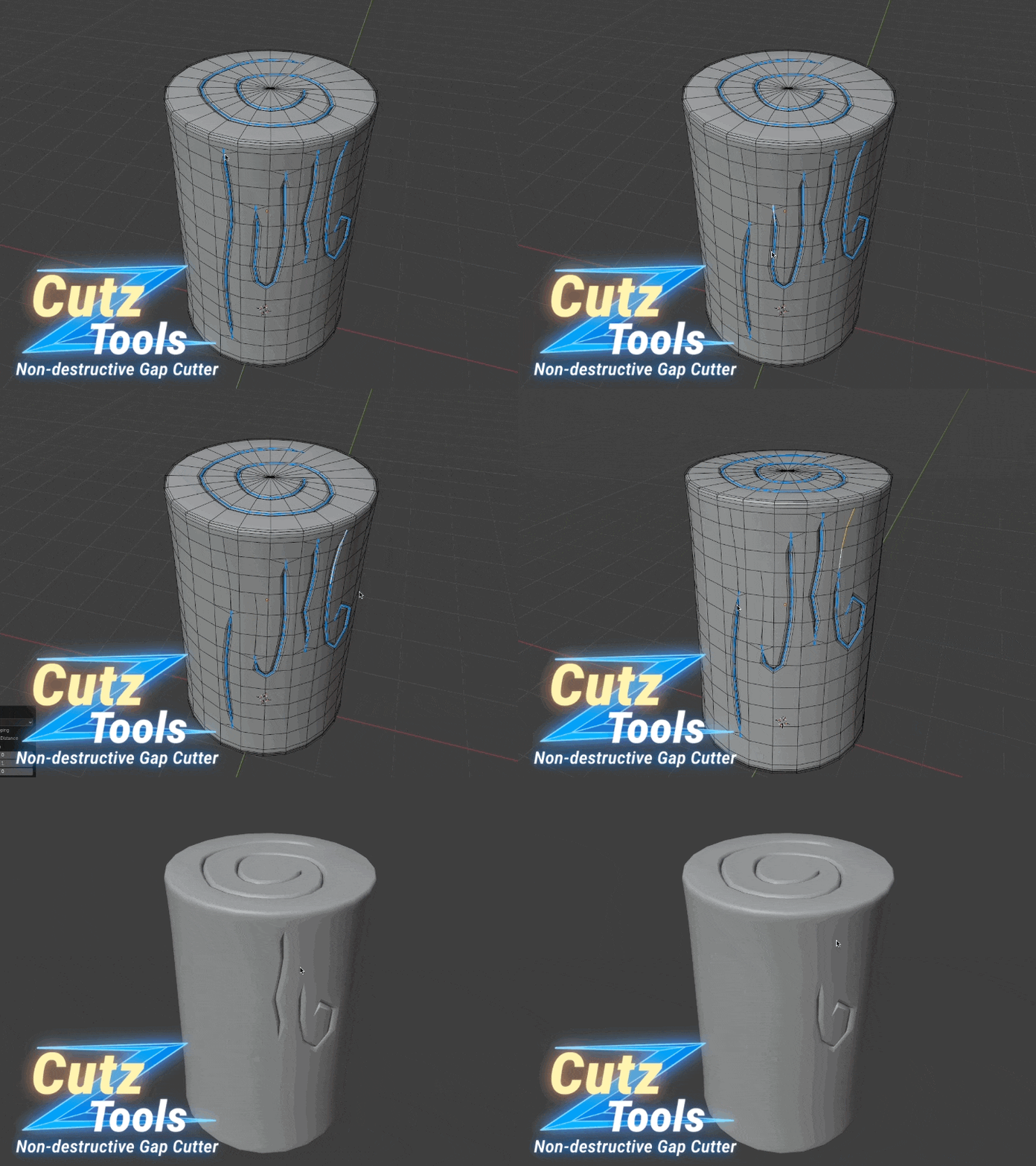
A live parameter HUD lets you see and adjust all key settings instantly, right in the viewport—so you can stay focused on modeling.

-
ndividually set custom gap width for each segment, Make corners sharp with a single click.
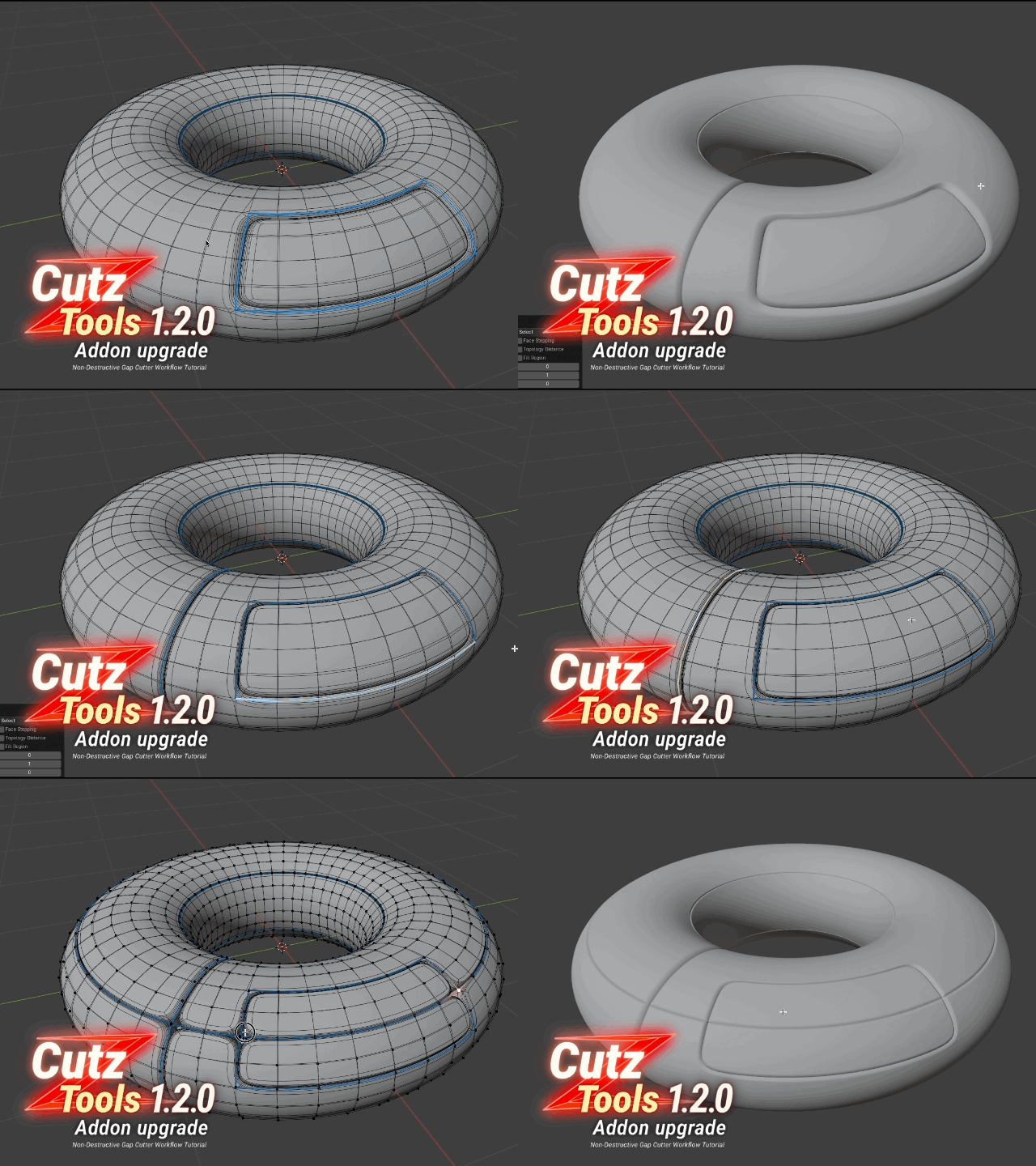
Cutz Tloos 1.2.0 Addon Upgrade Link
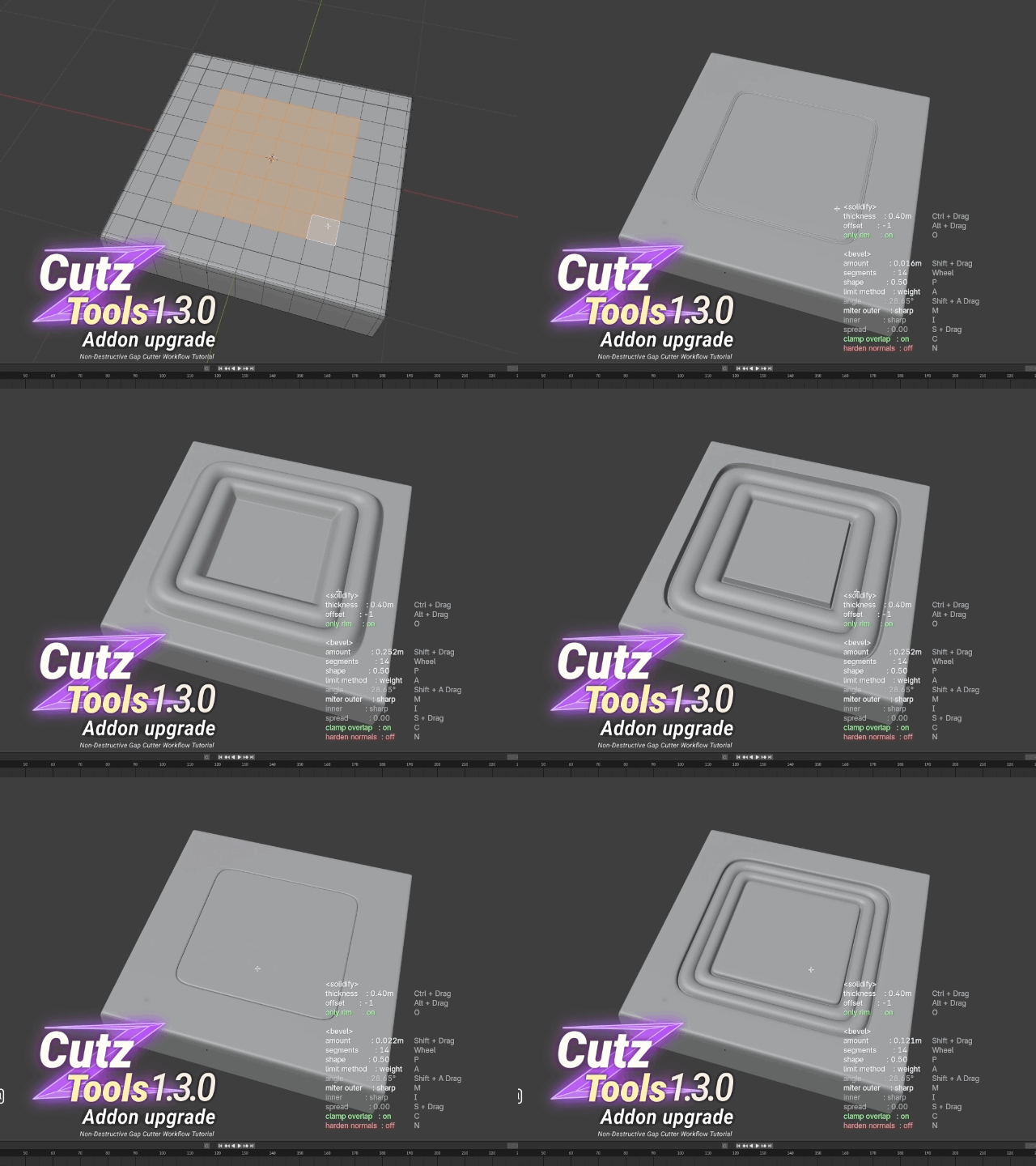
CutzTools 1.3.0 Upgrade
• Six Gap-Cut Presets
Instantly switch between six ready-made gap styles with the number keys 1–6 and keep your modeling flow uninterrupted.
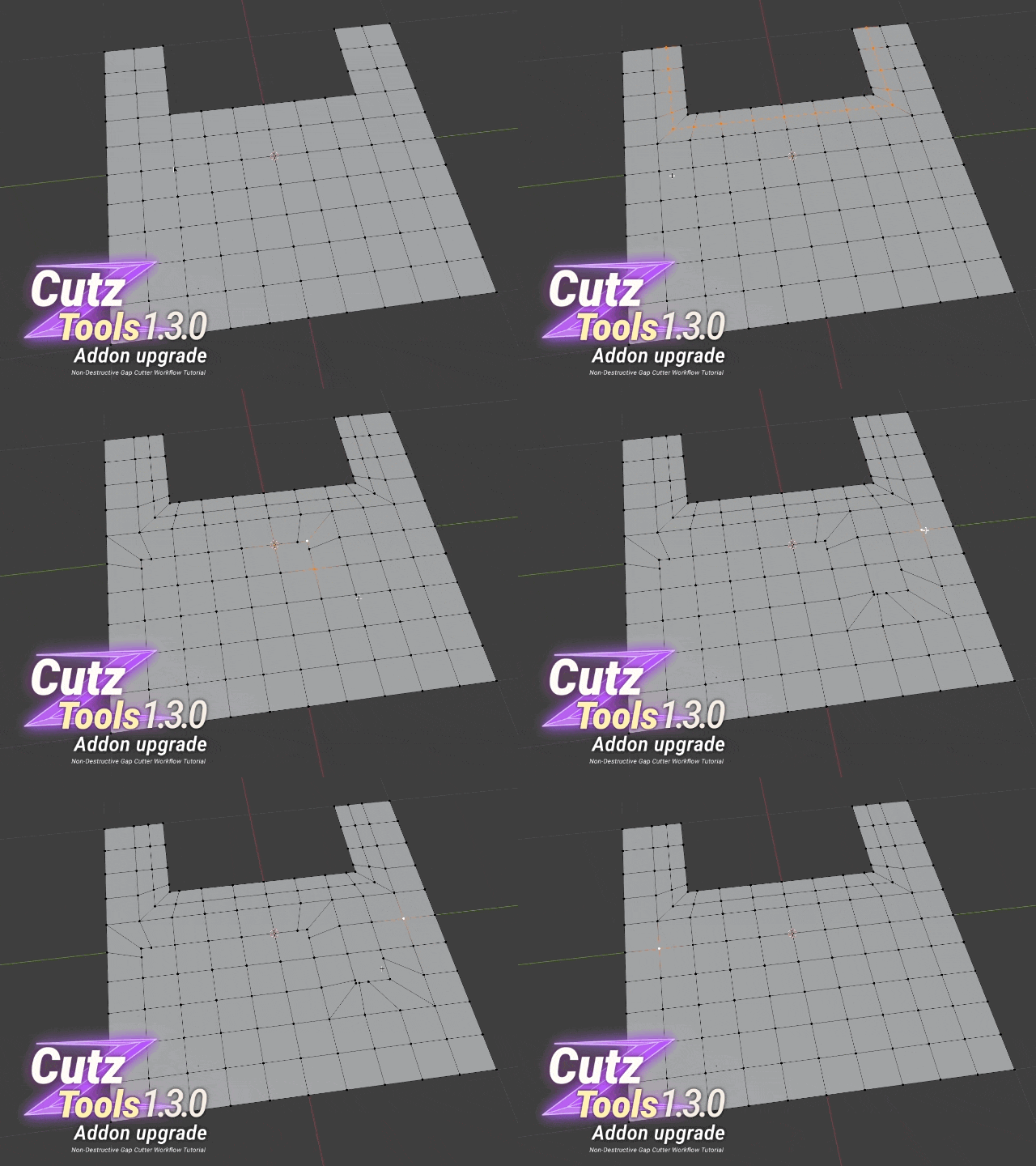
• Topology Redirect Tool
Select the cross-intersection vertex and instantly reroute the surrounding edges for greater control—perfect for complex hard-surface workflows.
On sale here ⬇️
Click
-
Compatibility
-
CutzTools v1.3.0: Supports Blender 5.0 / 4.5 / 4.4 / 4.3 / 4.2 / 4.1 / 4.0.
CutzTools v1.4.0: Supports Blender 5.0 / 4.5 / 4.4 / 4.3
(In v1.4.0, some features are not compatible with Blender 4.0–4.2)
Operating Systems: Windows, macOS
Installation
Open Blender and navigate to Edit → Preferences → Add-ons
Click Install, select the downloaded ZIP file, and enable the addon
Switch to Edit Mode to begin one-click seam cutting, beveling, and parameter tuning
Why Choose Cutz Tools?
Speed & Efficiency: Reduces multi-step bevel and seam operations into a single click, saving you hours of repetitive work.
Precision Control: Real-time visual feedback guarantees you hit the exact depth, width, and profile you need.
Fully Non-Destructive: Every change is reversible, so you can experiment confidently without fear of irreversible mistakes.
Broad Application: Ideal for mechanical parts, props, hard-surface character gear, industrial product visualization, and beyond.
Add Cutz Tools to your Blender toolkit today and experience a faster, more flexible hard-surface modeling workflow!
♥Buy now to lock in the current price—future price changes won’t affect you. You’ll also get early access to new features and continue receiving free updates♥
-