Dissolution - Dissolve Objects Into Mesh With GeoNodes
 codesignprojects




How do I control when the liquid mesh actually appears?
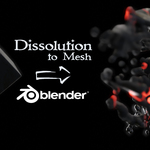
The visibility is controlled by the "Point radius initiation range," which dictates the point radius for the volume generation. Because this initially starts at 0, no dissolution mesh is created right away. By adjusting the "Point initiation timing," you control exactly how quickly this radius rises to its maximum value to reveal the fluid mesh.
How is the dissolving mesh generated?
The system takes the noise-driven points and feeds them through a Points to Volume node, followed immediately by a Volume to Mesh transition. This essentially blurs the points together into a single unified shape.
Can I control the look and resolution of the melting effect?
Yes. In the modifier's "MeshFromVolume Settings," you can adjust the Voxel size, Adaptivity, and Threshold. These parameters effectively control the exact resolution and detail of the dissolving mesh. You can also control how much the final generated mesh is smoothed.
Will this work seamlessly with my existing complex materials?
Yes. The Geometry Nodes setup automatically saves several custom attributes specifically for the Shader Editor, including the start frame, current frame, and the current scale of the mesh. If you have an elaborate or scale-sensitive material, you can plug these attributes into your shader to ensure your textures dynamically adjust to the changing scale of the dissolving mesh.
Is the dissolve into particles and dissolve into mesh setup the same ?
Yes and no. The underlaying method is the same, but they achieve two very different visual result - The Particles version gives the "Scatter into fade" vibe, while the Mesh version preserves the material feel of the object, slowly dissolving!
Have questions about this product?
Login to message
| Sales | 30+ |
| Published | over 1 year ago |
| Blender Version | 4.2 - 5.3 |
| Render Engine Used | Cycles, Eevee |
| License | Creative Commons |
Discover more products like this
mesh dissolve Dissolve dissolve into mesh parametric fade geometry nodes sci fi transition cool disappearing mesh VFX procedural