Dissolution - Dissolve Mesh Into Particles With Geometry Nodes
 codesignprojects


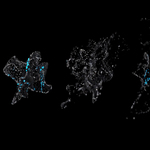
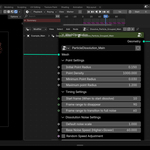
How does the original object actually disappear?
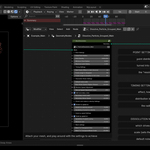
The Geometry Nodes tree sends timing data (attributes) directly into the Shader Editor. You must use a specific material setup that mixes your object's base material with a Transparent node. For the transparency to render correctly, the material must be set to the Alpha Hashed blend mode in the options sidebar.
Can I control the speed and direction of the dissolution?
Yes. The movement is driven by noise textures, and the main settings panel allows you to customize the initial point density, the noise scale, and the overall frame range for how fast the dissolve happens. You can also apply manual speed adjustments to override or combine with the default random noise.
Do the particles just look like basic spheres?
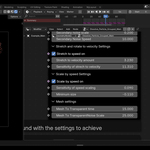
While they are generated as basic icospheres, they do not stay that way. The system features a "Stretch and Rotate to Velocity" section that dynamically distorts the particles based on how fast and in what direction they are moving. There is also a specific setting to scale the instances by speed, meaning you can make slower particles appear larger or smaller than fast-moving ones.
Does this work in Eevee?
Yes, the setup and the alpha hashed transparency transition are explicitly optimized for Eevee rendering.
Have questions about this product?
Login to message
| Sales | 60+ |
| Published | over 1 year ago |
| Blender Version | 4.4 - 5.3 |
| Render Engine Used | Cycles, Eevee |
| License | Creative Commons |
Discover more products like this
VFX cool sci fi mesh dissolve disappear dissolve into particles Dissolve geometry nodes disintegration organic transition procedural