 vfxblender
MORE FROM VFXBLENDER
Check out my other plugins
Explore more tools for your Blender projects.
Browse My Plugins ↗
WINDOWS · BLENDER 5.2 · COMPATIBLE NVIDIA GPU
DLSS 5 Linker
DLSS 5 Live in your Blender viewport.
Render with Eevee or Cycles. Version 2 out now check updates below!(New update is still being reviewed.)
Watch the walkthrough
Start here for the updated installation, viewport controls and compositor workflow.
Watch the updated video on YouTube ↗
Old viewport demonstration
An earlier look at DLSS 5 Linker. Some controls differ from the current version.
Watch the original video on YouTube ↗
See the difference
Before
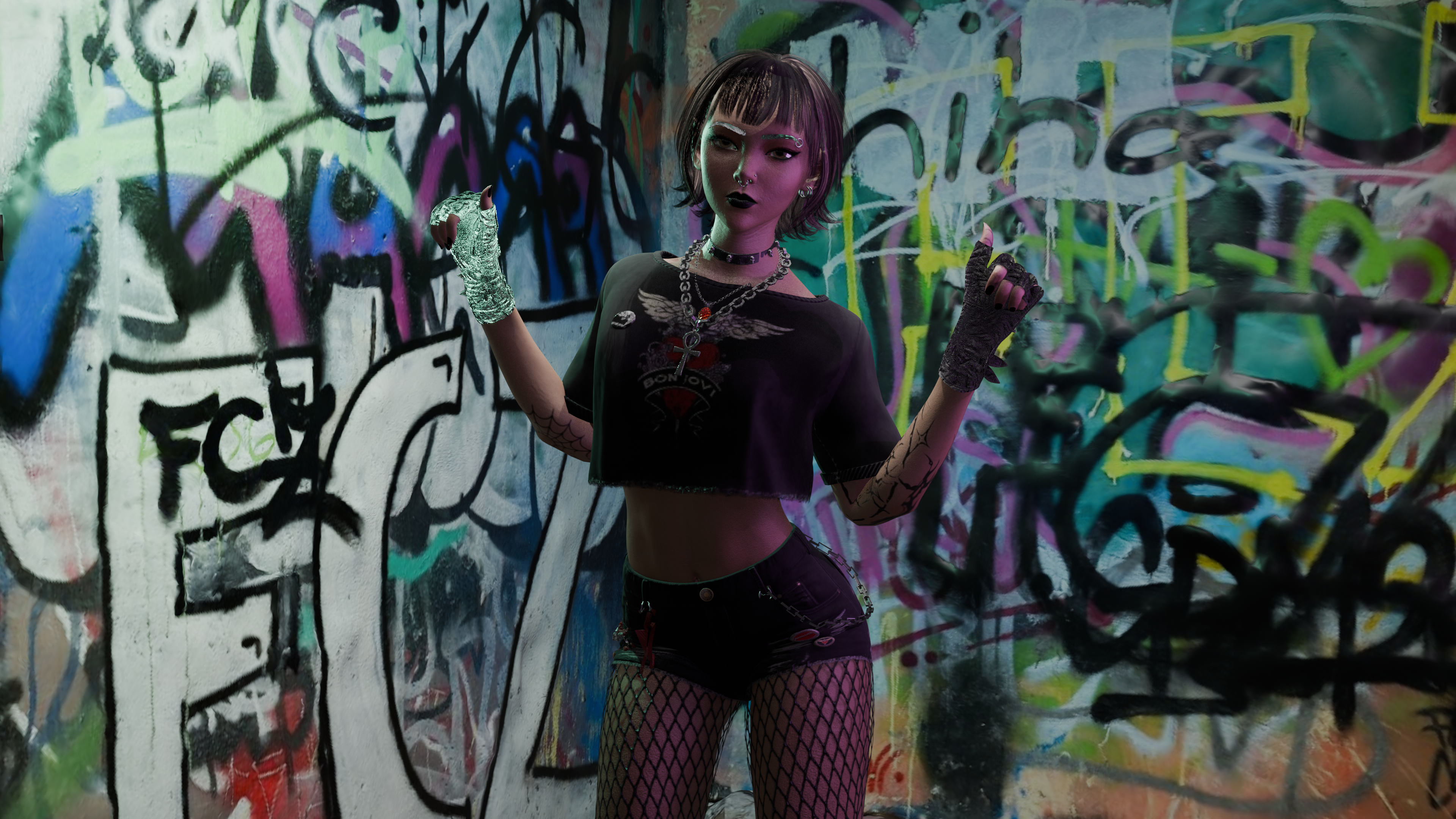
DLSS 5
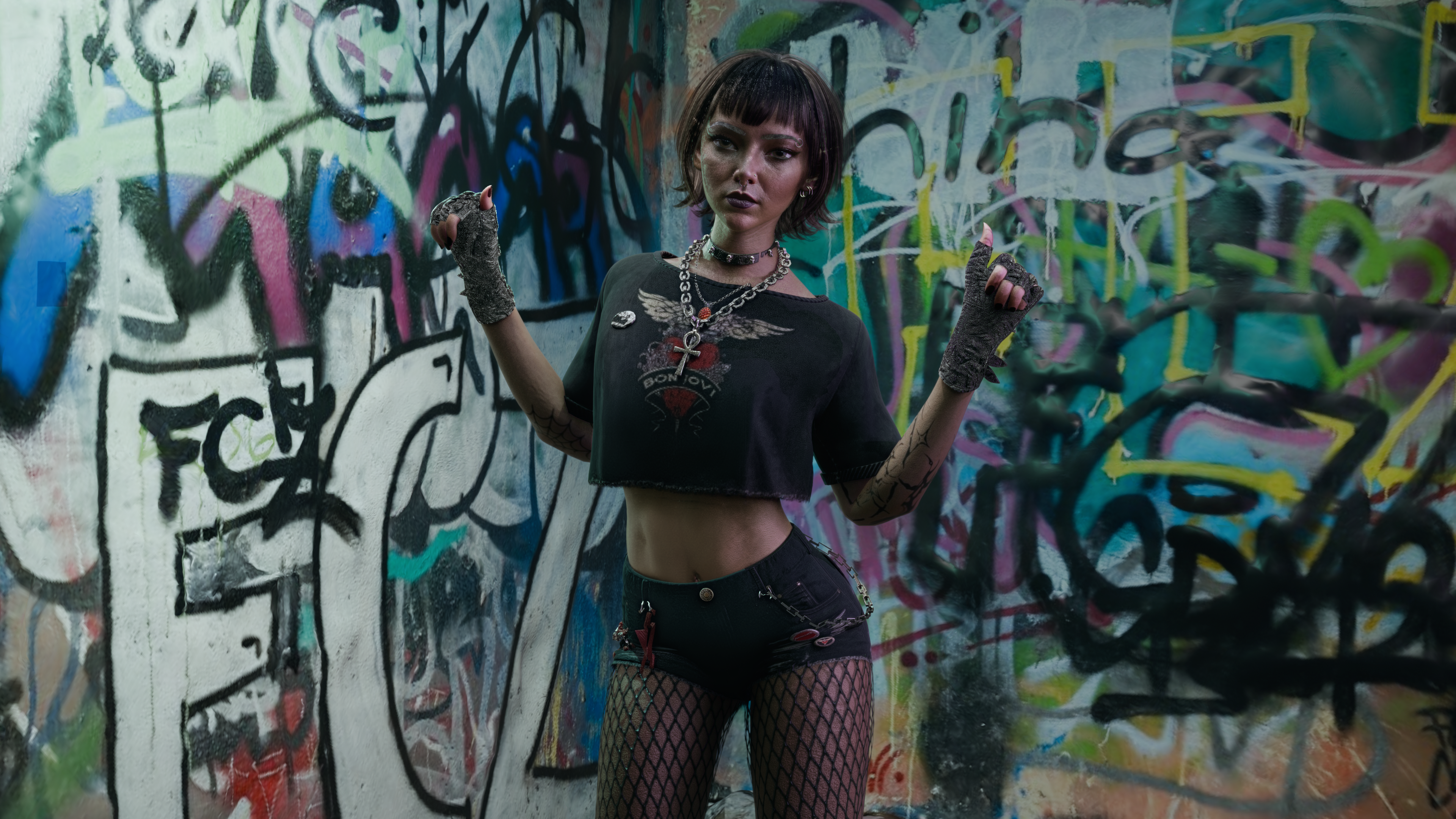
Blend the detail. Keep your scene’s character.
Blend the DLSS 5 result with your original Blender render to retain more of your lighting, shadows and facial character. Reduce the over-smoothed “yassified” look while mixing in enhanced skin and facial detail. Adjust the balance to suit your scene.
Adjust Blend live in the viewport
Use the N-panel to adjust Blend and passes. The default look starts at 80% Blend and 2 passes.
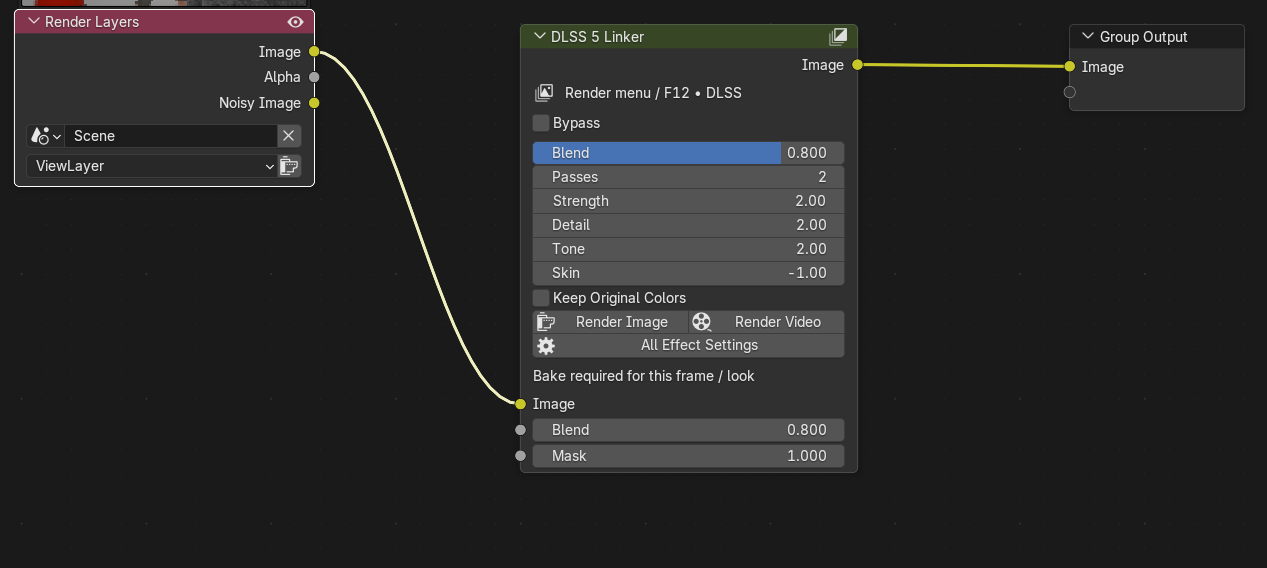
Render through the DLSS 5 Linker compositor node
Click Add DLSS 5 Node to open the compositor and show the node. Live viewport preview is controlled separately from the N-panel.
Adjust passes live
Change neural passes and effect settings directly in the N-panel. More passes change the look and take more processing time.
Match your machine
Choose Low, Medium or High viewport resolution to balance detail and GPU workload. Medium is the default.
FREE / STANDARD
Live viewport. Try the render workflow.
Includes live viewport controls and the compositor node. Video exports use MP4 / H.264 and are limited to 4 seconds, with no edition-specific resolution cap. A confirmation shows the frame range before rendering.
PRO
Longer videos. More output options.
Remove the video duration cap and export MP4 or PNG image sequences. Render at 4K or custom resolutions within the addon’s supported limits and your hardware’s capabilities.
Easy setup. Local processing. Open your .blend.
Install the addon and click Install Dependencies. Setup installs the required files and runs a processing test. When complete, choose Save & Open Launcher.
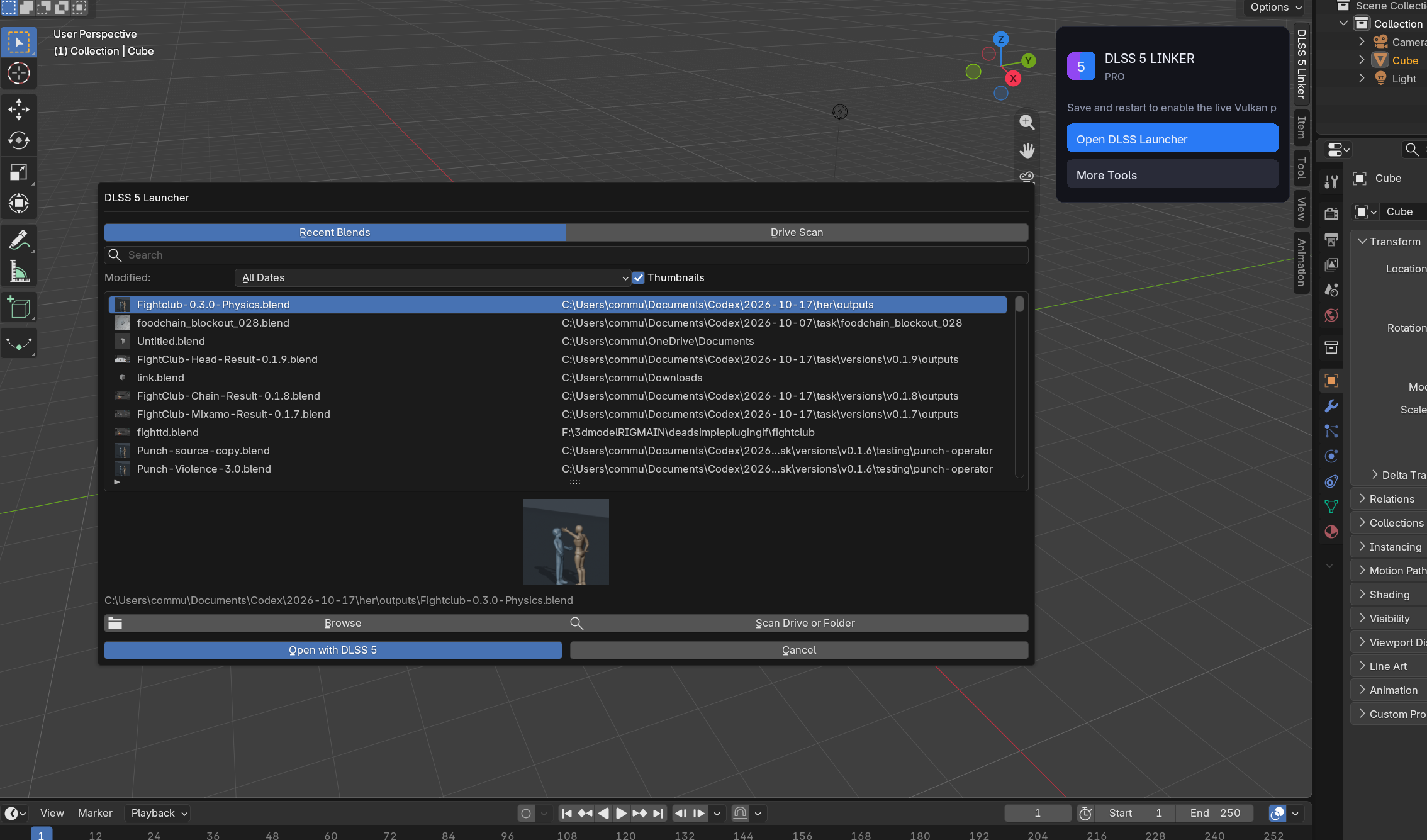
Use the DLSS 5 Linker desktop shortcut to select an existing Blender file. If Blender cannot download files through your network, use Manual Install to select a downloaded dependency ZIP.
11/25/26 Version 2 is out now!!
New UI for a cleaner experience. Fixed certain bugs and errors.
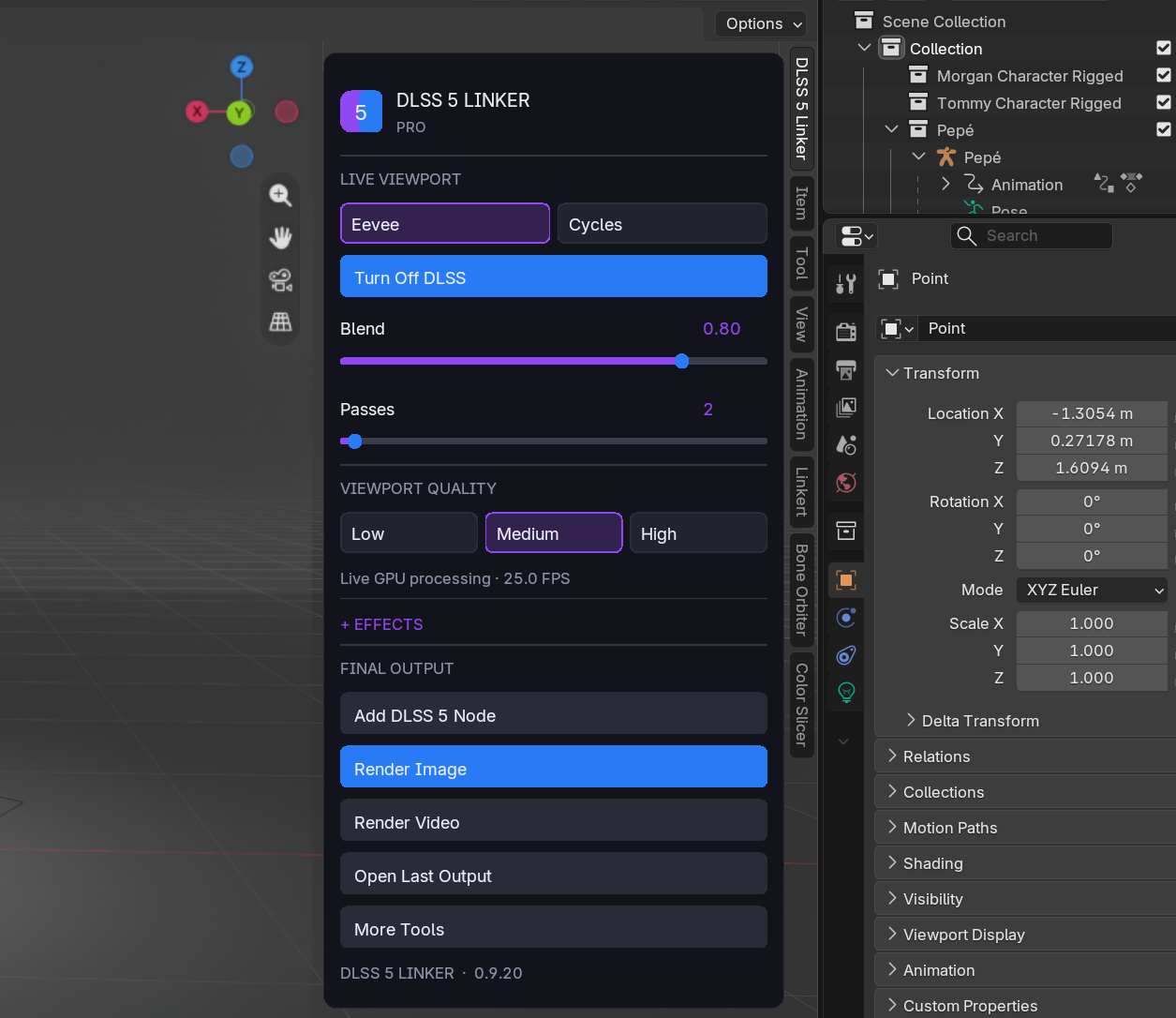
DLSS 5 Launcher now opens inside of blender with thumbnail support for finding your blend file.
10/15/26 Updated workflow
Launcher sessions start in Eevee for a lighter startup. Eevee is recommended for live preview; Cycles viewport support remains experimental. Render progress shows the source-render, DLSS-processing and final-output stages.
If you encounter an issue, please reach out and include a recent report from Open Logs Folder. Your feedback helps improve the addon.
Windows only · Blender 5.2 · Compatible NVIDIA GPU
Intended for compatible RTX 40 / 50 series systems. Performance and usable resolution depend on your GPU, VRAM and scene. Compatibility with other GPUs is not guaranteed.