 VK Gamedev


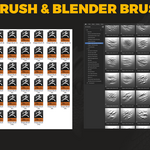
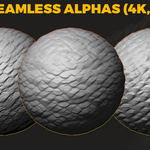
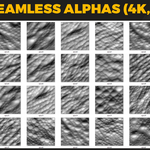
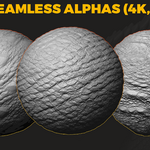
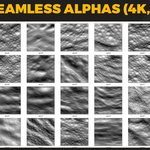
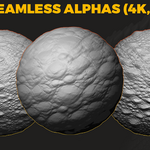
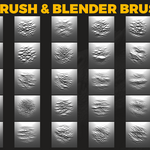
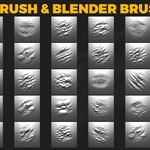
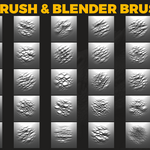
🔥 102 Dragon Skin Brushes for Blender & ZBrush (Bonus — 4K Alphas)
A premium collection of 102 handcrafted dragon skin brushes and 4K seamless alphas for professional creature & reptile sculpting workflows.
📦 Included
- 102 Blender Sculpt Brushes
- 102 ZBrush Brushes (.ZBP)
- 102 Seamless Height Maps — 4K, 16-bit TIF
- 102 Alpha Maps — PNG / TIF

⚡ Key Features
- Professional dragon & reptile skin detailing
- Clean 16-bit displacement maps (no stepping, no banding)
- Tileable 4K height maps
- Optimized for Blender & ZBrush production workflows
- Perfect for creatures, monsters, reptiles & fantasy designs

🔧 Installation Instructions
Blender Installation
- Place the supplied .blend brush file in any permanent folder.
- Open Blender → Edit → Preferences → File Paths.
- Click Add and select the folder where your brush .blend file is stored.
- Click Save Preferences.
- Blender will now always recognize this .blend as a brush library.
ZBrush Installation
- Copy all .ZBP brushes.
- Paste them into:
C:\Program Files\Pixologic\ZBrush 2021\ZBrushes - Open or restart ZBrush.
- Brushes appear under ZBrushes (Lightbox / Brush menu).
🖥 File Formats
- TIF 16-bit (4K) — seamless height maps
- PNG / TIF — alpha maps
- Blender Brushes (.blend)
- ZBrush ZBP Brushes

📘 License
Commercial use included. Reselling, redistributing, or sharing the original files is not allowed.
💬 Support
If you need help installing or using the brushes — feel free to contact me anytime.

