 Dennis Hafemann


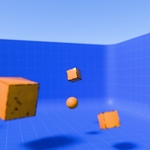
Dynamic Camera Focusing With Geometry Nodes (Project File)
!!! This is not a 3D asset / model itself, rather than a how-to / tutorial project file, including a geometry nodes modifier to show how a "dynamic camera focusing" could might be set up in Blender.
Ever struggled with Blender’s native camera focus ? Standard setups limit you to a fixed distance or a specific object, which you then have to animate for some kind of dynamic. If your camera moves or your subject shifts off-center, you’re often left with a blurry mess, unless you manually animate the focus distance for hours.
This how to / tutorial project file shows a great solution using Geometry Nodes and Raycasting together combined with Blender's camera focus. Instead of focusing on a static point, this system dynamically detects exactly what the camera is "looking at" in real-time.
What's included
The Logic - A commented Geometry Nodes modifier, with UI properties for easy and comfortable handling, that uses Raycasting to calculate the distance between the camera and the first surface hit in the center of the frame.
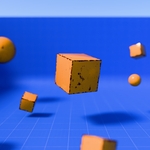
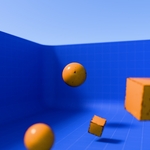
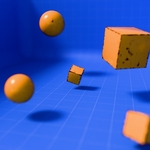
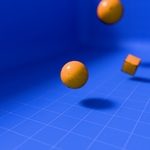
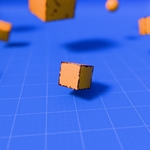
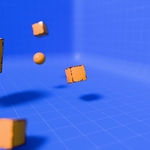
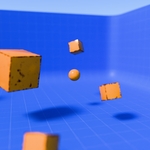
Project File - A demo-scene, with multiple objects to focus the camera on and directly visualizing how the focus changes instantly, ready to render.
Learning - Learn how to make your focus react instantly as the camera pans across different objects at varying depths. Take a look at the objects and the geometry nodes modifier, if necessary, to get the idea how and why it works.
Why you would need this
Automation - No more manual keyframing of "Focal Distance.", when the camera moves / pans the focus changes.
A bit more realism - Achieve a naturally "Rack Focus" effect by simply moving the camera.
Educational / Learning - Perfect for artists looking to understand how Raycasting can be used for more than just scattering pebbles.
Including
.blend-file, with a demo-scene, to show how the included geometry nodes modifier "Dynamic Camera Focus SImple" works in auto-focusing what the camera sees.
Usage
- Download and extract .zip file.
- Open .blend file in Blender, ready to render.
- Import / Append (F4) the geometry nodes modifier "Dynamic Camera Focus Simple", or any material or separated object to your scene, as you like.