Easy Block Saver
 ajcreative3d


Documentation: Easy Block Saver (Blender Addon)
1. Introduction
Easy Block Saver is a dedicated Blender addon designed to streamline and optimize the block-out workflow for character and creature artists. It allows you to store, organize, and quickly load block-out models directly from an intuitive interface integrated right into your workspace.
2. Key Features
Quick Storage: Save your initial block-out base meshes and geometries with a single click.
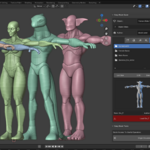
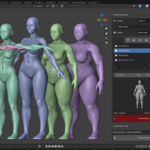
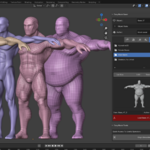
Visual Asset Management: Easily preview your stored character and creature models through thumbnails.
Instant Loading: Retrieve and import saved models (such as base humanoids or custom creatures like Orc_T) directly into your Blender scene seamlessly.
Native Integration: Cleanly integrates into Blender's sidebar (N-panel) with a dedicated Block Saver tab.
3. Installation
Download the addon's compressed
.zipfile.Open Blender and navigate to
Edit > Preferences > Add-ons.Click the Install... button in the top-right corner.
Select the downloaded
.zipfile and click Install Add-on.Search for Easy Block Saver in the addon list and check the box to enable it.
4. User Guide
The Block Saver Panel
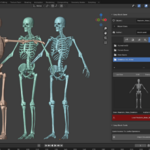
The addon's main panel is located in the 3D Viewport sidebar under the Block Saver tab.
-
Saving a Block-Out:
Select your finished block-out mesh in the scene.
Enter a name for your creature or character.
Click the save button to store the model in your project library.
-
Loading a Block-Out:
Browse the visual list of stored models within the side panel.
Click the corresponding load button (such as the red Load Orc_T button).
-
The model will be imported into your current scene, ready for sculpting or detailing.
5. Video Showcase
Have questions about this product?
Login to message
| Dev Fund Contributor | |
| Published | 11 months ago |
| Blender Version | 3.6 - 5.2 |
| Extension Type | N/A |
| Render Engine Used | Blender-Internal, Cycles, Eevee, Freestyle |
| License | GPL |
