Easy Organizer Addon
 Easy Addons



🧩 What is Easy Organizer?
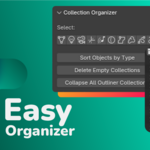
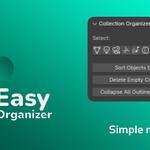
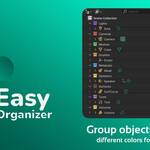
Easy Organizer is Blender addon that helps you organize your 3D scenes. It automatically sorts objects into collections by type (e.g. Meshes, Lights, Cameras), cleans up empty collections, and offers quick access to type-based selections.
🛠️ How to Use
-
Install the Addon:
-
Go to Edit → Preferences → Add-ons → Install...
-
Select the
easy_organizer_x_x.zipfile. (x being version number) -
Enable the checkbox to activate it.
-
-
Find the Panel:
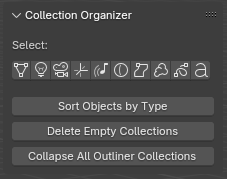
-
Open the 3D Viewport
-
Look in the Sidebar (N) → Easy Organizer tab
-
-
Select Object Types:
-
Use the "Select" buttons to quickly select all objects of a given type (e.g. all Meshes).
-
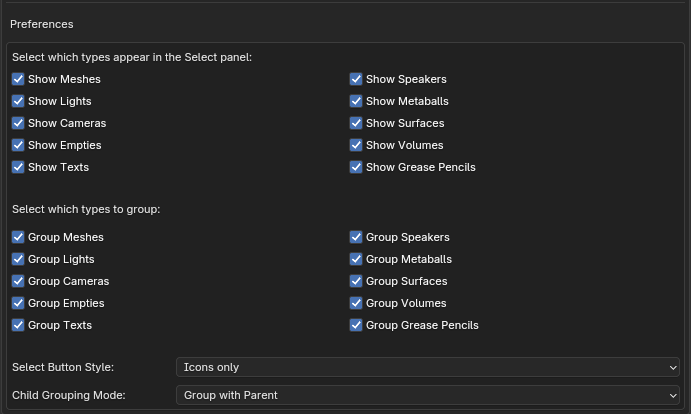
You can customize which buttons are visible in Preferences.
-
-
Sort Objects into Collections:
-
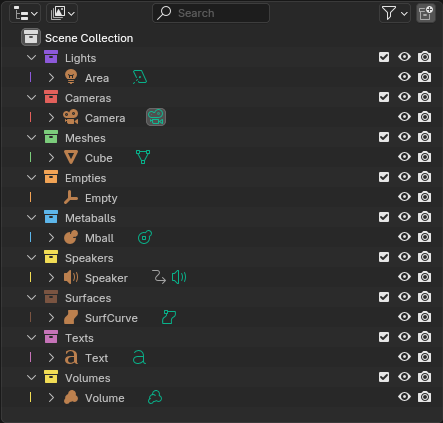
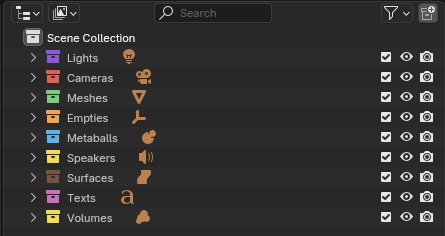
Click “Sort Objects by Type” to automatically group objects into collections like "Meshes", "Lights", etc.
-
Collections are created only for the enabled types (See Preferences) .
-
If an object has children, it will keep its hierarchy inside the new collection.
-
-
Collapse All Collections:
-
Use "Collapse All Outliner Collections" to quickly tidy the Outliner view.
-
-
Delete Empty Collections:
-
Click "Delete Empty Collections" to clean unused clutter from your scene.
-
⚙️ Preferences (Customize Behavior)
Go to Edit → Preferences → Add-ons → Easy Organizer:
-
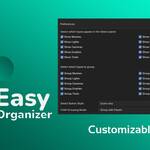
✅ Show/hide object types in the panel (e.g. Texts, Volumes, Empties) - It is for selection
-
🧠 Choose which types should be auto-grouped during sorting
-
🎨 Set style of buttons: Icons only, Text only, or Both
🧪 Edge Cases & Notes
-
🧷 Hierarchy Respect: If an object has children, it will be placed in its own collection with all children included.
-
🔁 You can safely use "Sort Objects" multiple times — it updates collections without duplicating.
💬 FAQ
Q: Does it delete or overwrite anything?
A: No. It only creates collections and moves object to those collections.
Q: Can I undo everything?
A: Yes — all actions are recorded in the Undo stack (Ctrl + Z works).
🔄 Version
-
Addon version: 1.0
-
Tested on Blender: 3.0 to 4.4
Have questions about this product?
Login to message
| Sales | 100+ |
| Dev Fund Contributor | |
| Published | over 1 year ago |
| Blender Version | 3.0 - 5.1 |
| Extension Type | N/A |
| Render Engine Used | Cycles, Eevee |
| License | GPL |

Discover more products like this
blender tools collections scene cleanup organize productivity auto sort outliner Scene Management Workflow 3d assets addon group objects