 iralon




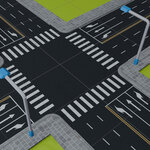

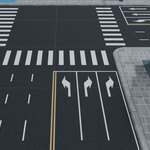
Installation:
- Download the easy_road.zip file.
- In Blender, navigate to
Edit > Preferences > Add-ons - Click Install, and find where you downloaded the zip file. Then hit the
Install Add-onbutton. - In the sidebar panel, (shortcut key N), you will see EasyRoad, click on it.
How to use:
- Select an active object (preferably a plane) as the target to create a road.
- Select a preset at the top of the add-on panel to load a set of parameters.
- Press Create button at the bottom of the panel, then Simply left-click on the surface to add a new point, then left-click again at another location on the surface to form a new road. (It's better to change the viewport shading to Material or Render Preview mode.)
- After creating the roads, you can select one road as the target to add extras and configure its start, end (-1 for unlimited), spacing, and other parameters.
*Changelog
V1.0.3 update: Removed redundant presets and fixed issues causing road layout problems. - 12/10/25
- V1.0.2 update: The road can be edited directly using paths. - 12/05/25
- V1.0.1 update: Added support for displaying points gizmo when using blender 5.x. - 12/04/25
Have questions about this product?
Login to message
| Blender Extension Compatible | Yes |
| Published | 11 months ago |
| Blender Version | 4.2 - 5.2 |
| Extension Type | Add-on |
| Render Engine Used | Blender-Internal, Blender-Game-Engine, Cycles, Eevee |
| License | GPL |