 KiyohitoMaeda


Easy Scatter
Place objects exactly where you want them — instantly.
Easy Scatter gives you two powerful ways to populate your scene, all controlled from a clean N-panel sidebar. No dialogs to dig through, no Geometry Nodes to set up.
Two Ways to Scatter
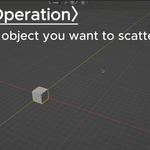
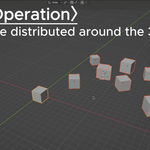
Scatter Objects Position the 3D Cursor, set your parameters, and click Scatter Objects. Hundreds of copies appear instantly around the cursor within your defined spread area. Change the seed for a completely different layout in one click.
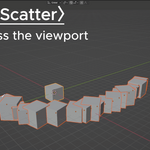
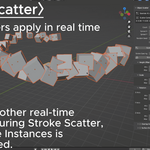
Stroke Scatter Click Stroke Scatter and drag your mouse across the viewport — objects appear along your path in real time as you paint. Release to finish, or Esc to cancel and remove everything. Perfect for placing objects along roads, rivers, cliff edges, or any custom path.
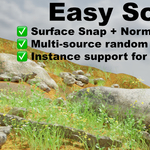
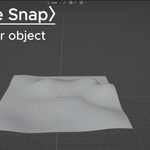
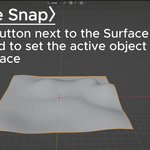
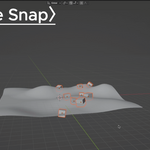
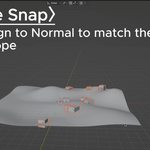
Surface Snap with Normal Alignment
Designate any mesh as a target surface and both scatter modes place every copy directly on it using raycasting. Enable Align to Normal and each object automatically tilts to match the slope — perfect for uneven terrain, rocky ground, or curved surfaces.
Full Randomization Controls
- X/Y Spread — independent ranges for each axis, ideal for long narrow surfaces
- Per-axis rotation — set min/max for X, Y, and Z independently
- Scale randomization — each copy gets a random uniform scale within your range
- Height offset — scatter above or below the center when Surface Snap is off
- Overlap avoidance — enforce a minimum distance between objects
- Random seed — lock in a seed to reproduce the exact same layout
Multi-Source Random Selection
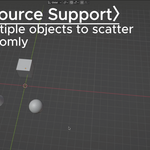
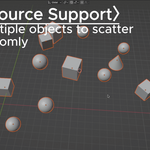
Select two or more objects before scattering and each copy is randomly picked from the pool. Mix three types of rocks, five species of plants, or any combination — every run produces natural-looking variation without any extra effort.
Instance or Copy
Toggle Use Instances to switch between lightweight collection instances (great for large counts) and individual object copies (easier to edit individually). Both modes work with all features including Surface Snap and Stroke Scatter.
Works great for
- Ground cover: rocks, pebbles, leaves, grass tufts
- Forest and nature scenes: trees, stumps, mushrooms
- Paths and roads: placement along custom routes with Stroke Scatter
- Architectural visualization: furniture, props, decorative objects
- Game asset placement and level design blockouts
- VFX debris, particles, and crowd stand-ins
No dependencies. No complexity.
Pure Python — no external libraries, no pip installs, no Geometry Nodes required. Works on Windows, macOS, and Linux. Install in under a minute.
Installation
Blender 4.2 and later (Extension format)
- Download the
.zipfile - Go to Edit > Preferences > Get Extensions
- Click the dropdown arrow (▾) in the top right and select Install from Disk
- Select the
.zipfile - Easy Scatter will be installed and enabled automatically
Blender 4.1 and earlier (Legacy format)
- Extract
easy_scatter.pyfrom the.zipfile - Go to Edit > Preferences > Add-ons
- Click Install… and select
easy_scatter.py - Enable Easy Scatter in the list
