What is Vulkan?
A new rendering backend for Blender (an alternative to OpenGL), making EEVEE among other things significantly faster.
Can I still use this course if I'm on an Apple computer?
Yes! When a user on a Windows/Linux PC renders with Eevee, they are using the Vulkan backend. When a user on an iMac/MacBook renders with Eevee, they are using the Metal backend. Both are low-level, high-performance replacements for the old OpenGL, achieving a similar goal through different technology
Why even use EEVEE for realistic lighting? Especially when we have Cycles!
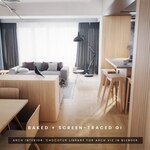
If you want realtime or near-realtime feedback - and to a lesser extent, the specific EEVEE GI customization features (or realtime multi-pass compositing etc), then EEVEE becomes an attractive option. Imagine sketching out a game environment and exploring similarly to how it'd feel in game. Or rendering a long archvis animation 10 times faster (with baked light probes).
Which version of Blender should I use?
Much of the videos are recorded using Blender 4.5 & 5.0. All of the blender files have been saved in 5.0.
We recommend using the latest version of Blender, if you get stuck or wonder if anything has changed please get in touch, e.g. via our Discord.
Should I use any video player in particular?
Everything has been tested using VLC (free, awesome, open source and available on all platforms), so while everything should play fine on all players, if in doubt give this awesome free player a try....
https://www.videolan.org/vlc/index.html
Do you guys have a Forum or Discord?
Yes! Use this link here to get your invite to our Creative Shrimp Discord channel:
https://discord.gg/nNReRkzWsh
I have a question, how can I contact you guys?
Creative Shrimp email: http://www.creativeshrimp.com/contact
Creative Shrimp Discord Invite: https://discord.gg/nNReRkzWsh
Gleb's X/Twitter: https://x.com/gleb_alexandrov
Aidy's X/Twitter: https://x.com/AidyBurrows3D
Gleb’s Bluesky: https://bsky.app/profile/glebalexandrov.bsky.social
Aidy’s Bluesky: https://bsky.app/profile/aidyburrows3d.bsky.social
How to give the course as a gift?
The Blender Market/Superhive can send you an invoice and then deliver the gift to any given email; in order to claim the gift the recipient will need to create an account with that same email.
Do videos have subtitles?
Yes, all videos will have subtitles (English), manually edited. These should be ready within the first week of release.
Will I need any other software/hardware or tools?
No, Blender is all that is needed, no extra addons required.
Rendering does require reasonable hardware, especially in pathtracing engines such as Cycles, though with the Eevee rendering engine we can usually get away with more while using less - this is the power of Eevee!
If in any doubt check out Blender’s own recommended minimum specs here.. https://www.blender.org/download/requirements/
What’s the license of the files?
The license for the assets and shaders fall under the ‘Standard Royalty Free License’ except where stated otherwise (usually CC0). For more information please visit Standard Royalty Free License - Superhive Documentation
I just started learning Blender, will I be able to do this?
How to download the course from Superhive/Blender Market?
Upon purchase you’ll be given download links. If you need to download at a later time then simply create an account with the same email used to purchase and the downloads will be available on your accounts order page: https://superhivemarket.com/account/orders
Can I have a refund?
Sure. We’re happy to report that Superhive/Blender Market has a 30 day money back guarantee. Just shoot an email to
[email protected] and ask for a refund.
 Creative Shrimp