 El jugenio 3D



3D MAKER
by El Jugenio 3D
The Complete 3D Printing Workflow Suite for Blender
Design, prepare, cut, paint and send to your slicer — all without leaving Blender. One panel, one workflow, zero app-switching.
One workflow, zero app-switching
From a rough idea to a printable file, inside Blender.
Everything inside
A complete toolkit, grouped by what you actually do.
Design & Model
- Easy Sketch — freehand, polyline, bezier, rect and oval drawing that becomes real geometry.
- Mesh Cutter — Lasso 3D, freehand/polyline/bezier cut and Knife Cut with an on-screen HUD.
- Boolean Tools — dynamic cuts and unions that stay editable.
- Deform (Bend / Taper) — non-destructive bend and taper with on-screen handles.
- Calibre — measure any edge, face or gap in the viewport.
- Box Size overlay — live bounding-box dimensions while you transform.
- Normals Manager — inspect and fix normals before printing.
Prepare for print
- Pin & Joint System — parametric pins and sockets to assemble multi-part prints.
- Auto-Pin at seam — pins generated automatically on the cut line.
- Support Generator — add and manage manual supports.
- Split Mesh / Facesets — split by facesets and keep organized parts.
- Scale to Real Size — set exact real-world dimensions in one step.
- Align — align objects and components precisely.
- Explode + Snap — exploded views with snapping back together.
Paint & Preview
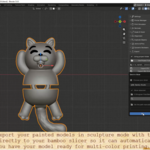
- Vertex Color Paint — gesture painting, palette manager, magic wand and facesets.
- Print Simulator — preview layer-by-layer printing before you commit.
- Materials helper — quick material assignment and organization.
Export & Print
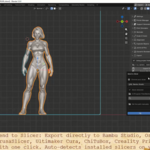
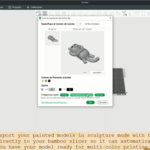
- Send to Slicer — 7 slicers with auto-detection and manual path override.
- Export STL / OBJ — includes vertex colors so your paint survives export.
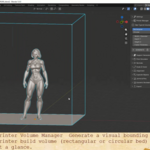
- Printer Volume Manager — build volumes per printer and a live fit check.
Interface
- English & Spanish UI — full interface translation you can switch anytime.
- Toggleable panels — show only the panels you use, in your order.
Who it's for
If you model for 3D printing in Blender, this removes the back-and-forth.
3D printing hobbyists Kitbash & prop makers Miniature & tabletop designers Product & prototype designers Etsy / print-on-demand sellers
Compatibility
| Blender | 5.0 – 5.2 |
|---|---|
| OS | Windows, macOS, Linux |
| Type | Blender add-on / extension |
| Language | English & Spanish |
| License | GPL |
Changelog
v8.5 — Easy Sketch, Lasso 3D Cut, Knife Cut + HUD, Auto-Pin at seam, rewritten slicer detection, Easy Sketch HUD restyle.
v8.0 — Calibre, Deform (Bend/Taper), Normals in Settings, Box Size hardening, Rip & Separate fixes.
v7.9 — language fixes, orange HUD theme, slicer reset fixes.
v7.5 — split mesh, icon set, line width options.
FAQ
Which Blender versions are supported?
Blender 5.0 through 5.2.
Does it work on macOS and Linux?
Yes. Detection and paths adapt per OS; you can always set the slicer path manually.
Which slicers can it send to?
Bambu Studio, OrcaSlicer, PrusaSlicer, Cura, ChiTuBox, Creality Print and Lychee — plus a manual path override.
Do I need other add-ons?
No. Everything ships in one add-on.
Are vertex colors kept on export?
Yes — the OBJ export preserves vertex colors.
Can I switch the interface language?
Yes, English and Spanish, from the add-on preferences.
Docs (quick start)
Install
Install the add-on from the ZIP (Edit > Preferences > Add-ons > Install), enable it, then open the 3D Maker tab in the 3D Viewport sidebar (press N).
Send to a slicer
Open the Export panel, pick a slicer (or let auto-detection fill it), then hit Send to Slicer.
Cut with Lasso 3D
Open Joints & Pins, click Lasso 3D Cut, draw on the surface, then confirm to split and auto-pin the seam.
Draw with Easy Sketch
Open the Easy Sketch panel, choose a draw mode and shape type, sketch in the viewport and generate the mesh.
El Jugenio 3D Maker — everything you need to go from model to print in Blender.
Support & tutorials: YouTube channel