Enable / Disable in Render
 alexdepario
in Interface

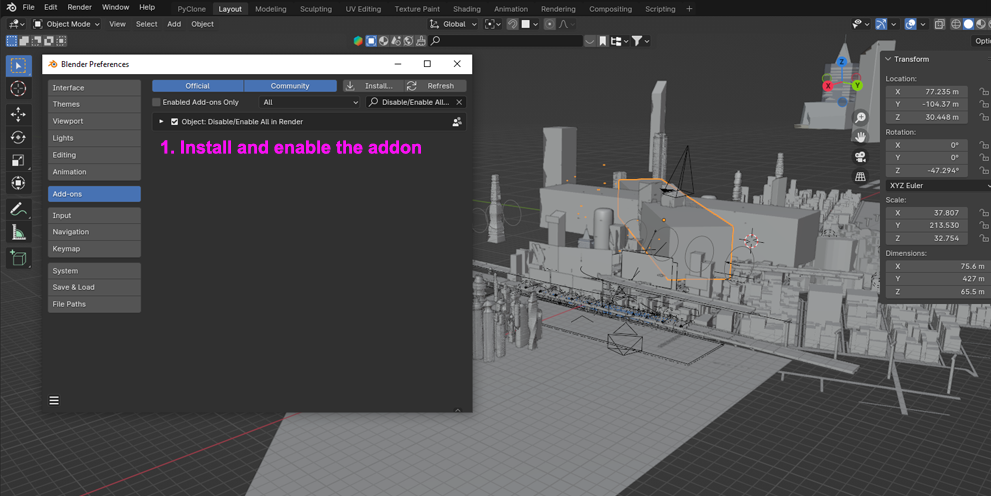
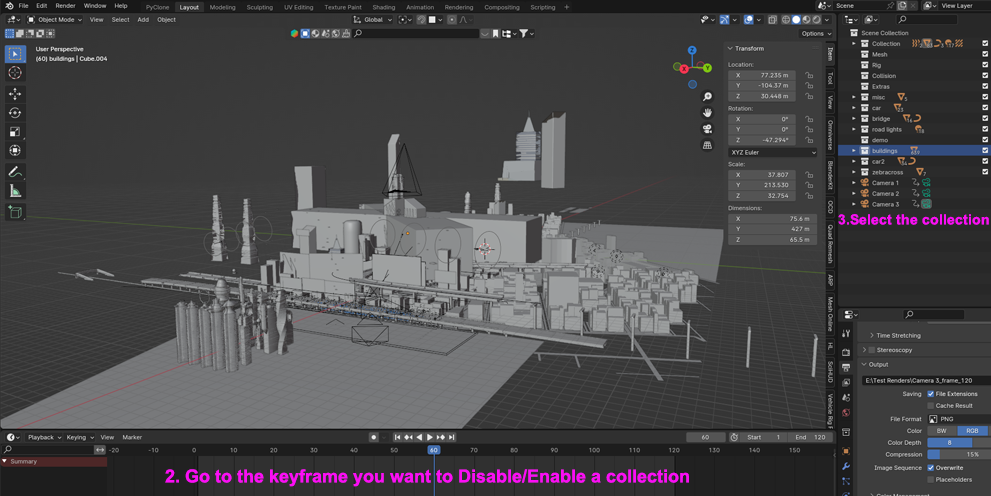
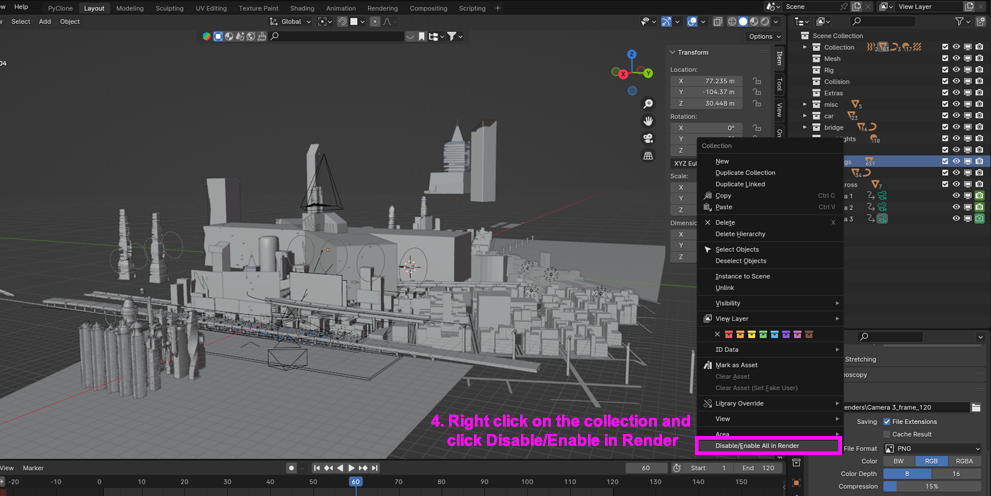
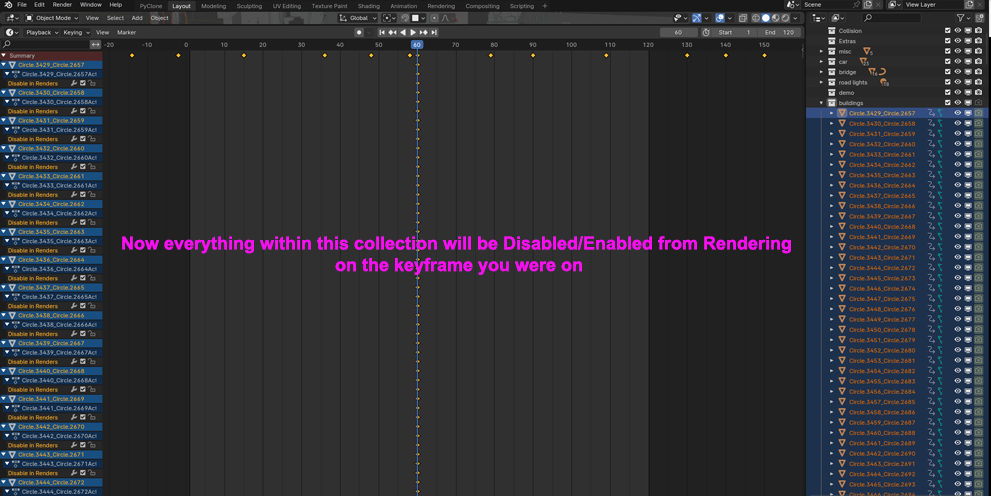
How does this add-on save time compared to toggling render visibility in the Outliner?
Instead of searching through nested collections in the Outliner to click individual camera icons one by one, you can select multiple objects directly in the 3D Viewport and enable or disable their render visibility all at once.
Is Enable / Disable in Render compatible with Blender 4.2 and newer versions?
Yes. The package includes a blender_manifest.toml extension manifest, making it natively compatible with Blender 4.2+ extension workflows.
Do I need to extract Enable_Disable_in_Render.zip before installing it?
No. Keep the .zip archive compressed—which contains the Enable_Disable_in_Render/ folder along with __init__.py and blender_manifest.toml—and install it directly inside Blender via Edit > Preferences > Add-ons (or Get Extensions) using Install from Disk, or drag and drop the .zip file straight into the Blender window.
Where do I find the Enable / Disable in Render controls inside Blender?
Open the 3D Viewport, press N on your keyboard to open the Sidebar (N-Panel), and select the add-on's tab (or check the Object menu in the 3D Viewport header) to toggle render visibility for your selected objects.
Have questions about this product?
Login to message
| Published | almost 3 years ago |
| Blender Version | 4.3, 4.2, 4.1, 4.0, 3.6, 3.5, 3.4, 3.3, 3.2, 3.1, 3.0 |
| License | GPL |

alexdepario
Discover more products like this
animation tools blender Development addon Context Menu animation 3d modeling customization objects custom buttons keyframes collection