 ergb
ergb


Official Documentation
Overview
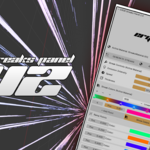
The ERGB Streaks Panel 2.0 is a Blender addon that lets you generate fully animated, highly customizable emission light streaks—without using nodes.
No setup. No shader graphs. No technical friction.
Just click, generate, and create.
This panel is designed for speed, iteration, and creative freedom. Every streak is editable, rebuildable, and reusable—so you never lose a result you like.
What This Addon Does
Instantly generates animated emission streaks
-
Gives full control over:
Speed
Color
Thickness
Strength
Allows rebuilding and remixing streaks without deleting previous results
Works entirely through a simple UI panel
Requires zero node interaction
What’s Included
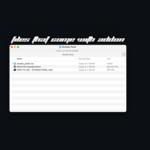
ERGB Streaks Panel Addon (.zip)
Step-by-step video tutorial
Example setup .blend file
Instant download
Lifetime access
Installation
Open Blender
Go to Edit → Preferences → Add-ons
Click Install
Select the downloaded ERGB_Streaks_Panel.zip
Enable the addon by checking the box
Once enabled, the panel will appear in the 3D Viewport Sidebar.
Accessing the Panel
Open the 3D Viewport
Press N to open the sidebar
Navigate to the ERGB tab
Open Streaks Panel 2.0
You’re ready to generate streaks.
Generating Streaks
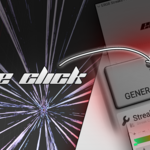
Click Generate Streaks
The addon instantly creates animated emission streaks in your scene
All parameters become editable immediately
No preparation required.
Controls & Settings
Speed
Controls how fast the streak animation moves.
Lower values = slower, smoother motion
Higher values = energetic, fast-paced visuals
Color
Choose any color or combination to match your scene or brand.
Thickness
Adjust the width of the streaks—from subtle light trails to bold FX elements.
Strength
Controls emission intensity and brightness.
All changes update in real time.
Editing & Rebuilding
One of the biggest upgrades in Panel 2.0:
You can regenerate streaks without losing previous results
Tweak settings freely
Rebuild, revise, or remix until you’re happy
No more “I finally liked it and then deleted it” moments
Everything is non-destructive and iteration-friendly.
Recommended Use Cases
Music visuals
Loopable animations
VFX overlays
Logo reveals
Social media content
Motion backgrounds
Example Scene
An example .blend file is included to show:
Proper scene setup
Camera positioning
Lighting context
Ideal render settings
Use it as a starting point or reference.
Best Practices
Render with Eevee or Cycles depending on your project needs
Use streaks as accent elements, not clutter
Combine with camera motion for maximum impact
Keep it simple—the tool is designed to look finished fast
Troubleshooting
Streaks not visible
Check camera angle
Increase strength
Ensure streaks are within camera view
Animation looks too intense
Reduce speed or strength
Decrease thickness
Scene feels cluttered
Generate fewer streaks
Use subtle colors
Philosophy
Most FX tools give you parts and expect you to build the machine.
ERGB Streaks Panel 2.0 is the machine.
Prebuilt. Tuned. Ready.
The goal isn’t to look technical.
It’s to look finished—and fast.
Have questions about this product?
Login to message
| Published | 7 months ago |
| Blender Version | 4.0 - 5.0 |
| Extension Type | N/A |
| Render Engine Used | Cycles, Eevee |
| License | GPL |

Discover more products like this
Shader 3dpanel 1 click light setup 2d-animated 2d shader 1click streaks 3d shader