Extra Lights - Photometric Lighting for Blender
 Orange Turbine





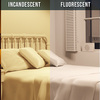
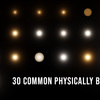
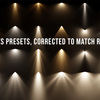
Yes! But, because Eevee doesn't support nodes, the lumens, spot angle, or temperature values can only be changed upon creation. Additionally, IES textures cannot be used and will default to looking like a normal light.
You can either message me using the support button in the upper right of this page or, even better, add it directly to GitHub: https://github.com/jlampel/extra_lights/issues
Yes! Currently it takes a bit of text editing. The instructions are in the documentation.
Blender now has a Light Threshold setting in the Advanced section of the Sampling panel which ignores the light's contribution to the scene if it's below a certain value. To have your scene render normally, reduce the Light Threshold until it renders normally or set it to zero. This is done automatically if you use the Set Exposure option.
To use a lumens converter node on a non-preset light, add any one of the preset lights of the type you want, check Use Nodes upon creation so that the node gets created in Blender, and then you'll find that type of lumens converter node under Group in the Shader Editor's add menu.
-
$9.99
 Included
Includes 12 months of
- Support from Orange Turbine
- Product updates
Extend this product’s Support Period +12 months: 25% of product price
Have questions before purchasing?
Login to message
| Blender Extension Compatible | Yes |
| Sales | 3500+ |
| Rating | 27 ratings |
| Published | over 6 years ago |
| Blender Version | 3.0 - 5.1 |
| Extension Type | Add-on |
| Render Engine Used | Cycles, Eevee |
| License | GPL |