 Arcadet
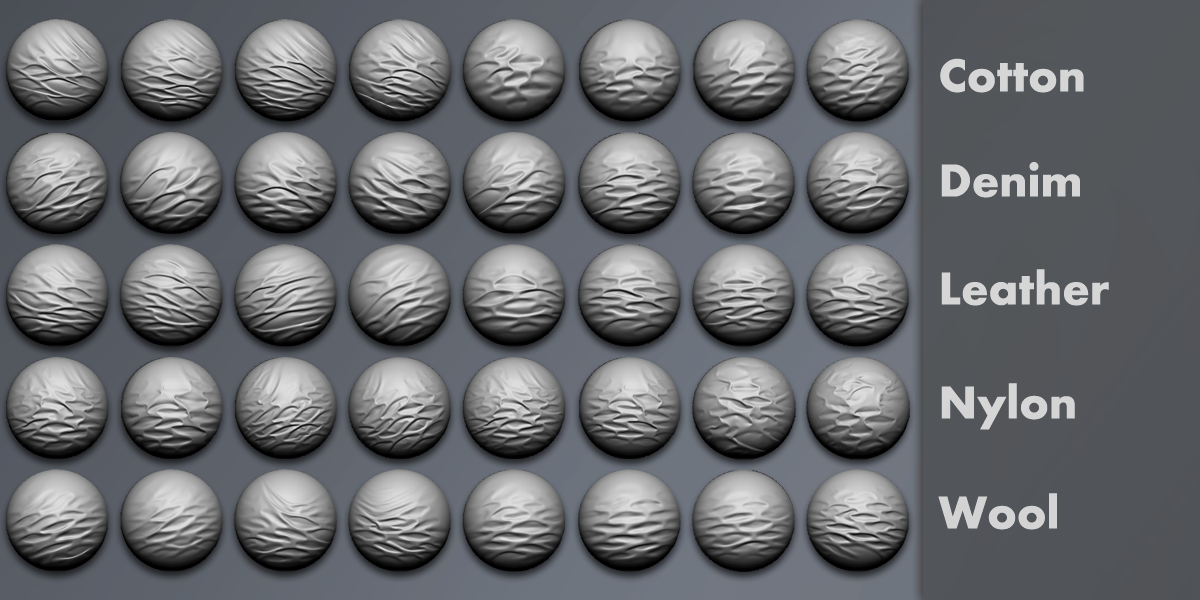
How to load brushes In Blender 5.2:
Unzip the compressed files to a folder on your local drive.
Edit > Preferences > Asset Libraries: + Add the directory containing the "Compression Folds VDM" folder
Go to the Sculpting Tab.
Switch the Interaction Mode to Sculpt Mode.
Use the Hamburger Stack (3 Lines) Menu from the brush palette to add Tabs for SS Folds and ZZ Folds brushes.
Select the desired brush. Click and drag fold pattern onto your surface.
Note: These brushes work best on dense poly surfaces. If facets appear, increase your subdivisions.
------------------------------------
Legacy Version:
Note: Requires Blender 3.5 or Later (for VDM support)
Unzip the compressed files to a folder on your local drive.
Note: The "brush_icons" folder must remain in the same directory as the .blend file for the icons to load.
How to Load Brushes:
How to load / use brushes into your scene (Requires Blender 3.5 or later):
File>Append>(Navigate to the uncompressed file "Compression_Folds_VDM.blend")
Click Append
Open the "Brush" folder
Select desired brushes
Click Append again
How to use VDM Brushes:
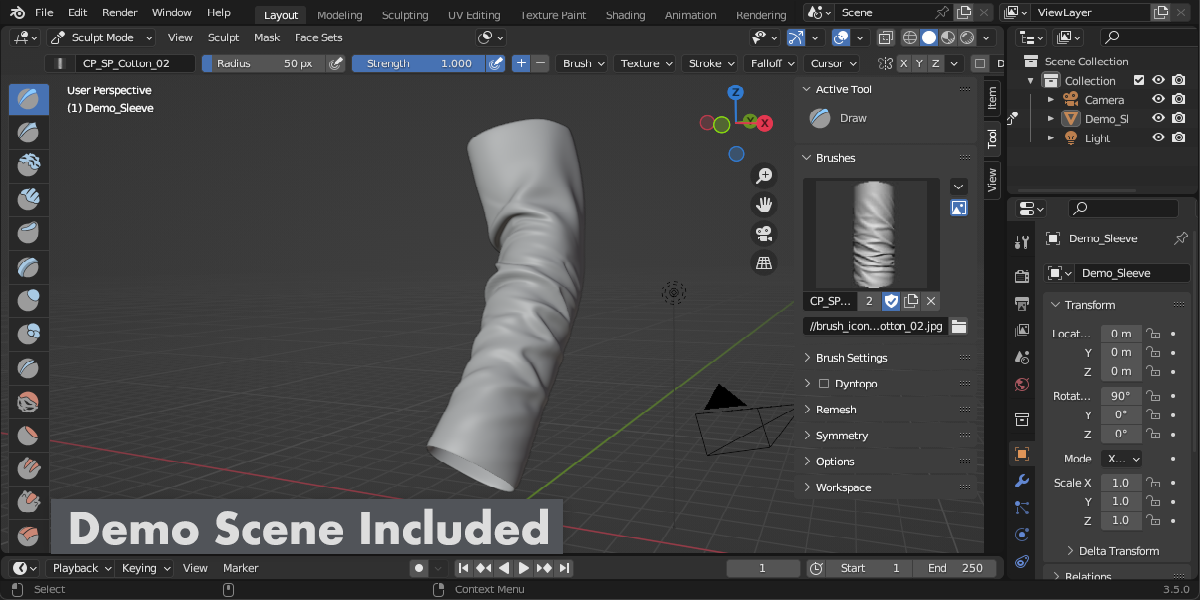
In Sculpt Mode:
Select the Draw Brush from the brush list then go to the Tool N Panel.
Expand the "Brushes" dropdown module and click the brush icon to select from the list of appended brushes.
Middle mouse scroll to cycle through the brushes or use the arrow keys.
These brushes work best on dense poly surfaces. If facets appear, increase your subdivisions.
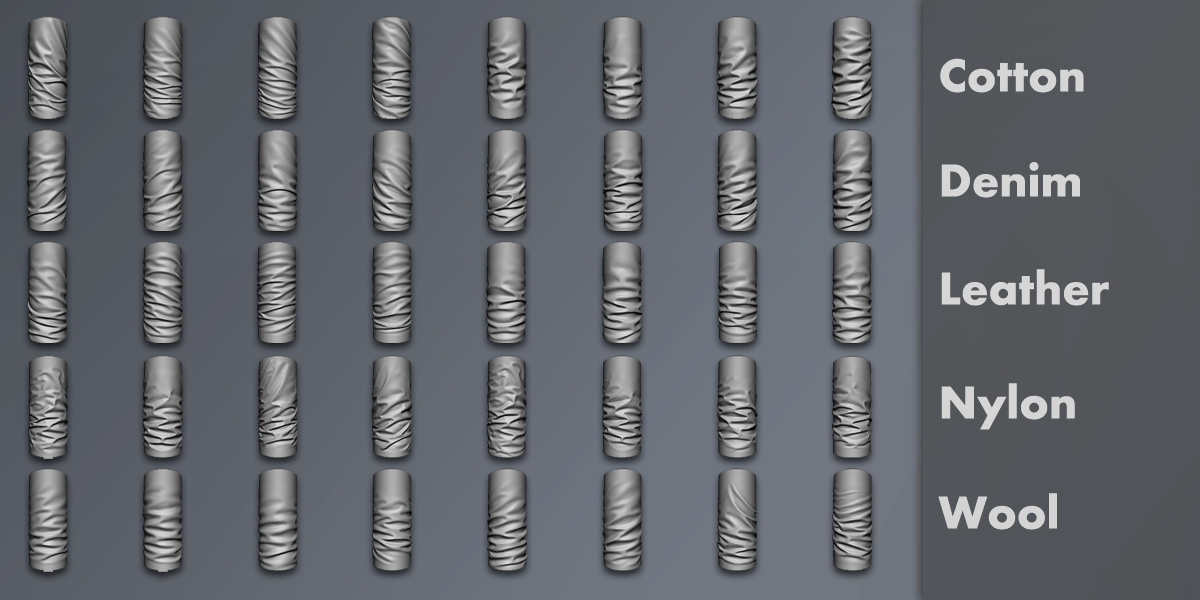
Brush Naming Guide:
Example: CP_SP_Cotton_01
CP = Compression (Fold Category)
SP = Spiral (Fold Type)
ZZ = Zigzag (Fold Pattern)
Cotton = Material (Thickness and Buckling Attributes)
01 = Pattern Variation
-
$7
For Personal Use
-
$20
Commercial License - Single User
-
$60
Commercial License - Small Team (Up to 5 Users)
Have questions about this product?
Login to message
| Sales | 200+ |
| Rating | 1 ratings |
| Published | over 3 years ago |
| Blender Version | 3.5 |
| License | Creative Commons |

Discover more products like this
summer23 Brush VDMs wrinkles displacement bfcm23 vector compression folds sculpting 3d brushes spring23 vdm cloth