 PlugIn3D






📖 Documentation – EZ Tools Ultimate Blender Bundle
Thank you for purchasing the EZ Tools Ultimate Blender Bundle 🎉. This package includes 7 powerful add-ons designed to speed up your Blender workflow.
📦 Installation
-
Download the bundle ZIP file from your Superhive account.
-
Open Blender and go to:
Edit→Preferences→Add-ons→Install... -
Select the desired add-on ZIP (you can install one or all of them).
-
Once installed, enable the add-on by checking the box next to its name.
-
Repeat for each add-on you want to use.
💡 Each add-on can be installed independently. You don’t need to load them all if you only want to use a few.
⚙️ Add-ons Included
-
EZDepth → Generate AI-powered depth maps from any image.
-
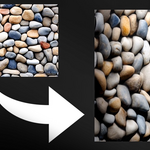
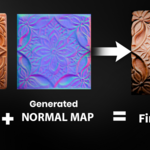
EZNormal → Convert images into ready-to-use normal maps.
-
HDRi to Environment → Transform EXR HDRIs into immersive environments.
-
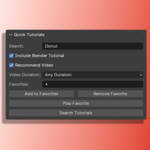
Quick Tutorials → Search, save, and play tutorials directly inside Blender.
-
Real Camera → Cinematic camera rig with realistic film-like controls.
-
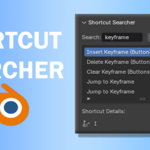
Shortcut Finder → Search and manage Blender keyboard shortcuts quickly.
-
Auto Save+ → Automatic project backups to prevent data loss.
🔑 Usage Tips
-
Each add-on creates its own panel in Blender’s Sidebar (N-panel) or relevant menu.
-
Hover over any button or slider for built-in tooltips.
-
For best performance, keep your Blender version up to date.
🔄 Updates
-
Updates are included for free with your purchase.
-
When a new version is released, simply download it again from your Superhive library and reinstall (same as initial setup).
🆘 Support
If you encounter any issues:
-
Double-check you’re using a supported Blender version.
-
Reinstall the add-on if errors occur after updating Blender.
-
Contact me directly through the Superhive support tab on the product page.
📜 License
-
Personal License: For individual use by a single artist or freelancer.
-
Studio License: For teams, studios, or agencies — allows use across multiple seats.
✨ With EZ Tools, you’ll work faster, smarter, and safer in Blender. Enjoy creating!
Have questions about this product?
Login to message
| Dev Fund Contributor | |
| Published | about 1 year ago |
| Blender Version | 4.1 - 4.5 |
| Extension Type | N/A |
| Render Engine Used | Arnold, Cycles, Eevee, Octane |
| License | GPL |
Discover more products like this
cinematic camera productivity tutorial finder hdri-tools auto-save shading tools ai-depth efficiency Normal Map Generator Blender shortcuts Rendering Tools Workflow Optimization