Fna Adjuster | From Normal Alignment to Tactile Micro-Adjustments in One Flow.
 Hugu's Works


Installation
- Download the add-on file (single __init__.py or .zip package).
- Open Blender → Edit > Preferences > Add-ons.
- Click "Install..." and select the file.
- Search for "FNA Adjuster" and enable it.
- The panel appears in the 3D Viewport Sidebar (N key) under the "FNA Adjuster" tab.
Core Features
-
Precision Face Normal Alignment (FNA)
Extract perfect rotation directly from geometry—no more manual angle adjustments or snapping guesswork.
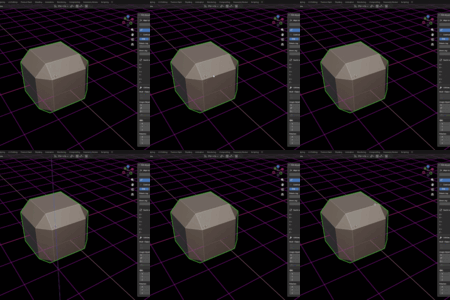
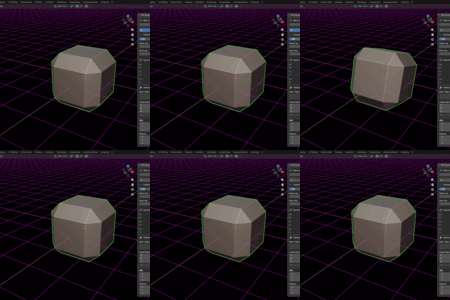
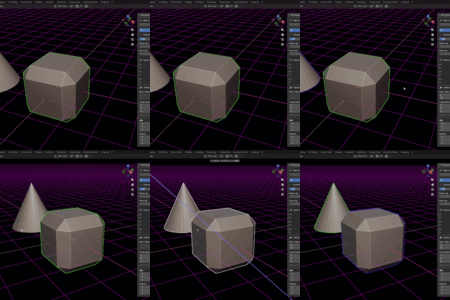
- Object Mode: Click a button ("to X/Y/Z") → cursor becomes crosshair → left-click any face to instantly align the object's chosen axis to that normal.
- Edit Mode: Select one or more faces → click "to X/Y/Z". Multiple faces use averaged normals for balanced, natural orientation on complex or irregular surfaces. This is ideal for attaching bolts to curved panels or aligning props to slanted walls perfectly on the first try.
-
Infinite Jog-Dial Control (Rotate & Move)
A breakthrough in tactile transformation—feels like using a real-world precision dial.
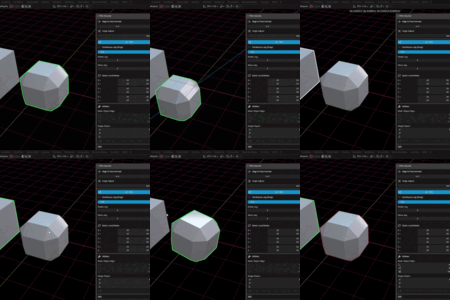
- Click any Jog button (X/Y/Z for Rotate or Move).
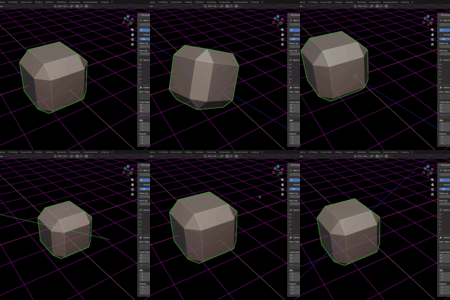
- Hold left mouse and drag horizontally for smooth, infinite adjustment along the axis.
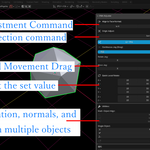
- Dynamic Sensitivity: While dragging, scroll the mouse wheel to instantly shift "gears"—increase for fast coarse placement or decrease for ultra-precise sub-unit tweaks (down to 0.01 sensitivity). Current value shows in the status bar.
- Operations are fully undoable and respect your chosen orientation (Local/Global).
-
Visual Axis Guidance
Stay perfectly oriented in 3D space.
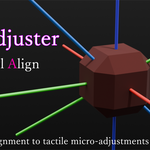
- During Jog operations, infinite colored guide lines draw automatically: Red (X), Green (Y), Blue (Z).
- Lines extend in both directions from the object origin and adapt to your current Local or Global mode.
- Provides instant visual confirmation of the active axis, reducing disorientation in complex scenes.
-
Set Origin to Surface / Selection
Professional origin adjustment without moving visible geometry.
- Object Mode: Click the button → crosshair cursor → click a face to snap origin to its center.
- Edit Mode: Select vertices/edges/faces → button click moves origin to selection centroid. Combine with FNA for rapid "snap to surface + perfect origin" workflows.
-
Quick Rotate & Utilities
- Quick Rotate: One-click buttons for common angles (±15°, 30°, 45°, 60°, 90°) in Local or Global mode.
-
Multi-Object Tools:
- Match Rotation (Move): Copy active object's rotation to selected (geometry moves).
- Match Axis (Keep Geo): Align local axes only (geometry position preserved).
- Match Origin (Keep Geo): Move origins to active object's location (geometry stays put).
- Single-Object Helpers: Reset Rotation, Apply Rotation, Origin to Center of Mass.
-
Professional Safety Features
- Instant Revert: During any Jog drag, press ESC or right-click to cancel—object snaps back to exact pre-operation state.
- Non-Destructive: All alignments preserve scale; matrix math ensures clean, stable results.
- Continue Edit Mode Option: Automatically return to Edit Mode after alignment/origin operations for seamless workflows.
Detailed Workflow Examples
Hard-Surface Bolt Placement on Curved Surface:
- Select the target face in Edit Mode on the base mesh.
- Switch to the bolt object → click "to Z" → instant normal alignment.
- Use "Set Origin to Surface" (Object Mode click on same face) → origin at contact point.
- Jog Move Z to adjust insertion depth.
- Jog Rotate Z (low sensitivity) to align threads perfectly.
Environment Prop Dressing:
- Set panel to Global orientation for scene consistency.
- Click "to Z" and pick ground face → prop stands upright.
- Jog Rotate/Move for organic hand-placement feel.
- Use Quick Rotate 90° for rapid iterations.
Multi-Object Synchronization:
- Pose primary object perfectly.
- Select duplicates → use "Match Axis (Keep Geo)" to unify orientations without shifting positions.
Settings & Display
- Orientation Switch: Top of panel—Local (object axes) or Global (world axes). Affects all transforms.
- Sensitivity Slider: Base value for Jog operations (0.01–10.0).
- Continue Edit Mode: Toggle for staying in Edit after key operations.
- Transform Display Box: Bottom of panel shows active object's Location and Euler Rotation for quick viewing/typing without leaving the sidebar.
Compatibility
- Fully compatible and tested with Blender 4.1 through Blender 5.0.1 (latest stable as of December 2025).
- Supports Blender 4.5 LTS (long-term support until 2027) and earlier 4.x versions.
- Optimized for modern GPU viewport shaders (guide lines use efficient drawing).
- Mesh objects only; requires standard Blender Python API.
Behind the Tool
FNA Adjuster started as a simple face-normal alignment helper but evolved into a complete precision placement suite. It answers: "How can object manipulation feel as intuitive as physical crafting while remaining mathematically perfect?" The result empowers artists to focus on creativity, not fighting coordinates. Regular updates ensure compatibility with Blender's rapid evolution.
Enjoy the upgraded workflow—FNA Adjuster turns one of Blender's most repetitive tasks into the most satisfying part of modeling.
It is written as AI.
Have questions about this product?
Login to message
| Sales | 10 |
| Published | 9 months ago |
| Blender Version | 4.1 - 5.0 |
| Extension Type | N/A |
| Render Engine Used | Cycles, Eevee |
| License | GPL |
Discover more products like this
face-normal Workflow edit mode 3d printing modeling rotation object-align blender addon animation align