 Mob3DCG




Fake User Manager
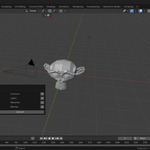
You can easily manage all data blocks that have "Fake User" enabled in a single list.
Features
Centralized Management:
Access the list from File > Clean Up > Fake User Manager.
On-the-fly Toggle:
Enable or disable Fake User status directly from the list.
List Customization:
Remove specific items from the list view using the X button.
Unused Data Warning:
If the file contains unused data, a warning will appear at the top of the File > Export menu.
Quick Cleanup:
Click the warning to open the manager, then use the Trash icon to completely delete the data.
Installation
①In Blender, go to Edit > Preferences > Add-ons.
②Click the Install... button.
③Select the downloaded Fake User Manager.zip file.
④Check the box to enable Fake User Manager.
Compatibility
Blender 3.0 or later