3D Mage
11 months ago
Thank you very much!
This item has an average rating of 4 from 9 ratings by the community.
Purchase this item to leave a review!
This addon gives unlimited scope for designing not only characters but also parts that you want to keep ,like arms legs etc,definitely worth 5 stars plus imho.
i only used it for a couple minutes so far, but it does exactly as expected. It works great for me. There is nothing more for me to say. Would recommend it to anybody, who wants to speedrun the initial blockout phase of modeling :D
3D Mage
11 months ago
Thank you very much!
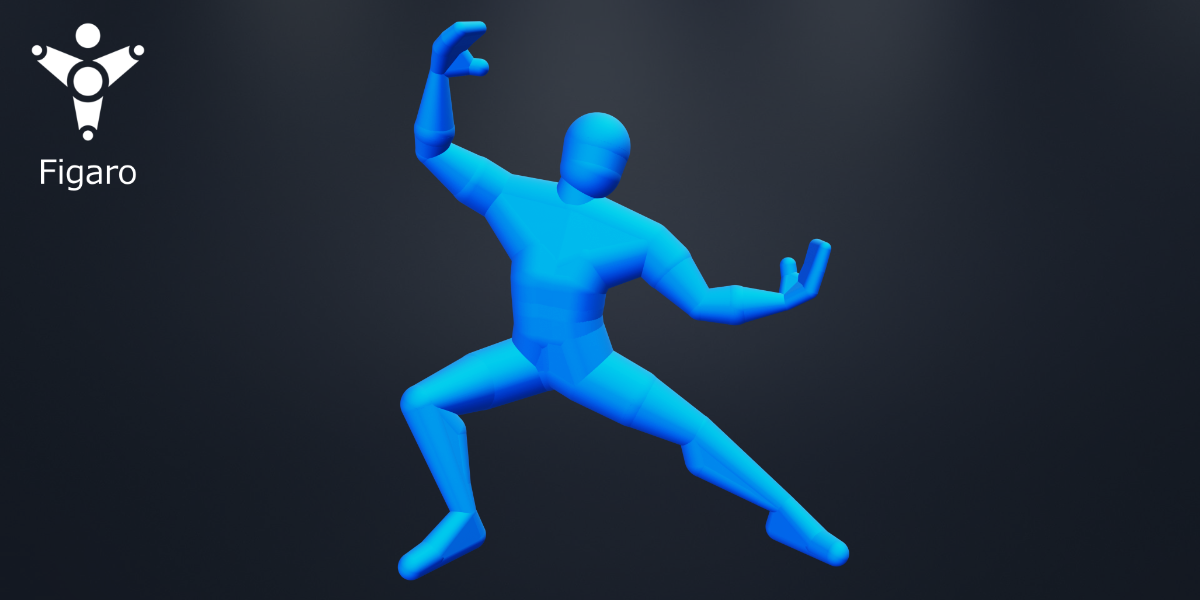
Very much recommended! I've tried using the skin modifier in blender to create base meshes, but it has always been very hit-and-miss. I've always lamented not being able to build fuller volumes by connecting vertices together, neither with the skin modifier, nor with Zspheres in Zbrush, a problem that this addon fully solves. This makes building base meshes a much more pleasant experience. As someone mentioned in the reviews, the only thing I would like would be to be able to change is the shortcut for vertex volumes, but that's just a minor thing.
3D Mage
over 1 year ago
Thank you for your feedback! I just released an update to the 3D Mage Addon Wrangler to allow you to now adjust the hotkey for the radius operation to allow use of more standard shortcuts.
I hope you enjoy the add-on!
I like Zspheres in Zbrush and in my opinion, this addon is even nicer to use, since you can create faces and large filled areas. I learned it in seconds and made the basemesh I need without problem. Highly recommend.
3D Mage
over 1 year ago
Thank you very much! I am glad the Add-On is working well for you.
Funny name for a plugin, which reminds of a well-known and very biased newspaper :p For the plugin, it's nice to see a system similar to ZSphere on Blender. Functional and rather nice to use.
Hello. I bought the Figaro add-on and tried using it, and it was really fun, so I think I'll be spending more time playing with the blender from now on. Everyone, there is no harm in purchasing this add-on! Thank you for making this.
3D Mage
over 1 year ago
Thank you very much!
Great addon--definitely makes block-out for organic forms so much easier! One thing I'd love to see is having the documentation updated, if possible. There are several features that aren't mentioned in the documentation at all (attach target, etc.), and I would love to be able to use this addon to the fullest!
It works well.
My only problem is that I would prefer choosing my own shortcuts, as I use the default Shift+R to repeat actions in blender, and it doesn't work with this add-on unable. II wonder if Alt+S could be chosen, since it is the usual blender action to scale the segments on a curve?
3D Mage
over 1 year ago
Thank you for your feedback! I will look into making shortcuts adjustable for the add-on as part of a future update.
I stopped using this addon shortly after purchasing. It's not due to any bugs, but rather a functional limitation in its design.
Vertex (radius) scaling is completely locked to a perfect circle; it does not allow for axis-locked deformation. For example, you cannot create an elliptical shape by locking the X and Y axes and stretching the mesh only along the Z-axis.
Personally, this was a dealbreaker. Because of this restriction, I have moved away from Figaro and switched to other curve-based solutions, such as MACHIN3's CURVEmachine and Vovrzull's Expert Curve Modeling series.
While Figaro is primarily intended for blocking out base meshes and may not be a tool for detailing, the inability to perform axis-locked scaling made me question whether this addon is truly necessary, even for the initial base mesh generation stage.
Have questions about this product?
Login to message
figaro Blender Character Creation Made Easy skin-modifier zspheres 3D characters 3d character modeling 3dbasemesh stickfigure blender characters 3dCharacter characterblockout blockout