Fluid Flow - Realtime Physics Simulation Of Water, Sand & Lava
 Blender Procedural


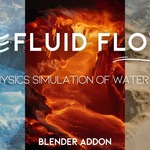
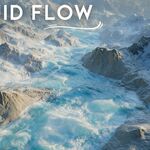
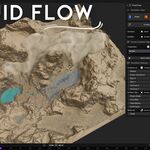
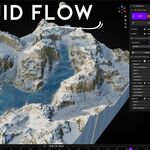
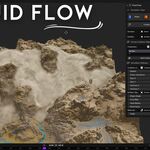
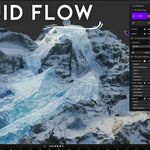

Fluid Flow — Realtime Physics Simulation of Water, Sand & Lava
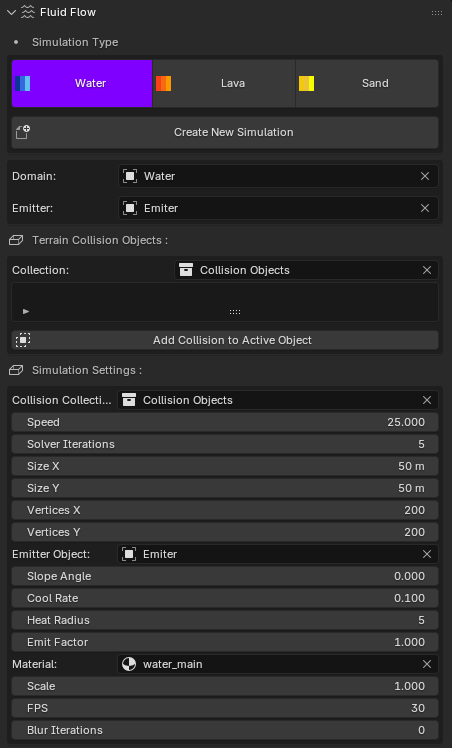
This is the official documentation for the Fluid Flow Blender add-on. Simulate water, sand, and lava directly in the viewport — no baking required.
Panel Overview
- Simulation Type — Mode toggles: Water, Lava, Sand. Choose the behavior you need.
- Create New Simulation — Creates a ready-to-run domain with your current settings.
- Domain — The simulation grid object (usually a plane).
- Emitter — The object that emits fluid/sand/lava into the domain.
- Terrain Collision Objects — A collection for all collision meshes (terrain, rocks, walls…).
- Add Collision to Active Object — Adds the currently selected object to the collision collection and marks it as a collider.
Important: When a collision object is selected, the simulation runs only on top of that collision. Always add your terrain/landscape as a collision object, otherwise nothing will appear outside the collider’s surface.
Simulation Settings (from the panel)
- Collision Collection — Which collection contains the colliders the domain should read.
- Speed — Global flow speed (higher = faster flow / transport).
- Solver Iterations — Per-frame iterations (raise for extra stability/sharpness).
- Size X, Size Y (m) — Physical domain size in meters.
- Vertices X, Vertices Y — Grid resolution of the domain.
- Emitter Object — The object used as source/emitter.
- Slope Angle (Sand) — Angle-of-repose in degrees. Below this angle sand stacks; above it sand slides.
- Cool Rate (Lava) — Cooling per frame. Lower = flows longer, higher = solidifies sooner.
- Heat Radius (Lava) — How far the heat spreads around the emitter.
- Emit Factor — Emission amount multiplier.
- Material — Material to apply on the domain (e.g. water shader / emissive lava / rough sand).
- Scale — Internal scale factor for feel of gravity/hydraulics.
- FPS — Target simulation framerate.
- Blur Iterations — Optional field smoothing (reduces small artifacts).
Quick Start
- Create New Simulation to generate a domain with default settings.
- Select your terrain/landscape object in the viewport, then click Add Collision to Active Object. Repeat for any other obstacles.
- In Simulation Type, choose Water, Lava, or Sand.
- Pick or create an Emitter object and assign it in the panel.
- Press Play. Tweak Speed, Emit Factor, and (per-mode) settings live.
Recommended Workflow
- Start with a medium grid (e.g. 50 m domain, 200×200 vertices). Increase resolution after tuning.
- Always ensure the terrain is added as a collision; otherwise the sim will only appear on the selected collider.
- For stability, increase Solver Iterations (5–10) and enable a few Blur Iterations if needed.
- Use a dedicated Material per mode: transparent water with foam, rough sand, emissive lava with cooling crust.
Mode Notes
- Water — Flows to low areas; great for rivers, channels, and surface runoff.
- Sand — Uses Slope Angle: below the angle sand piles up; above it slides. Perfect for dunes and granular effects.
- Lava — Moves slowly, then cools and solidifies. Adjust Cool Rate and Heat Radius for look/behavior.
Troubleshooting
- No simulation visible? Make sure your terrain is added via Add Collision to Active Object and the correct Collision Collection is selected.
- Sand behaves like water — Raise Slope Angle (e.g. 32–38°) or reduce Speed.
- Lava freezes instantly — Lower Cool Rate. If it never cools, increase it slightly.
- Jitter or instability — Increase Solver Iterations, enable a few Blur Iterations, or reduce grid resolution.
Tips
- Use Emit Factor for quick volume control without rebuilding the domain.
- Keep scene scale consistent; if flows feel too slow/fast, adjust Speed or Scale.
- Assign the provided shaders in Material and drive details with attributes (foam/heat/solid masks).
$9$6.30
Have questions about this product?
Login to message
| Blender Extension Compatible | Yes |
| Sales | 100+ |
| Dev Fund Contributor | |
| Published | 11 months ago |
| Blender Version | 4.2 - 4.5 |
| Extension Type | Add-on |
| Render Engine Used | Cycles, Eevee |
| License | GPL |
Discover more products like this
motion graphics water lava sand Fluid-simulation procedural simulation dynamic materials geometry nodes fluid flow interactive simulation realtime physics Physics FX blender addon