Follow Me - Asset Placement Utility
 Munish Kumar


Installation
Installing the add-on is simple. Please follow the steps for your version of Blender.
For Blender 4.1 and below (Standard Add-on Installation)
- Go to Edit > Preferences.
- Select the Add-ons tab on the left.
- Click the Install button at the top.
- Find and select the
Follow_Me_by_Gonreel.zipfile you downloaded. - Once installed, find "Follow Me" in the list and tick the checkbox to enable it.
For Blender 4.2 and above (Extension Installation)
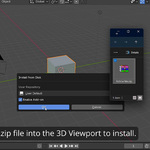
Drag and drop the Follow_Me_by_Gonreel.zip file into the 3D Viewport to install
How to Use
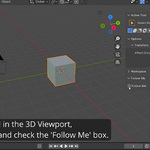
- In the 3D Viewport, press the N key to open the Sidebar.
- Navigate to the Tool tab.
- You will find a new panel named Follow Me.
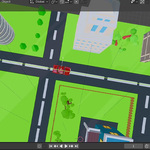
- Simply tick the "Follow Me" checkbox to activate the feature. Now, when you move your active object, the view will automatically follow it!
⭐ Pro-Tip: Quick Favorites
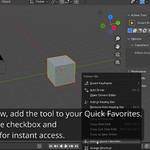
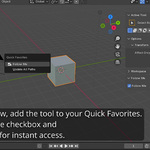
For the fastest possible workflow, add this tool to your Quick Favorites menu.
- Hover over the "Follow Me" checkbox in the Tool panel.
- Right-click on it.
- From the context menu, select Add to Quick Favorites.
- That's it! Now you can press the Q key anywhere in the 3D Viewport to instantly toggle the Follow Me feature on and off.