 LarkLab
Can I use it in commercial work?
Yes. The add-on is GPL 3.0 or later; your renders and animations are yours.
Which Blender versions?
Blender 5.0 or newer.
Eevee or Cycles?
Both. Flying is done in the viewport; the result is keyframes, so render with any engine.
Can I use my own camera or drone model?
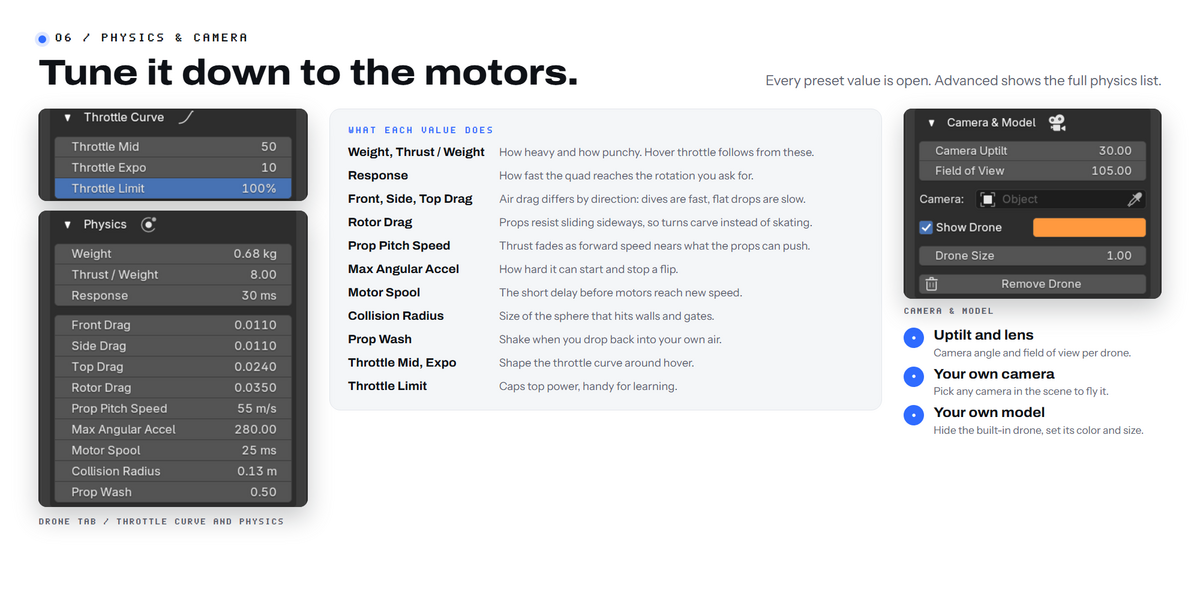
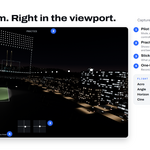
Pick any camera in Quad > Camera to fly it. The built-in 5-inch drone model can be hidden, or parent your own model to the FP Drone object.
Does my animated scene play while I fly?
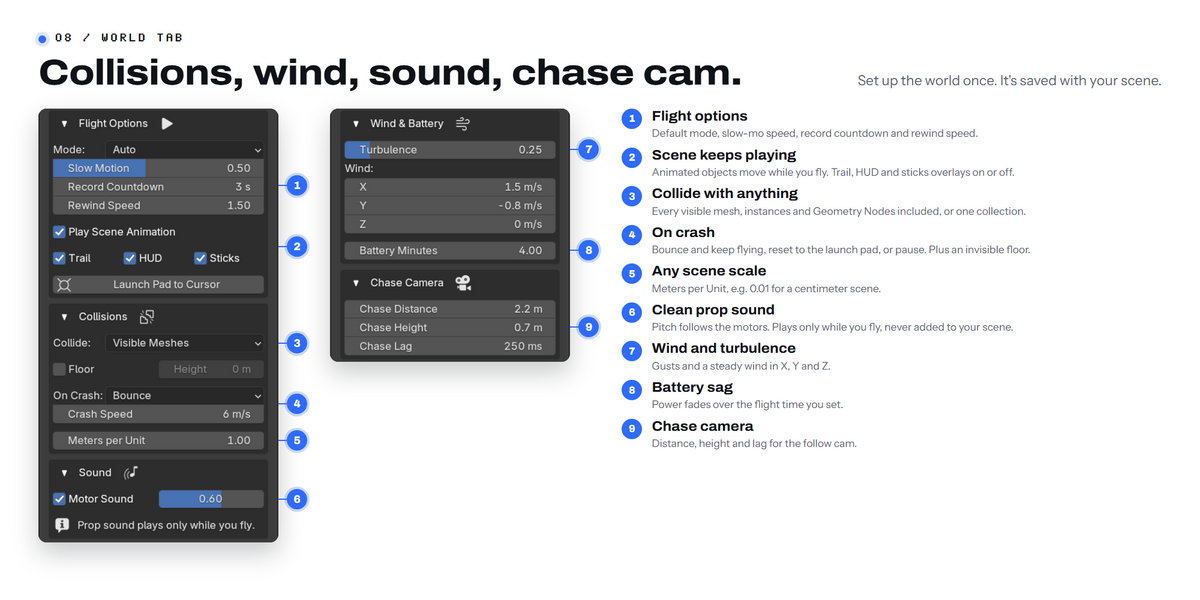
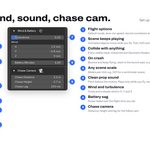
Yes, while recording the timeline runs with you, so moving cars or doors are where you see them.
Does the drone hit things?
Yes. It collides with visible meshes, a chosen collection or an invisible floor, including instanced and Geometry Nodes geometry. On a crash it can bounce, reset or pause.
Is there sound?
Yes, a clean prop sound plays while you fly. Nothing is added to your scene.
Can I make hard shots easier?
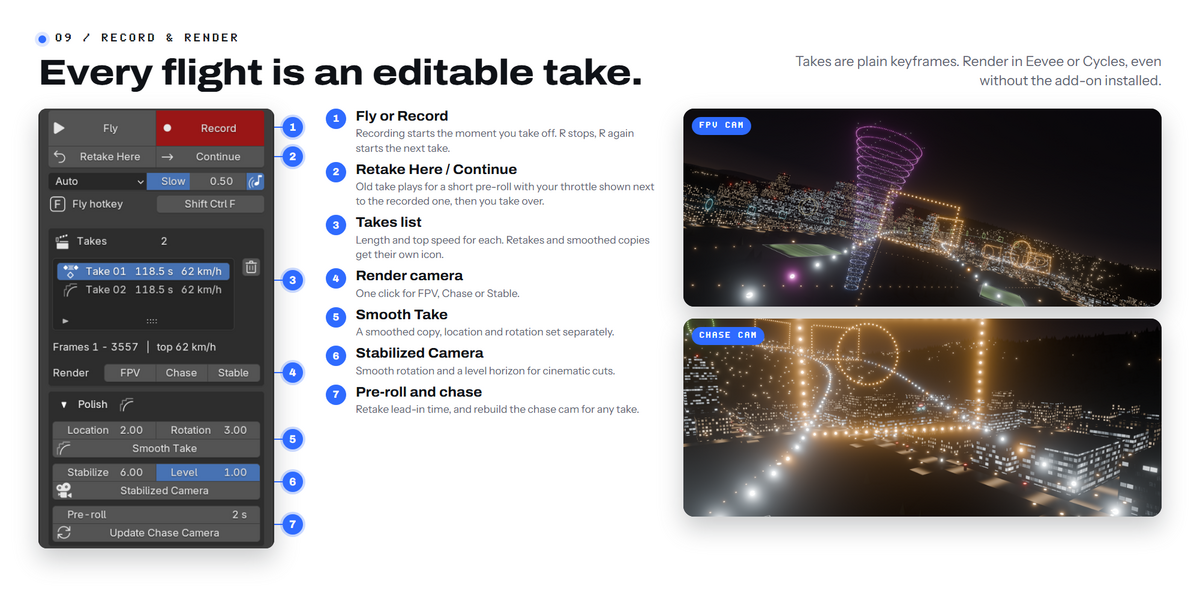
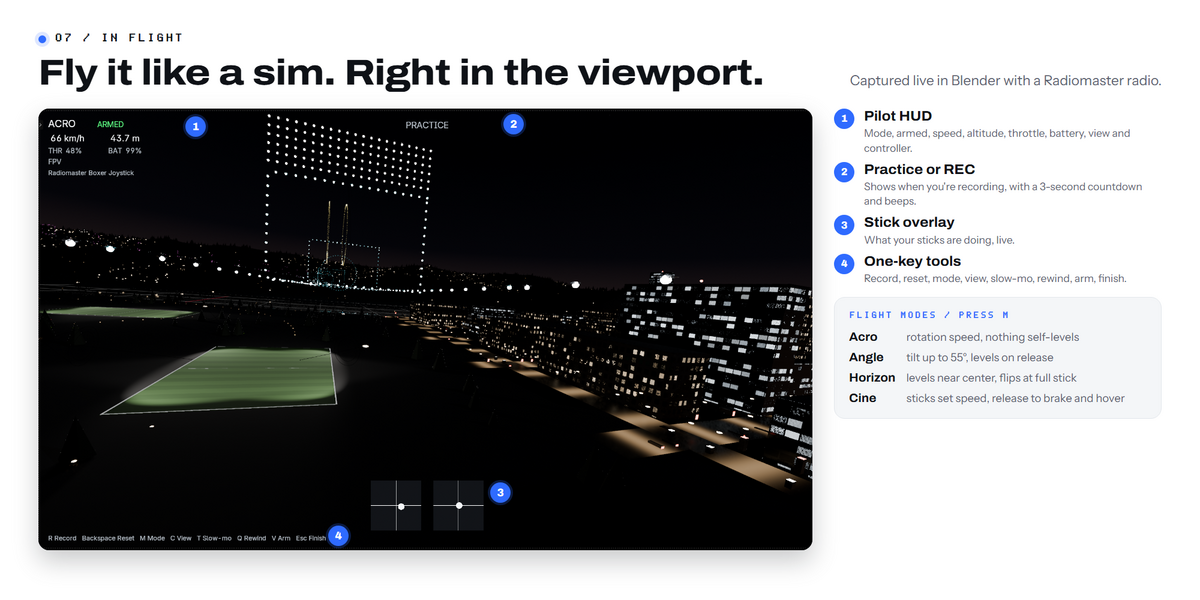
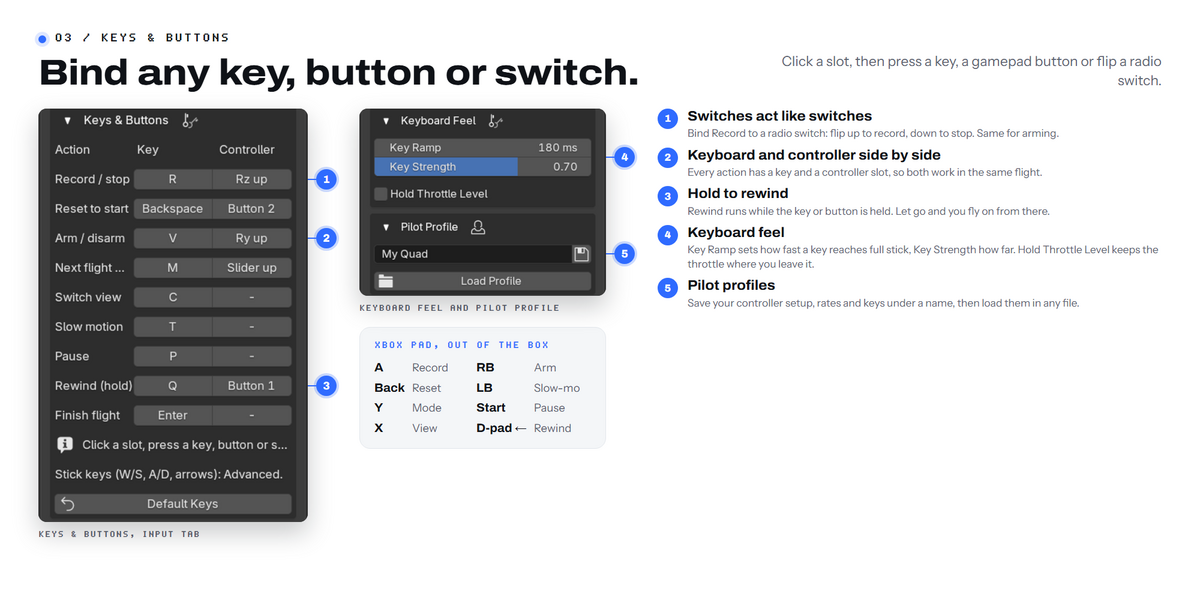
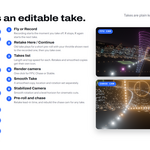
Hold Rewind (Q) to run time back a few seconds and try the gap again, or turn on slow motion: the simulation runs slower, the recording plays back at real speed.
Can I edit the flight afterwards?
Yes. Each flight is saved as normal keyframes in its own take. You can retake from any frame (a short pre-roll, then you take over), smooth a take, or bake a stabilized camera with a level horizon.
Will it feel like my sim or my real quad?
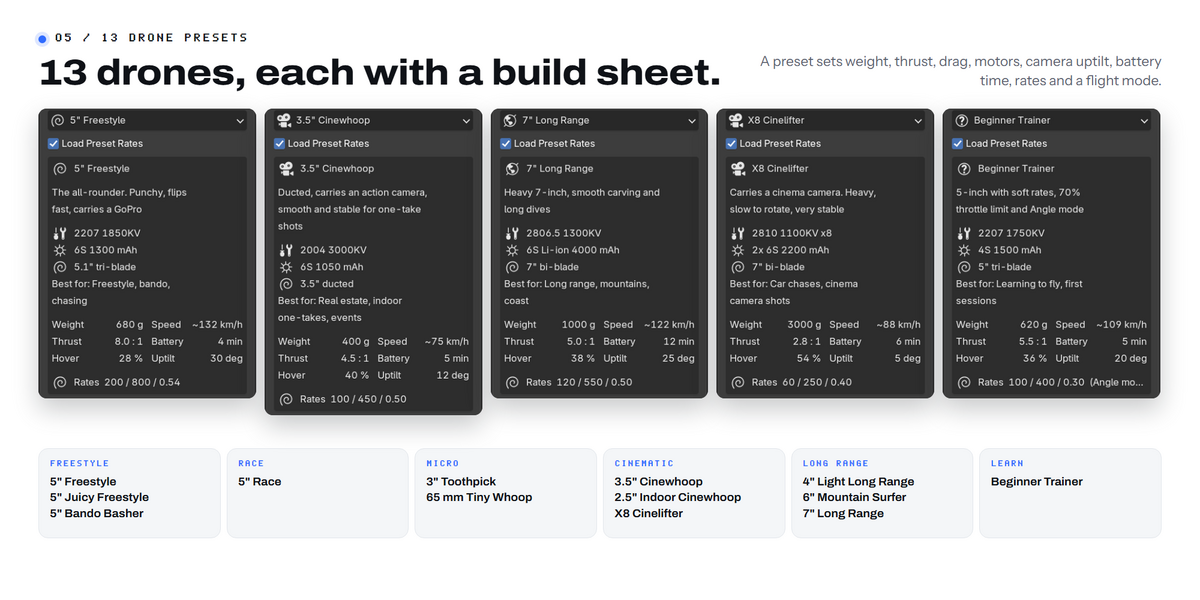
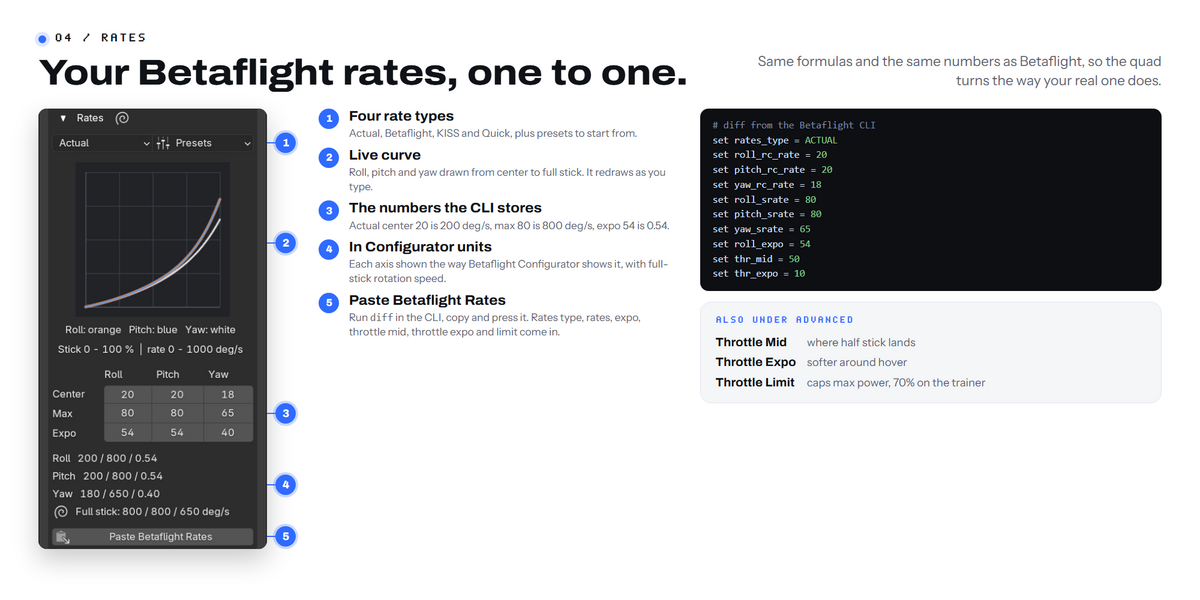
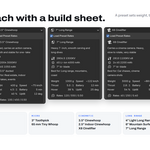
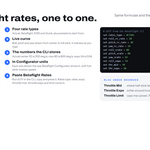
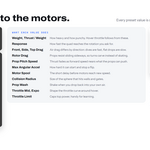
Rates use the Betaflight formulas (Actual, Betaflight, KISS, Quick). Paste your Betaflight CLI diff and your rates, expo and throttle curve are imported. Pick one of 13 drone presets (freestyle, race, toothpick, whoop, cinewhoops, long range, cinelifter, beginner trainer); each comes with its own rates, throttle curve and flight time. Or tune weight, thrust, drag and response yourself.
Can I fly with just a keyboard?
Yes. Cine mode makes it easy: arrows set speed, let go to brake and hover, W/S climb and descend. Every key can be changed.
Do I need to install anything else?
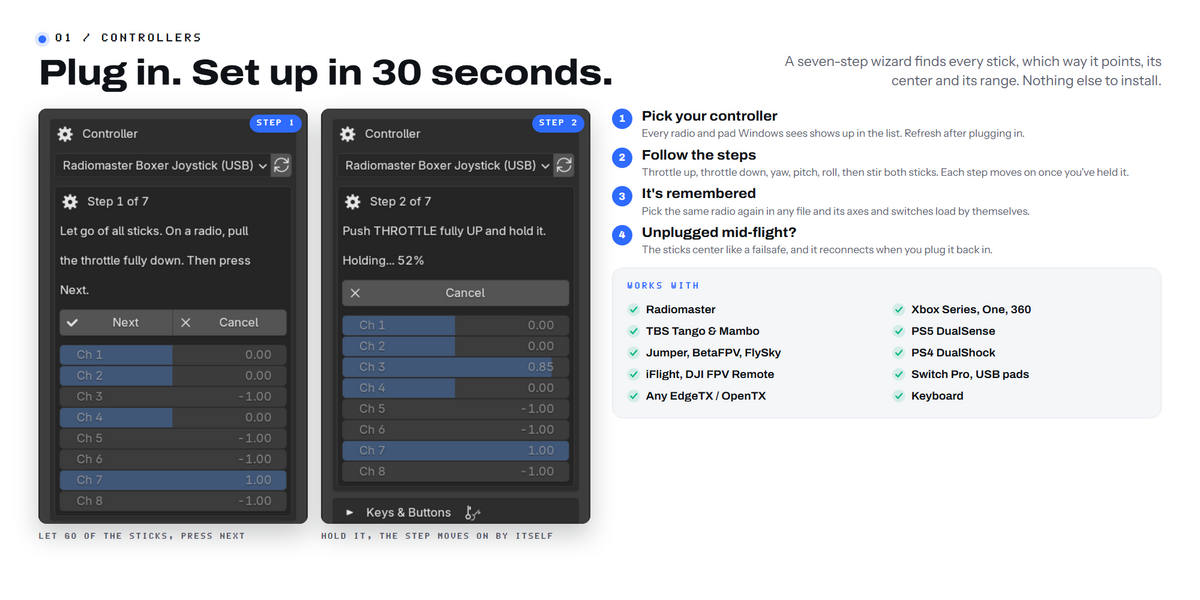
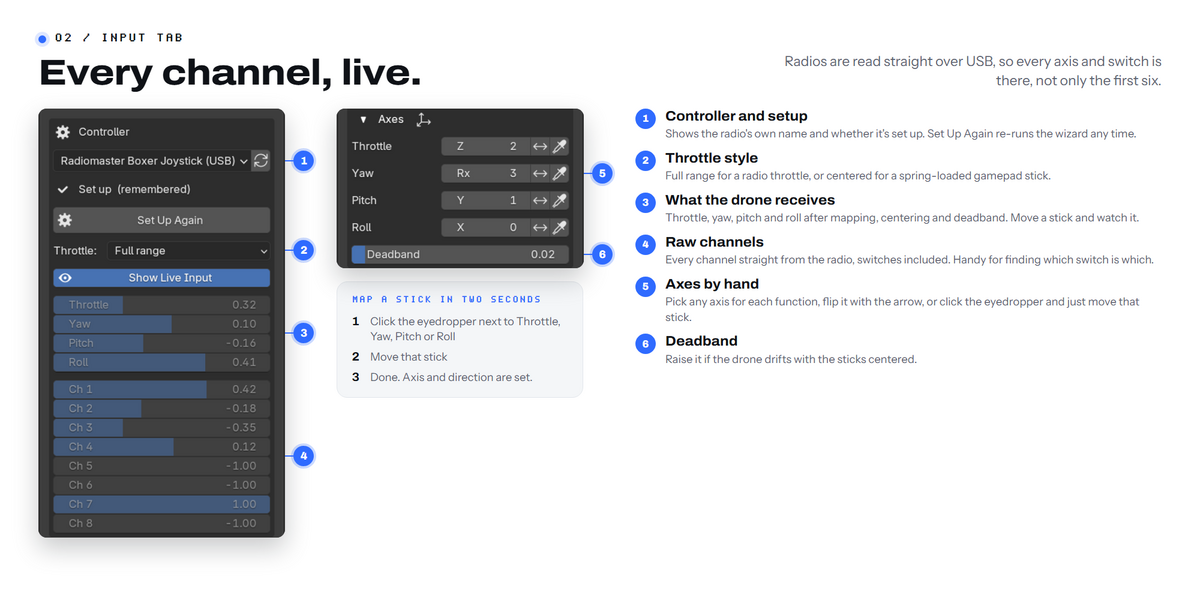
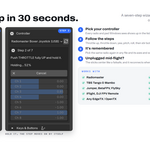
No. Controllers are read directly through Windows, Linux or macOS. There is no "install dependencies" step.
Does it work with my controller?
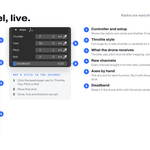
If your computer sees it as a game controller, yes: Xbox and other XInput pads, RC radios in USB joystick mode (Radiomaster, TBS, Jumper, BetaFPV, FlySky, DJI FPV remotes), PlayStation and other USB gamepads. The setup wizard maps any of them in a few steps.
Have questions about this product?
Login to message
| Blender Extension Compatible | Yes |
| Published | about 13 hours ago |
| Blender Version | 5.0 - 5.2 |
| Extension Type | Add-on |
| Render Engine Used | Cycles, Eevee |
| License | GPL |
Discover more products like this
controller drone aerial-camera gamepad FPV simulation #dji 360 camera animation animation and rigging drone simulation add camera rig drone-cam