Frameforge — Camera Sets & Batch Render Workflow
 forgeworks




FrameForge – Documentation
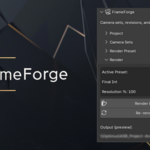
FrameForge is a Blender add-on designed to bring structure to camera management, revision handling, and batch still rendering for architectural visualisation delivery.
It is intended for real-world workflows where multiple cameras and feedback rounds can become error-prone without consistent naming and predictable output folders.
Installation
Download the FrameForge
.zipfile from SuperhiveOpen Blender
Go to Edit → Preferences → Add-ons
Click Install… and select the downloaded ZIP file
Enable FrameForge
In the 3D Viewport, press N to open the sidebar
Find FORGEWORKS → FrameForge
Basic Workflow
-
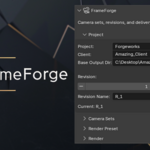
Project Setup
Enter project and client names
Set a base output directory
-
Camera Sets
Refresh the scene camera list
Add cameras to sets
Enable / disable sets and cameras for batch output
-
Revisions
Increase / decrease revision number
Optionally set a revision name label
-
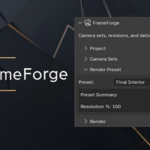
Render Presets
Switch between Draft and Final presets
Use per-camera resolution overrides if needed
-
Batch Render
Render enabled camera sets
Outputs are saved into structured folders based on project/client/revision
Output Structure
FrameForge creates predictable output folders based on your project, client, and revision settings.
This helps maintain consistency across multiple render passes and delivery rounds.
Compatibility
Minimum Blender Version: 4.0
Engines: Cycles and Eevee
License
FrameForge is distributed under the GNU General Public License (GPL), as required for Blender add-ons.
Commercial use is permitted.
Support
For support, bug reports, or feedback:
https://siradcliffe.uk
Updates are provided through Superhive.
Have questions about this product?
Login to message
| Published | 9 months ago |
| Blender Version | 4.0 - 4.1 |
| Extension Type | N/A |
| Render Engine Used | Cycles, Eevee |
| License | GPL |
Discover more products like this
Batch rendering blender addon Camera Management render delivery Workflow production tools ArchViz architectural visualization revision workflow blender