Geolod
 Darksteady. Studio


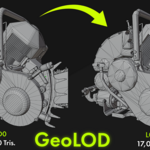
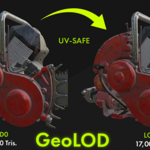
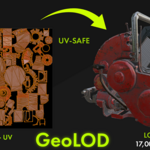
GeoLOD — Smart, UV-safe LOD Generator for Blender 4.x
Author: Jacobb
Version: 1.0.0
Blender version: 4.0+
Category: Object
Location: View3D → N-panel → GeoLOD
Description
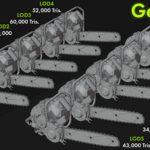
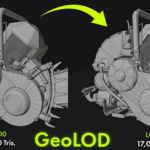
GeoLOD is a Blender addon for fast creation of Level of Detail (LOD) models with UV-safe topology cleanup.
It performs UV-aware geometry cleanup before reduction, applies a Decimate (Collapse) modifier for triangulated reduction, and automatically adds a Weighted Normals modifier (Keep Sharp off) for consistent shading.
The result is a clean, production-ready collection with organized naming and a LOD_Level custom property.
Features
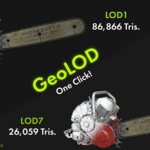
Generate 1–10 LODs with a single click.
Choose exact percentages (e.g.,
90,80,65) or Start % + Step % pattern.UV-safe cleanup — Limited Dissolve with adjustable angle, Merge by Distance, optional UV seam protection.
Decimate (Collapse) — triangulated reduction for real-time performance.
Auto-add Weighted Normals (Keep Sharp = OFF), left unapplied.
Optional LOD0 (copy of the original object).
Preserves materials, vertex colors, and UVs where possible.
Organized structure:
BaseName_LODscollection,BaseName_LOD1…Nobjects,LOD_Levelproperty.
Installation
Download the
.zipfile containing the addon.In Blender, go to Edit → Preferences → Add-ons → Install...
Select the downloaded
.zipand click Install Add-on.Enable GeoLOD (Smart LOD Generator) from the addon list.
Access it via N-panel → GeoLOD
Usage
Select a mesh object in Object Mode.
-
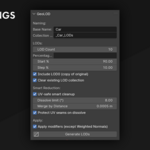
In the N-panel → GeoLOD section, set:
Base Name (optional, defaults to active object name).
Collection Suffix (e.g.,
_LODs).LOD Count (1–10).
Percentages or Start % + Step %.
Options: Include LOD0, Clear existing collection.
-
(Optional) Enable UV-safe Smart Cleanup and adjust:
Dissolve limit (°) – angle threshold for Limited Dissolve.
Merge by Distance – merge distance for close vertices.
Protect UV seams – prevents UV islands from breaking during cleanup.
(Optional) Enable Apply modifiers (Weighted Normals is never applied).
Click Generate LODs.
Output
Collection:
BaseName_LODsObjects:
BaseName_LOD1…LOD{N}(+ optionalBaseName_LOD0)Custom property:
LOD_Level = 0..N
Notes
Works with mesh objects only.
Decimate always produces triangulated geometry (quads are not preserved).
Extreme reductions may distort shape and UVs — keep reasonable percentages for important assets.
For predictable results with complex modifier stacks (Mirror/Array/Subdiv), either apply them beforehand or let GeoLOD apply all except Weighted Normals.
Have questions about this product?
Login to message
| Blender Extension Compatible | Yes |
| Sales | 10+ |
| Dev Fund Contributor | |
| Published | about 1 year ago |
| Blender Version | 4.0 - 4.2 |
| Extension Type | Add-on |
| Render Engine Used | Blender-Internal |
| License | Mit |
Discover more products like this
3D Workflow Optimization Auto LOD 3D asset optimization Auto lods 3D model optimization 3D Optimization LOD