 Jammie



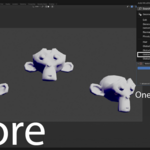
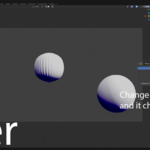
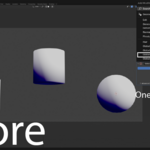
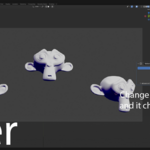
🌎 Universal Global SubD: One Modifier to Rule Them All
Tired of manually adjusting Subdivision Surface settings across dozens of different objects? Changing the viewport level on one mesh, then another, then another? Streamline your modeling workflow with Universal Global SubD, the simple, one-click solution for synchronizing modifiers across your entire Blender scene.
This addon introduces a special "Global SubD" modifier. Add it to as many objects as you want. When you change a setting on any one of them, all the others update instantly. No more tedious, repetitive clicks!
✨ Key Features
Instant, Scene-Wide Syncing: Modify the subdivision levels, quality, or any other property on one modifier, and watch every other "Global SubD" modifier in your project update in real-time.
One-Click Setup: The addon integrates directly into the
Add Modifiermenu. No complicated panels or setup required.Intuitive Workflow: There's no "master" modifier. Any "Global SubD" modifier can be the source of a change. Just tweak the one you're looking at, and the rest will follow suit.
Smart Property Control: Core settings are synced globally, but you retain individual control over visibility (
Show in Viewport,Show in Render, etc.), allowing you to optimize scene performance without losing sync.Lightweight and Stable: Built to be a seamless and reliable part of your workflow, running efficiently in the background without getting in your way.
🤔 Who is this for?
This tool is a massive time-saver for anyone working with scenes that have multiple subdivided components, including:
Character Artists: Keep all your character's armor, accessories, and clothing parts perfectly in sync.
Hard Surface Modelers: Ensure uniform subdivision levels across complex mechanical parts, panels, and greebles.
Environment Artists: Manage subdivision on rocks, architectural elements, and props throughout a large scene with ease.
Anyone who values their time and wants to eliminate repetitive tasks!
⚙️ How It Works
Using the addon couldn't be simpler:
Select a mesh object.
Navigate to the Modifier Properties tab.
Click Add Modifier.
Under the
Generatecolumn, select Global SubD.
That's it! A new Subdivision Surface modifier named "Global SubD" is added. Now, add this same modifier to any other objects you want to be part of the sync group. Adjusting the Levels Viewport on one will now change it for all of them.
🔧 Synced vs. Independent Properties
To give you the perfect balance of global control and local flexibility, the addon syncs the crucial modeling properties while leaving object-specific settings alone.
What Gets Synced:
Levels ViewportRender LevelsQualityUV SmoothBoundary SmoothUse CreasesAnd all other core subdivision properties!
What Stays Independent (By Design!):
Modifier Name (you can rename it, as long as it starts with "Global SubD")
Show in ViewporttoggleShow in RendertoggleShow in Edit ModetoggleShow on Cagetoggle
This design ensures you can hide modifiers on certain objects for performance reasons while keeping their core settings perfectly synced.