Gn Escape – Control Any Value From Geometry Nodes
 Tommaso Malaisi



# GN Escape

**GN Escape** is a Blender Extension that allows Geometry Nodes to drive *real Blender properties* in real time.

It bridges the gap between **Geometry Nodes attributes** and **standard object properties** such as:

* object transforms (location, rotation, scale)
* camera parameters (shift, focal length, etc.)
* light properties
* any writable `bpy` data path

GN Escape was created to overcome the limitation that Geometry Nodes normally operate in isolation, without direct access to Blender’s broader data model.

---

## Core Concept

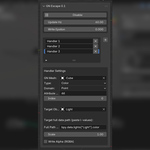
GN Escape is based on a system of **Handlers**.

A **Handler** defines a live connection between:

1. a **Geometry Nodes named attribute**
2. and a **target Blender property**

At runtime, GN Escape continuously:

* reads attribute values generated by Geometry Nodes
* converts them to Python values
* writes them into real Blender properties

This allows Geometry Nodes to **control the rest of Blender**.

---

## What Is a Handler?

A **Handler** is a single attribute-to-property bridge.

Each handler contains:

### 1. Geometry Nodes Source

* **GN Object**
  The object that owns the Geometry Nodes modifier.
* **Attribute Name**
  The exact name of a *named attribute* produced inside Geometry Nodes.
* **Domain**
  Point, Edge, Face, Corner, or Instance.
* **Element Index**
  Which element to read from the domain (usually `0`).

### 2. Attribute Type

The handler must match the attribute type produced in Geometry Nodes:

* **Float**
* **Integer**
* **Boolean**
* **Vector (XYZ)**
* **Color (RGB / RGBA)**

Internally, GN Escape reads the corresponding attribute data:

* `value`
* `vector`
* or `color`

---

### 3. Target Path (Blender Property)

Each handler writes its value into one or more **Blender data paths**, for example:

```python
bpy.data.objects["Cube"].location.x
bpy.data.cameras["Camera"].shift_x
bpy.data.lights["Light"].energy
```

These paths must be valid **l-values** (writable properties).

Depending on the attribute type:

* Float → single path
* Vector → X / Y / Z paths
* Color → single RGB or RGBA path

---

## Runtime Mechanism (RT Pump)

GN Escape uses a lightweight **timer-based real-time loop**.

At each tick:

1. Geometry Nodes are evaluated
2. Attribute values are read from the evaluated mesh
3. Values are compared against the last written state
4. Only meaningful changes are written to Blender

This minimizes overhead and avoids unnecessary updates.

### Update Control

* **Update Hz**
  Limits how often values are written (default: 60 Hz).
  Set to `0` for maximum realtime.
* **Write Epsilon**
  Small threshold to avoid writing insignificant float changes.

---

## Safe Defaults & Restoration

GN Escape automatically captures the **original value** of each target property when a handler starts writing.

When:

* GN Escape is disabled
* or a handler is removed

the original value is restored.

This ensures:

* zero permanent side effects
* safe experimentation
* predictable behavior

---

## Typical Use Cases

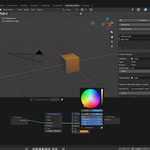
* Drive **camera shift** or focal length from Geometry Nodes
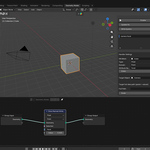
* Animate object transforms using procedural fields
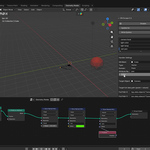
* Control lights, materials, or modifiers procedurally
* Use Geometry Nodes as a *logic engine* for the entire scene
* Connect simulation, or external data to real objects

---

## Installation

1. Open Blender 5.0+
2. Go to **Extensions / Add-ons**
3. Install from disk
4. Select the ZIP containing the `gn_escape` folder
5. Enable **GN Escape**

The panel appears in:

```
View3D > Sidebar > GN Escape
```

---

## License

GN Escape is licensed under the
**GNU General Public License v3.0 or later (GPL-3.0-or-later)**.

You are free to:

* use
* modify
* redistribute

under the terms of the GPL.

See the `LICENSE` file for details.
$5
Have questions about this product?
Login to message
| Blender Extension Compatible | Yes |
| Dev Fund Contributor | |
| Published | 8 months ago |
| Blender Version | 4.5 - 5.0 |
| Extension Type | Add-on |
| License | GPL |
